Best Robot Vacuums for Seniors (2026)
Bending, pushing, and lifting a vacuum gets harder with age, and it's a common source of falls. These robot vacuums cut daily floor work down to almost nothing — here's which ones are actually easy to live with.
As an Amazon Associate I earn from qualifying purchases. We independently review products; buying through our links never costs you extra.
Best Overall
iRobot Roomba Combo j7+
Quick picks
| Product | Best for | Amazon |
|---|---|---|
| iRobot Roomba Combo j7+ | Overall | Check price on Amazon |
| iRobot Roomba 694 | App-Free Use | Check price on Amazon |
| eufy RoboVac 11S MAX | Budget | Check price on Amazon |
| Shark AI Ultra Robot Vacuum with Self-Empty Base | Value with Self-Empty | Check price on Amazon |

Our Top Picks
Chosen for seniors based on features, specs, and verified buyer reviews.

iRobot Roomba Combo j7+
- Self-empty base holds up to 60 days of debris
- Camera-based obstacle avoidance handles cords and pet waste
- Vacuums and mops hard floors in one pass
- Least amount of ongoing manual work
- Requires a smartphone app for setup and scheduling
- Self-empty base is loud for about 15 seconds each cycle
- Most expensive option in this roundup

iRobot Roomba 694
- Large physical Clean button — no app required
- No Wi-Fi or account setup needed
- Simplest daily operation of any model here
- Lower price than mapping-equipped models
- No smart mapping — semi-random cleaning pattern
- Bin must be emptied by hand every session or two
- Cords and low furniture legs need clearing before each run

eufy RoboVac 11S MAX
- Under 3 inches tall — fits under low furniture
- Single power button, optional large-button remote
- Quiet operation
- Most affordable option here
- Can get stuck on thick rug edges or cord clutter
- Weaker suction on carpet than pricier models
- No self-empty base
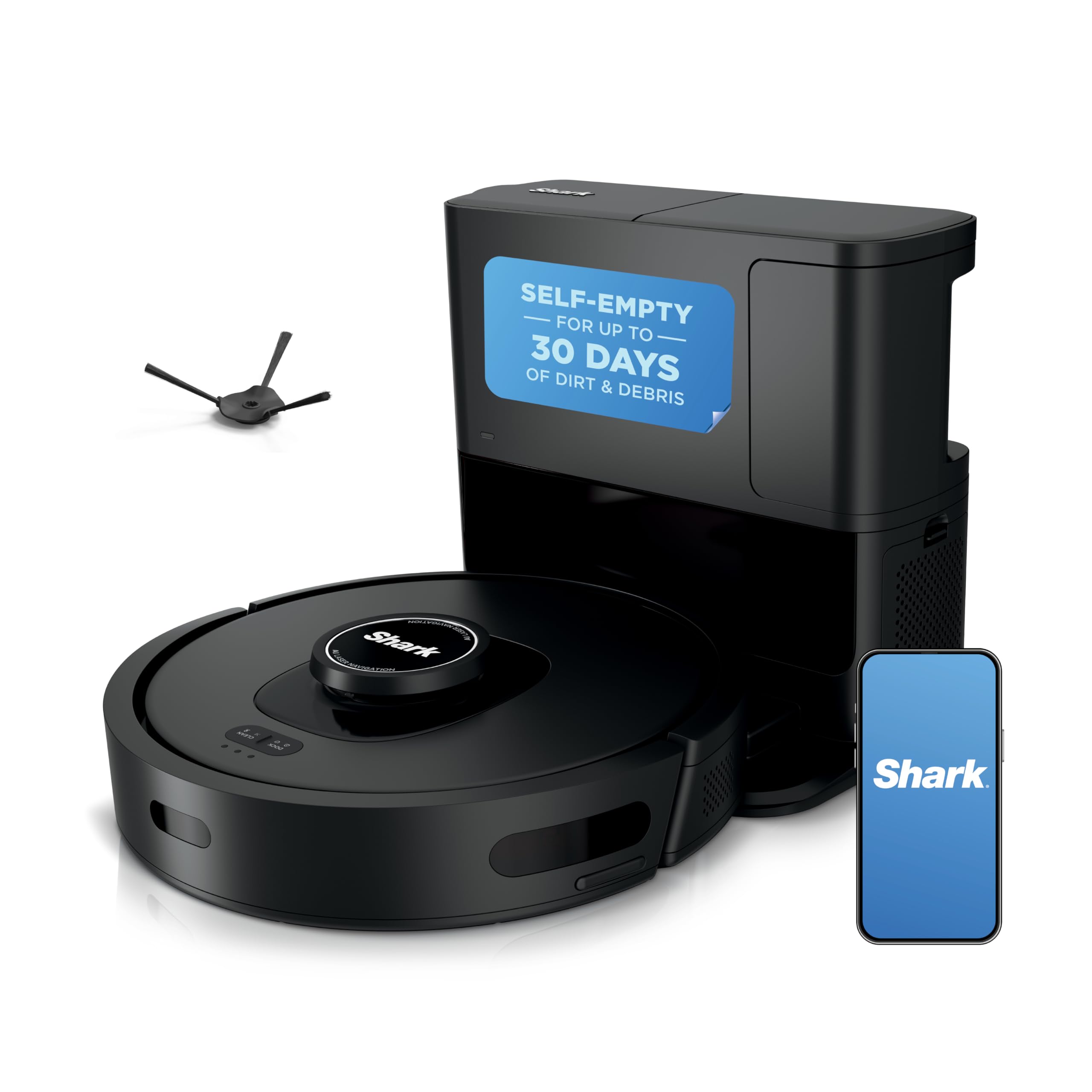
Shark AI Ultra Robot Vacuum with Self-Empty Base
- Real room mapping with no-go zones
- Self-empty base
- Remote scheduling for family caregivers
- Lower price than the Roomba Combo j7+
- Most controls still route through the app
- Self-empty bags are a recurring cost
- Obstacle avoidance less refined than the Roomba Combo j7+
Why a Robot Vacuum Is a Practical Safety Purchase, Not Just a Gadget
Vacuuming involves exactly the kind of movement that becomes riskiest with age: bending to move furniture, pulling a heavy canister across the room, reaching under beds and couches. It's also one of the more common ways an older adult ends up overexerted or off-balance while home alone. A robot vacuum doesn't replace a deep clean entirely, but it handles the daily maintenance pass — crumbs, pet hair, dust — without anyone having to bend over or drag a cord across the room.
There's a second, less obvious benefit for anyone using a cane, walker, or rollator: a floor that's vacuumed daily rather than weekly has far less loose debris to catch a wheel or a cane tip on.
How We Chose
We compared current robot vacuums specifically on how much they demand from the owner day to day — not just cleaning performance. That means: can it be started with a physical button instead of a phone app, how loud is it, how often does the bin need emptying, and how well does it avoid common household obstacles like phone charging cords, throw rugs, and pet bowls.
Our Top Picks
1. iRobot Roomba Combo j7+ — Best Overall (Set It and Forget It)
This is the closest thing to true hands-off floor care. The self-emptying base holds up to 60 days of debris, so nobody needs to bend down and empty a bin regularly — arguably the single most valuable feature for an older user, since emptying the bin is the one task that reintroduces the bending a robot vacuum is supposed to eliminate. Obstacle-avoidance cameras reliably steer around cords, shoes, and pet waste, and it mops hard floors on the same pass.
Trade-offs: It's controlled primarily through a smartphone app, so setup and any schedule changes need a phone-comfortable family member or a one-time walkthrough. The self-empty base is genuinely loud for about 15 seconds each cycle — startling if it happens unexpectedly and no one warned the listener beforehand. It's also the most expensive option here by a wide margin.
Check price on AmazoniRobot Roomba 694
2. iRobot Roomba 694 — Best for App-Free, Simple Use
The 694 has something the pricier Roombas don't: a large, physical "Clean" button right on top of the unit. Press it, and the vacuum starts a cleaning cycle — no phone, no account, no Wi-Fi setup required at all if the family doesn't want it connected. That single design choice makes it the most senior-friendly unit to operate day to day, even if it's the least sophisticated.
Trade-offs: Without mapping, it cleans in a semi-random pattern rather than efficient rows, so it takes longer to cover a room and can occasionally miss corners. It has no-go zone limitations, so cords and low furniture legs still need to be picked up before it runs, and the bin has to be emptied by hand every session or two.
3. eufy RoboVac 11S MAX — Best Budget
A slim, quiet unit at a fraction of the Roomba's price. At under 3 inches tall, it fits under most couches and beds where dust accumulates, and its low profile means it's not something to trip over if left out. Operation is a single power button on the unit itself, plus an optional remote with large buttons — no app required for basic use.
Trade-offs: Without smart mapping, it can get stuck on thick rug edges, cord clutter, or in tight spaces between furniture legs, and someone may need to go rescue it occasionally. Suction is noticeably weaker on carpet than the pricier options, and there's no self-empty base, so the small bin needs emptying every one to two runs.
Check price on Amazoneufy RoboVac 11S MAX
4. Shark AI Ultra Robot Vacuum with Self-Empty Base — Best Value with Self-Empty
A middle ground between the Roomba Combo j7+ and the budget options: real room mapping, obstacle avoidance, and a self-emptying base, at a noticeably lower price than the Roomba. The companion app lets a family member set no-go zones and schedules remotely, which is useful if an adult child wants to manage cleaning schedules without being in the house.
Trade-offs: Like the Roomba Combo, it leans on the app for most controls beyond a basic start button, and the self-empty bags are a recurring cost most buyers don't budget for upfront. Obstacle avoidance is good but not as refined as the Roomba Combo j7+'s camera system — the occasional cord still trips it up.
Check price on AmazonShark AI Ultra Robot Vacuum with Self-Empty Base
Accessibility Details That Matter More Than the Spec Sheet
- Physical start button vs. app-only control: If the primary user doesn't have or want a smartphone, a unit with a real button on top — like the Roomba 694 or eufy 11S MAX — matters more than any mapping feature. App-dependent units work best when a family member sets the schedule remotely and the senior never has to touch the app at all.
- Noise, especially from self-empty bases: A loud, sudden vacuum sound from an emptying base can be startling, particularly for anyone with a started-easily nervous system or a service animal in the house. Warn the household about the sound before first use, or set the schedule for a time no one's napping.
- Trip hazard when charging or docked: Place the charging dock against a wall, out of normal walking paths — not in a hallway or at the base of stairs, both common falls-and-mobility-aid routes.
- Remote scheduling for family caregivers: App-based units let an adult child living elsewhere confirm the vacuum ran that day, which doubles as a light, unobtrusive check-in signal.
- Size and clearance: A thinner unit (the eufy 11S MAX in particular) clears under more furniture, which matters in a home already furnished with lift chairs or bed rails that sit lower to the floor.
How to Choose the Right One for Your Situation
The best robot vacuum for an older adult is rarely the most advanced one — it's the one that matches how much the household wants to be involved. Use these questions to narrow it down before comparing models.
Who will handle the day-to-day and the setup?
This is the deciding question. If a phone-comfortable family member will do the initial app setup and manage schedules remotely, an app-driven, self-emptying model removes the most physical work. If the senior is on their own and doesn't use a smartphone, a unit with a real button on top that starts a full cleaning cycle with one press is the more honest fit — it may clean less cleverly, but it will actually get used without anyone's help.
How much bending do you want to eliminate?
Emptying the bin is the one task that quietly reintroduces the bending a robot vacuum is meant to remove. If reducing that daily stooping is a priority — and for many older users it's the whole point — a self-emptying base earns its higher price by turning a daily chore into something done every month or two. If budget rules that out, plan for who will empty the small bin every run or two.
What's on the floor already?
Walk the home honestly before buying. Thick or high-pile rugs, deep pile transitions, cords running along baseboards, and clusters of furniture legs are where cheaper units get stuck and need rescuing. A home with mostly hard floors and thin rugs is forgiving of a budget model; a home full of plush rugs and cord clutter is a better argument for a mapping model with stronger sensors, or for tidying the floor first.
How sensitive is the household to noise?
If a nap schedule, a light-sleeping spouse, a service animal, or a startle-prone nervous system is part of the picture, noise deserves real weight in the decision — especially the loud burst a self-emptying base makes. A quieter unit run on a schedule while no one is home sidesteps the issue entirely.
Living With It: Maintenance That Stays Senior-Friendly
Every robot vacuum needs some upkeep, and the goal is to keep that upkeep from becoming the very kind of bending and fiddling the machine was bought to avoid. A few habits keep it low-effort:
- Hair wrapped around the brush is the most common cause of a vacuum that suddenly cleans poorly. On homes with pets or long hair, clearing the brush roll every week or two keeps suction strong. If reaching and twisting to do this is hard, it's a good task to hand to a visiting family member or aide, and a reason to favor models with tangle-resistant brushes.
- Filters need occasional tapping-out or replacement; buying a spare filter up front means a clogged one can be swapped in seconds rather than becoming a project.
- Self-empty bags on the fancier models are a recurring cost that catches buyers off guard — budget for them the way you would vacuum bags of old, and keep one spare on hand.
- The charging dock should live in one fixed, out-of-the-way spot against a wall so the vacuum always finds its way home and never becomes a trip hazard in a walking path or at the base of stairs.
Common Mistakes to Avoid
- Buying app-only for a senior who won't use an app. The most capable vacuum is useless if starting it requires a phone the owner doesn't have. Match the control method to the actual user.
- Placing the dock in a hallway or near stairs. A docked vacuum in a walking path is exactly the kind of low obstacle that causes trips. Tuck it against a wall, clear of routes a walker or cane travels.
- Running it during active walking. The unit moves unpredictably around feet. Run it while the person is seated, showering, or out of the room — not while they're moving around with a cane or walker.
- Skipping the pre-run tidy on non-mapping models. Loose cords, phone chargers, and lightweight rug corners will tangle a budget unit. A quick clear-the-floor pass before running prevents most stuck-vacuum rescues.
- Not warning the household about the self-empty noise. The sudden 15-second roar of an emptying base is startling if no one expects it. Mention it before first use, or schedule cleanings for a time no one is resting.
Safety and Fall-Risk Considerations
The whole case for a robot vacuum in an older adult's home is fall prevention — it removes the bending, pushing, cord-dragging, and furniture-moving that put someone off balance. To keep that benefit intact, a few points matter. Keep the vacuum's charging base and its normal cleaning times away from active walking, and let it do its work when the person is seated or elsewhere, so the unit itself never becomes something to step over. On stairs, all four picks use cliff sensors to avoid tumbling down a step, but those sensors work best on clean, matte edges; a very dark or glossy stair edge can occasionally fool them, so it's worth watching the first few runs near any staircase.
There's a caregiving bonus worth naming: on app-connected models, a family member living elsewhere can glance at their phone and see that the vacuum ran on schedule. That's a small, unobtrusive signal that things at home are proceeding normally — not a monitoring system, but a gentle daily heartbeat that many families find reassuring without it feeling intrusive to the person being checked on.
Frequently Asked Questions
Is it safe to run a robot vacuum in a home with a walker or cane user?
Yes, with one caution: run it while the person is seated or in another room, not while actively walking, since the unit moves unpredictably around feet. Most users find it works well as a nightly or while-showering routine rather than something running during active movement around the house.
Do I need a smartphone to use one of these?
Not necessarily. The Roomba 694 and eufy RoboVac 11S MAX both run full cleaning cycles from a physical button with zero app or Wi-Fi setup required. The Roomba Combo j7+ and Shark AI Ultra are far more capable but lean on an app for most of that capability.
How often does the bin need to be emptied?
Self-empty models (Roomba Combo j7+, Shark AI Ultra) go up to 60 days between manual emptying. Non-self-empty models (Roomba 694, eufy 11S MAX) typically need the bin emptied every one to two cleaning runs, depending on pet hair and room size.
Can family members control it remotely?
Yes, on any app-connected model — an adult child can set schedules, start a cleaning cycle, or check that it ran that day from their own phone, without the senior touching the app.
Will it work on both carpet and hardwood?
All four models handle hardwood and low-pile carpet well. Thick or high-pile rugs are the harder case — the eufy 11S MAX in particular can struggle with rug edges, while the Roomba Combo j7+ and Shark AI Ultra handle transitions more reliably thanks to better sensors.
How loud are these, really?
The vacuuming itself is roughly comparable to a quiet conversation or a small fan — noticeable but not jarring, and the budget eufy is among the quieter units. The exception is the self-emptying base on the Roomba Combo and Shark models, which makes a loud burst for about 15 seconds when it dumps the bin. That short blast is the sound to plan around, not the cleaning itself.
Can it replace a regular vacuum entirely?
For daily maintenance — crumbs, dust, pet hair on open floors — yes, and that's where it earns its keep for an older adult by eliminating the routine bending. It's less thorough on deep carpet, tight corners, and stairs, so an occasional deeper clean by a family member, aide, or cleaning service still has a place. Think of it as handling the everyday so the hard cleaning happens far less often.
What happens when it gets stuck or the battery dies mid-clean?
If it gets wedged on a rug edge or under low furniture, it stops and (on most models) announces or flags that it needs help — someone has to go free it. When the battery runs low, mapping models return to the dock on their own to recharge; simpler models simply stop where they are. This is one more reason a floor cleared of clutter, and a model matched to the home's rugs, reduces day-to-day hassle.
Is it hard to set up the first time?
The button-operated models (Roomba 694, eufy 11S MAX) need almost no setup — charge them and press the button. The app-based models require creating an account, connecting Wi-Fi, and letting the unit map the home, which is a 20-to-30-minute job best handled by a phone-comfortable family member once, up front, so the senior never has to touch that part.
Will pets be bothered by it?
Many pets ignore a robot vacuum within a few days; some cats even ride them. A nervous or reactive pet may need a gradual introduction, and the sudden noise of a self-emptying base can startle animals more than the cleaning does. Running it on a schedule when a skittish pet is in another room, or supervising the first few runs, smooths the transition.
The Bottom Line
If budget allows and a family member can help with the initial app setup, the iRobot Roomba Combo j7+ removes the most physical effort from floor care, bin-emptying included. For a senior who wants zero phone involvement, ever, the Roomba 694's physical Clean button is the more honest fit, even though it's the less capable cleaner. Either way, this is one of the lower-effort ways to cut daily bending and reduce loose debris underfoot — worth pairing with our kitchen and daily living aids guide for other tools that reduce strain around the house.
Whichever model fits, the underlying win is the same: less bending, less pushing, less cord-dragging, and a floor that's clear of loose debris every day rather than once a week. For an older adult aging in place, that's not a luxury gadget — it's one of the simpler, higher-return ways to take a routine, fall-prone chore off the daily list. Match the controls to who's actually using it, keep the dock out of the walking path, and it will quietly do its job for years.


