Complete guide to the best video calling devices designed for seniors. Compare Amazon Echo Show 10, Facebook Portal, and Google Nest Hub Max with expert reviews and setup advice.
# Best Video Calling Devices for Seniors 2026: Complete Buyer's Guide
Staying connected with family through video calls has become essential for seniors, especially those living far from loved ones. But traditional tablets and computers can be complicated to set up and use. That's where dedicated video calling devices come in—smart displays designed to make face-to-face conversations as simple as possible.
In this comprehensive guide, we compare the best video calling devices available in 2026 based on their specifications and published buyer reviews, focusing on ease of setup, screen size, audio quality, and senior-friendly features. Whether your loved one has never used technology or is comfortable with basics, we'll help you find the perfect device.
## Why Dedicated Video Calling Devices?
You might wonder why not just use a tablet or computer for video calls. Here's what makes these specialized devices better for seniors:
**Always-On and Always-Ready**: These devices stay plugged in and connected. No need to charge them, find them, or turn them on. They're ready for calls 24/7.
**Voice-Activated Calling**: Say "Alexa, call Sarah" or "Hey Google, call my daughter" and the call starts. No buttons to press, no apps to open.
**Large, Clear Displays**: Screen sizes range from 10 to 14 inches—much larger than phones and easier to see than laptop screens. High-definition displays show faces clearly.
**Superior Audio**: Built-in speakers are designed for room-filling sound. Seniors don't need to hold anything or wear headphones—just sit comfortably and talk naturally.
**Simplified Interface**: These devices strip away complexity. The home screen shows the time, photos, and simple controls. No confusing app stores or settings to navigate.
**Hands-Free Experience**: Smart cameras automatically follow you as you move around the room. You can cook, craft, or do exercises while staying in frame during calls.
## Our Top Picks at a Glance
After comparing the leading smart displays on specs and buyer reviews, here are our top three recommendations for 2026:
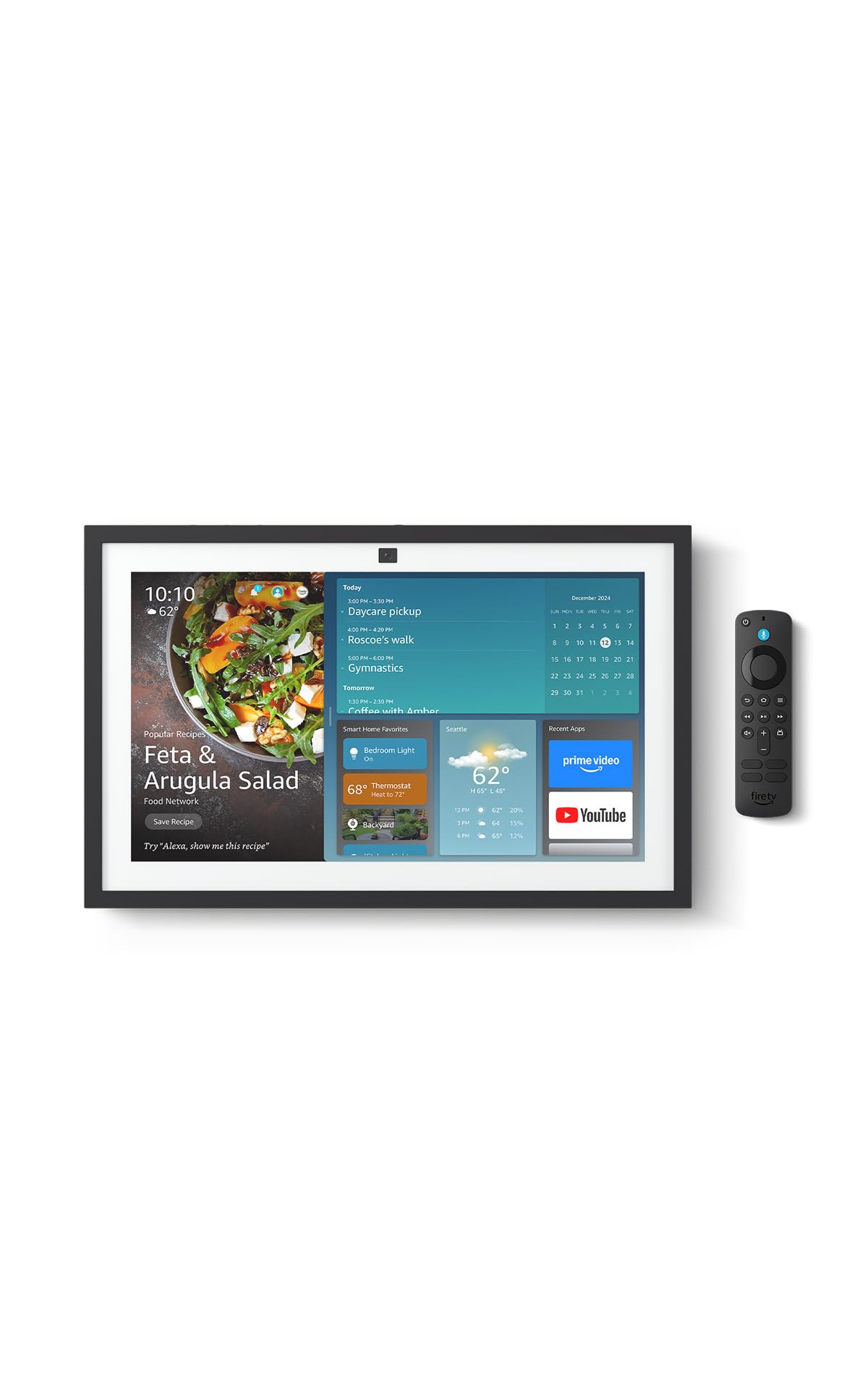
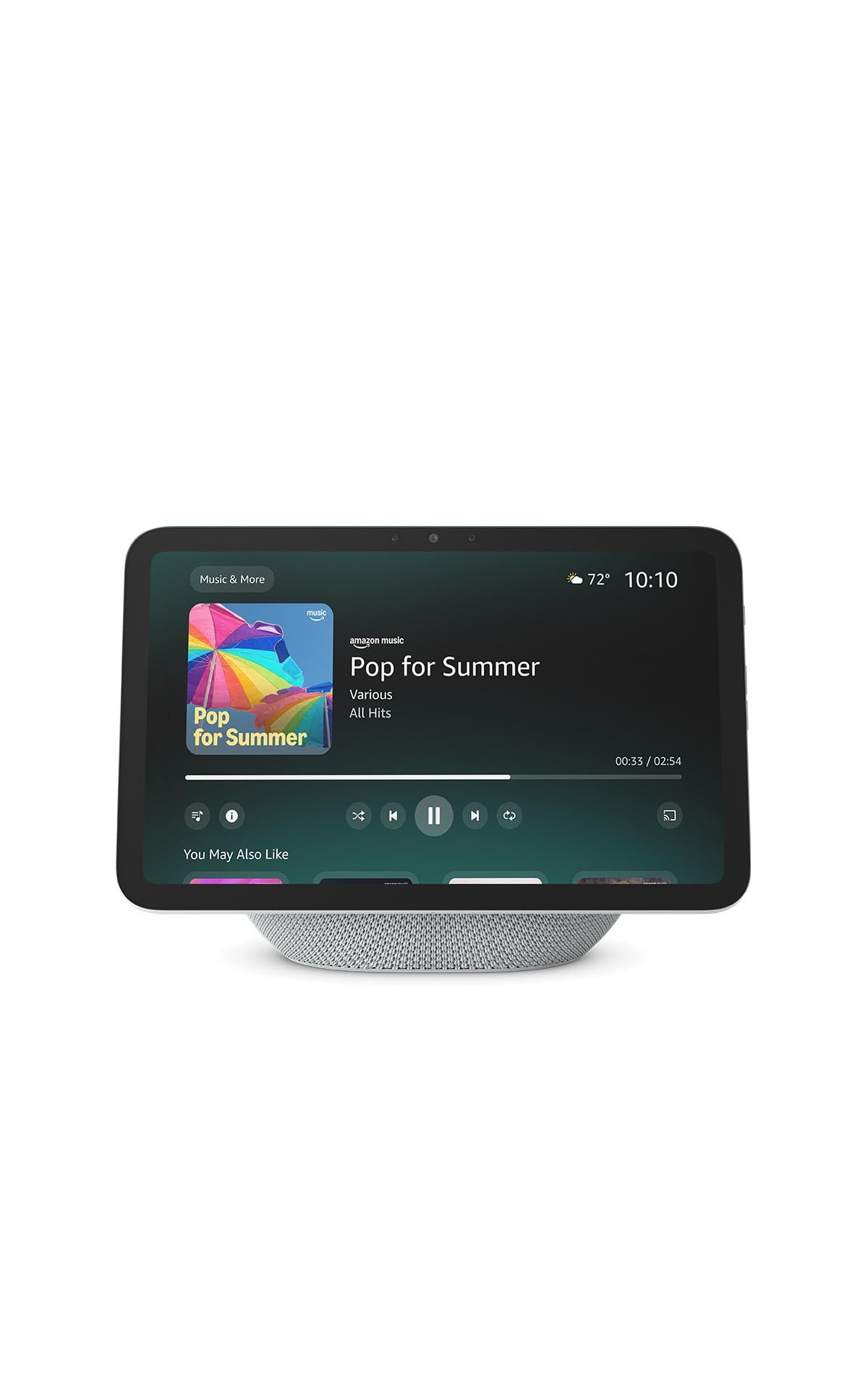
### 1. Amazon Echo Show 10 (3rd Gen) - Best Overall
The Echo Show 10 revolutionizes video calling with its motorized base that physically rotates the screen to follow you around the room. Combined with excellent audio, a large display, and seamless Alexa integration, it's our top choice for most seniors.
**Key Features:**
- 10.1-inch HD auto-rotating display
- 13-megapixel camera with auto-framing
- Premium speakers with Dolby processing
- Built-in Zigbee smart home hub
- Drop In feature for instant family check-ins
### 2. Facebook Portal Plus - Best for Facebook Users
If your family primarily uses Facebook Messenger or WhatsApp, the Portal Plus offers the most seamless experience. Its 14-inch display is the largest in our roundup, and the smart camera technology keeps everyone perfectly framed.
**Key Features:**
- 14-inch full HD display (largest available)
- AI-powered smart camera with 4x digital zoom
- Facebook Messenger and WhatsApp integration
- Alexa voice assistant built-in
- Physical camera cover for privacy
[View on Amazon](https://www.amazon.com/dp/B09FYJFP5Y?tag=bestprod0fcf1-20)
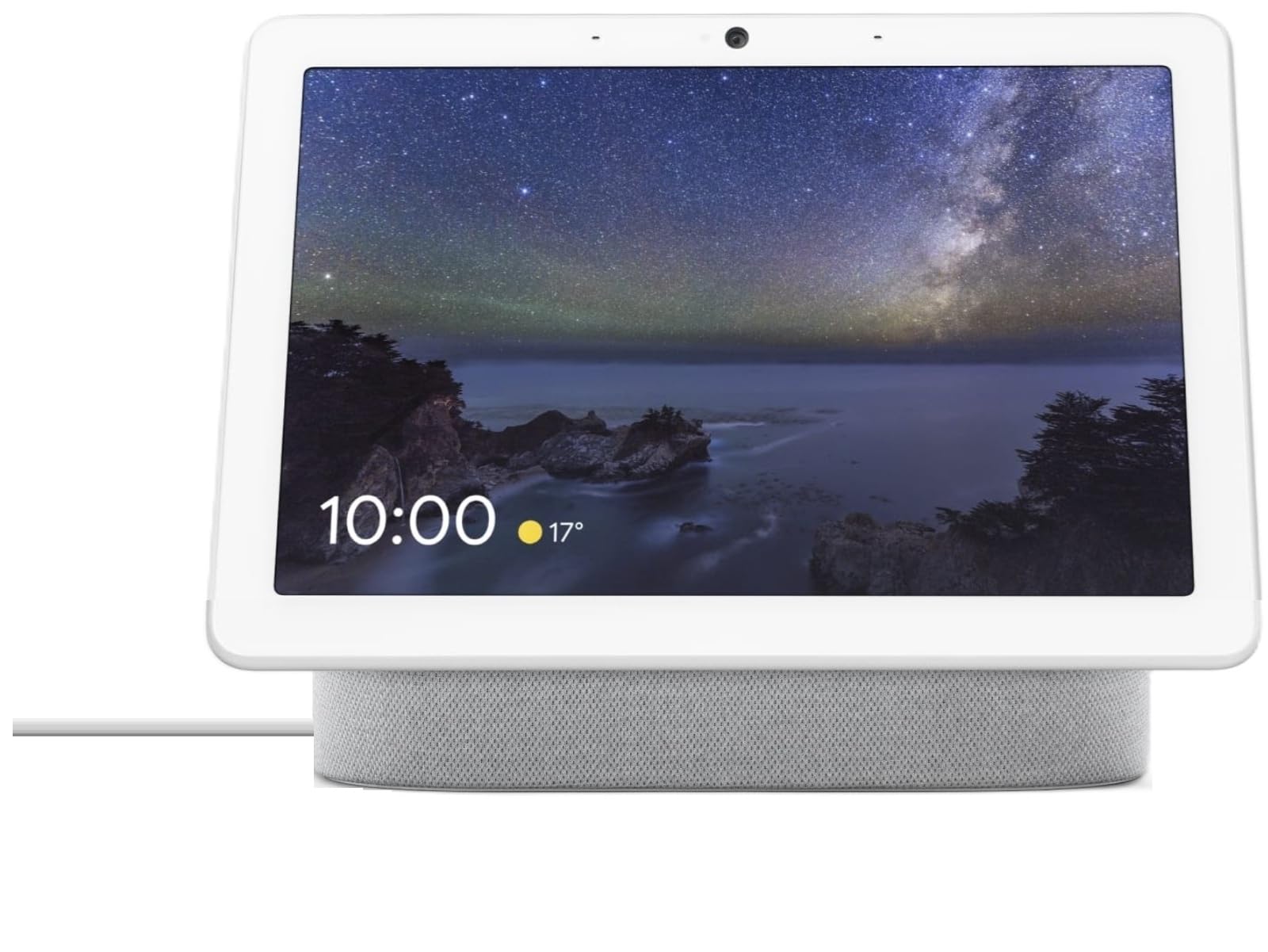
### 3. Google Nest Hub Max - Best for Google Ecosystem
For families already using Google services (Gmail, Google Photos, YouTube), the Nest Hub Max integrates beautifully. Its Google Assistant is excellent for answering questions, setting reminders, and controlling smart home devices.
**Key Features:**
- 10-inch HD touchscreen display
- 6.5-megapixel wide-angle camera
- Google Duo video calling
- YouTube and Google Photos built-in
- Google Assistant voice control
## Detailed Reviews
### Amazon Echo Show 10: The Innovation Leader
The third-generation Echo Show 10 introduces motion tracking that changes the video calling game. As you move around your kitchen or living room, the screen physically rotates on its base to keep you centered. This seemingly simple feature transforms how seniors interact with family during calls.
**Design and Build Quality**
The Echo Show 10 has a substantial footprint—it's not a small device. The 10.1-inch screen sits atop a motorized base wrapped in fabric. While it takes up counter space, the premium build quality justifies the real estate. It feels solid and well-constructed, not like a plastic gadget.
The fabric covering comes in charcoal or glacier white, allowing it to blend into most home decor. The power cord is long enough to reach most outlets without looking awkward.
**The Magic of Motion**
Owner reviews describe the motion feature as genuinely useful. Buyers note they can continue folding laundry or moving around during a call while staying perfectly framed. The motor is nearly silent—reviewers describe a gentle whir that's never distracting.
The rotation isn't just for video calls. When playing music, the screen rotates to face you. When showing recipes, it turns as you move around the kitchen. This ambient awareness makes the device feel less like a gadget and more like a helpful companion.
**Display and Camera Quality**
The 10.1-inch HD display (1280 x 800) shows faces clearly and brightly. Colors are vibrant without being oversaturated. Text is sharp and readable from across the room, which matters when displaying news headlines or recipes.
The 13-megapixel camera captures excellent video quality. Even in moderate lighting, faces appear clear and natural. The wide-angle lens ensures multiple people can fit in frame when calling from a couch or dining table.
Auto-framing works alongside the physical rotation—the camera digitally zooms and pans to keep faces centered. The combination of physical and digital tracking creates smooth, professional-looking video that reviewers and their family members consistently praise.
**Audio Excellence**
This is where the Echo Show 10 truly shines. The front-firing speakers deliver rich, clear audio that fills a room. Bass is surprisingly robust for a device this size. During calls, voices sound natural and clear—never tinny or distorted.
Volume levels are impressive. Buyers with moderate hearing loss report they can hear conversations clearly without cranking the volume to maximum. The device automatically adjusts volume during calls to compensate for background noise.
**Alexa Integration**
For seniors new to voice assistants, Alexa on the Echo Show 10 is remarkably capable:
"Alexa, call Mom" - Initiates video call to your mother's contact
"Alexa, what's the weather?" - Shows forecast on screen with voice explanation
"Alexa, remind me to take my pills at 2 PM" - Sets medication reminder
"Alexa, show me recipes for chicken soup" - Displays step-by-step cooking instructions
"Alexa, play Frank Sinatra" - Streams music from Amazon Music
The visual feedback on screen helps seniors understand what Alexa heard and confirm actions were completed correctly.
**Drop In Feature**
Drop In allows family members to instantly connect without the senior needing to answer. The screen announces "Drop In from Sarah" and shows a brief privacy screen before connecting. This feature divides opinion—some families love it for quick check-ins, while others feel it invades privacy.
You control who can Drop In through the Alexa app. We recommend enabling it only for immediate family or caregivers who may need to check on your loved one's wellbeing.
**Smart Home Control**
The built-in Zigbee hub controls compatible smart home devices without requiring a separate hub. For seniors, this means voice-controlled lights, thermostats, and door locks: "Alexa, turn off the living room lights" works seamlessly.
**Setup Process**
Setup requires an Amazon account and smartphone for initial configuration. The process takes 10-15 minutes for tech-comfortable individuals, potentially longer for those less familiar with apps. Once set up, daily use is simple—but the initial hurdle exists.
We recommend having a family member handle setup remotely or during a visit. They can create shortcuts for frequently called contacts and customize settings for senior-friendly use.
**Privacy Considerations**
The Echo Show 10 includes a physical camera shutter and microphone mute button. When muted, the device shows a red light and cannot listen or record. Amazon has implemented multiple privacy protections, but some seniors remain uncomfortable with an always-listening device.
**Who Should Buy It**
The Echo Show 10 is perfect for seniors who:
- Want the most advanced video calling experience
- Would benefit from motion-tracking technology
- Need excellent audio quality
- Are comfortable with (or want to learn) Alexa voice commands
- Already use Amazon services or devices
- Have family willing to manage initial setup
### Facebook Portal Plus: The Social Connection Specialist
Meta's Portal Plus focuses specifically on what matters most—connecting with family. While it offers fewer smart home features than competitors, its video calling capabilities are outstanding, especially for families who communicate through Facebook Messenger or WhatsApp.
**Display Size Advantage**
The 14-inch display is noticeably larger than the 10-inch screens on competitors. For seniors with vision challenges, this extra real estate makes a significant difference. Grandchildren's faces appear larger and more detailed. Text is easier to read without glasses.
The 1920 x 1080 resolution (full HD) displays sharp, vibrant images. Colors are accurate and pleasing. The screen tilts for optimal viewing angles whether placed on a counter or lower table.
**Smart Camera Technology**
Portal's Smart Camera might be the best in the category. It uses AI to track faces and automatically zoom, pan, and adjust framing. Unlike the Echo Show 10's physical rotation, Portal's camera stays stationary but digitally manipulates the video.
The 12.5-megapixel camera supports 4x digital zoom, keeping faces clear even when zoomed in. During group calls, it intelligently widens the frame to include everyone, then zooms back in when one person is speaking.
Reviewers love that they can walk around their kitchen or living room while staying perfectly centered. Owners describe using the Portal for hands-free activities like baking alongside grandchildren, with everyone staying in frame throughout long calls.
**Facebook Messenger and WhatsApp Integration**
This is Portal's killer feature. If your family uses Facebook Messenger or WhatsApp for communication, Portal offers the smoothest experience. Simply say "Hey Portal, call Lisa" and it initiates a Messenger video call.
Group calls support up to 50 people (8 on screen simultaneously). Birthday parties, holiday gatherings, and family reunions work beautifully. The interface handles multiple participants better than competitors.
WhatsApp integration works identically—just specify "call Lisa on WhatsApp" if you have contacts on both services.
**Story Time Feature**
A unique feature lets grandparents read children's books with augmented reality effects. As you read, animated characters and effects appear on screen, delighting young grandchildren. The library includes dozens of popular titles.
**Audio Quality**
The dual front-firing speakers deliver clear, room-filling sound. While not quite matching the Echo Show 10's bass response, they're more than adequate for video calls and music. Voices sound natural and intelligible.
Adaptive volume automatically adjusts based on room noise, ensuring you're always heard clearly during calls.
**Privacy Features**
Portal includes both a physical camera cover and a microphone disable switch. When the camera is covered or muted, red indicators make the status obvious. Meta doesn't use Portal camera footage for advertising or data collection—video calls use end-to-end encryption.
**Alexa Built-In**
Though primarily focused on Facebook services, Portal includes Alexa integration. You can ask Alexa questions, control smart home devices, and set timers. The implementation isn't as deep as the Echo Show 10, but covers most use cases.
**The Meta Discontinuation**
Meta discontinued Portal hardware in 2022 but continues supporting existing devices with software updates through at least 2027. While still available through retailers, this means no future hardware improvements. For seniors, this is less concerning than for tech enthusiasts—the device works excellently today and will continue working for years.
**Setup Requirements**
Portal requires a Facebook account for video calling. For seniors without Facebook, family members can create a simplified account just for Portal use. The setup process through the Portal app is straightforward, taking about 10 minutes.
**Who Should Buy It**
Facebook Portal Plus is ideal for seniors who:
- Have family members who use Facebook Messenger or WhatsApp
- Want the largest available display (14 inches)
- Prioritize video calling over smart home features
- Value the Story Time feature for grandchildren
- Are comfortable with Facebook's privacy practices
- Want excellent camera tracking technology
### Google Nest Hub Max: The Google Ecosystem Champion
The Nest Hub Max serves as both a premium video calling device and the central hub for Google's smart home ecosystem. Its seamless integration with Google Photos, YouTube, and Google Assistant makes it perfect for families already invested in Google services.
**Display and Design**
The 10-inch HD touchscreen (1280 x 800) is bright, colorful, and responsive to touch. While not as large as Portal Plus, it's sized perfectly for countertops and nightstands. The display's viewing angles are excellent—colors and brightness remain consistent when viewed from the side.
The device comes in charcoal or chalk colors with a fabric-covered speaker base. It's attractive enough to blend into any home decor without looking overtly "techy."
**Camera Capabilities**
The 6.5-megapixel wide-angle camera captures good video quality, though not quite matching the Echo Show 10 or Portal Plus in low-light situations. The 127-degree field of view ensures multiple people fit in frame for family calls.
Auto-framing digitally pans and zooms to keep faces centered. It works well, though the lower resolution camera means some loss of sharpness when digitally zoomed in.
**Google Duo Video Calling**
Google Duo (recently rebranded as Google Meet) provides the video calling functionality. Call quality is excellent with clear video and audio. However, Duo is less popular than FaceTime, Messenger, or WhatsApp—your family needs to install Duo on their phones for calls.
Voice commands work seamlessly: "Hey Google, call Mom" initiates a call to the contact in your Google account. You can also dial by saying full phone numbers.
One limitation: Unlike Portal's 50-person group calls, Duo supports up to 32 participants but only shows 8 on screen simultaneously.
**Google Photos Integration**
This is where Nest Hub Max truly shines for seniors. When not in use, it displays a slideshow of photos from Google Photos. Families can remotely add photos to shared albums, which automatically appear on the senior's device.
Grandparents love waking up to new photos of grandchildren that appeared overnight. It's a passive way to stay connected without requiring any action from the senior.
You can ask: "Hey Google, show me photos from Christmas" or "Show me pictures of Emma" and relevant photos display instantly.
**YouTube and Entertainment**
Unlimited access to YouTube means seniors can watch news, cooking shows, music videos, and more with simple voice commands:
"Hey Google, play music by The Beatles"
"Show me how to knit a scarf"
"Play the news"
The large speakers deliver surprisingly good audio for casual music listening. The sound quality exceeds typical tablet speakers but doesn't match the Echo Show 10.
**Google Assistant Capabilities**
Google Assistant is arguably the smartest voice assistant available. It answers questions accurately, understands context, and provides detailed information on screen:
"What's the weather tomorrow?" - Shows detailed forecast with hourly breakdown
"Set a timer for 20 minutes" - Displays countdown timer
"Remind me to take my pills at 8 AM daily" - Creates recurring medication reminder
"What's a good recipe for pot roast?" - Shows step-by-step instructions with photos
**Smart Home Control**
As a Google Home hub, the Nest Hub Max controls thousands of compatible smart devices. Voice commands manage lights, thermostats, cameras, locks, and more. For seniors aging in place, voice-controlled home automation improves safety and independence.
**Face Match Technology**
An optional feature uses facial recognition to show personalized information. When Mom approaches, it displays her calendar and reminders. When Dad approaches, it shows his commute time and news preferences. This works remarkably well but requires enabling camera-based recognition.
**Privacy and Security**
The Nest Hub Max includes a physical switch that electrically disconnects the microphone and camera. When disabled, the device cannot see or hear anything—it's a hard electrical cutoff, not software-based. A green LED indicator shows when the camera is active.
Google has committed to not using Nest camera footage for advertising or data collection.
**Setup Process**
Setup requires a Google account and the Google Home app on a smartphone. The process is well-designed, taking 10-15 minutes with clear on-screen instructions. Adding the device to an existing Google Home setup is seamless.
**Who Should Buy It**
Google Nest Hub Max is perfect for seniors who:
- Already use Gmail, Google Photos, or YouTube
- Want smart home control integration
- Value Google Assistant's intelligence
- Enjoy passive photo sharing with family
- Prefer Google's privacy approach
- Have family members comfortable with Google ecosystem
## Complete Buying Guide
Choosing the right video calling device depends on your loved one's specific needs and your family's communication preferences. Consider these factors:
### Screen Size
Larger screens are easier for seniors to see, especially those with vision impairments. The Facebook Portal Plus offers the largest screen at 14 inches, while the Echo Show 10 and Nest Hub Max both feature 10-inch displays. For seniors with significant vision challenges, the extra 4 inches of Portal Plus makes a noticeable difference.
### Ecosystem Compatibility
Choose based on what your family already uses:
- **Amazon users**: Echo Show 10 integrates with Amazon Music, Prime Video, and Alexa skills
- **Facebook users**: Portal Plus works seamlessly with Messenger and WhatsApp
- **Google users**: Nest Hub Max connects to Gmail, Google Photos, YouTube, and Google Calendar
Going with your existing ecosystem reduces friction and makes adoption easier for everyone.
### Camera Quality and Tracking
All three devices offer camera tracking, but implementations differ:
- **Echo Show 10**: Physical rotation plus digital auto-framing provides the smoothest experience
- **Portal Plus**: Highest resolution camera (12.5 MP) with excellent AI-driven tracking
- **Nest Hub Max**: Good tracking but lower resolution camera (6.5 MP)
If camera quality is the top priority, Portal Plus edges ahead.
### Audio Quality
For seniors with hearing loss, audio quality matters immensely:
- **Echo Show 10**: Best overall audio with rich bass and clear voices
- **Portal Plus**: Very good audio with adaptive volume
- **Nest Hub Max**: Good audio but less powerful than competitors
The Echo Show 10's superior speakers make the biggest difference during calls and music playback.
### Ease of Setup
All three require initial setup with a smartphone app:
- **Echo Show 10**: Alexa app setup takes 10-15 minutes
- **Portal Plus**: Portal app setup takes 10 minutes
- **Nest Hub Max**: Google Home app setup takes 10-15 minutes
None are significantly easier than others. Plan to help your loved one with setup or do it remotely via phone guidance.
### Privacy Features
All three include physical privacy controls:
- **Echo Show 10**: Camera shutter and microphone mute button
- **Portal Plus**: Camera cover and mic disable switch
- **Nest Hub Max**: Hardware switch that electrically disconnects camera and mic
The Nest Hub Max's electrical disconnect provides the strongest privacy guarantee.
### Voice Assistant Quality
- **Alexa (Echo Show 10)**: Excellent smart home control, vast skills library
- **Alexa on Portal Plus**: Good but not as integrated as native Alexa device
- **Google Assistant (Nest Hub Max)**: Best at answering questions and understanding context
Choose based on which assistant your family is already comfortable using.
### Price Considerations
- **Echo Show 10**: Typically the priciest of the three
- **Portal Plus**: Usually the most affordable (best value)
- **Nest Hub Max**: Mid-range pricing
Portal Plus often offers the largest screen at the lowest price, making it excellent value for budget-conscious families. Check the current price on Amazon before deciding, as prices change frequently.
## Comparison Table
| Feature | Echo Show 10 | Portal Plus | Nest Hub Max |
|---------|--------------|-------------|---------------|
| **Screen Size** | 10.1" | 14" | 10" |
| **Resolution** | 1280 x 800 (HD) | 1920 x 1080 (Full HD) | 1280 x 800 (HD) |
| **Camera** | 13 MP | 12.5 MP | 6.5 MP |
| **Camera Tracking** | Physical rotation + digital | Digital only (AI) | Digital only |
| **Speaker Quality** | Excellent | Very Good | Good |
| **Voice Assistant** | Alexa | Alexa (limited) | Google Assistant |
| **Video Calling** | Amazon Alexa calls, Skype, Zoom | Messenger, WhatsApp | Google Duo |
| **Smart Home Hub** | Yes (Zigbee) | No | Yes (Google Home) |
| **Privacy Controls** | Shutter + mic mute | Cover + mic switch | Hardware disconnect |
| **Photo Slideshow** | Amazon Photos | Facebook Photos | Google Photos |
| **Music Services** | Amazon Music, Spotify, Pandora | Spotify, Pandora | YouTube Music, Spotify |
| **Best For** | Amazon users, best audio | Facebook/WhatsApp users | Google ecosystem users |
| **Group Call Limit** | 8 people | 50 people | 32 people |
| **Requires Account** | Amazon | Facebook | Google |
## Frequently Asked Questions
### Do these devices work with iPhones and FaceTime?
No, none of these devices support FaceTime calling. However:
- Echo Show 10 supports Alexa-to-Alexa calls (iOS users download Alexa app)
- Portal Plus works with Messenger and WhatsApp (available on iOS)
- Nest Hub Max uses Google Duo (available on iOS)
Your iPhone-using family members need to install the corresponding app.
### Can I use these without a subscription?
Yes, all three devices work without additional subscriptions. The purchase price includes all video calling features. Optional paid services include:
- Amazon Music Unlimited on Echo Show 10
- YouTube Premium on Nest Hub Max
But core video calling is completely free.
### How much internet speed do I need?
For reliable video calling, we recommend:
- Minimum: 3-4 Mbps download and 1 Mbps upload
- Recommended: 10+ Mbps download and 3+ Mbps upload
All three devices require Wi-Fi—they don't work with cellular connections or without internet.
### Can I install other apps?
No, these are closed systems. You cannot install arbitrary apps like on a tablet. They come with pre-installed apps and services:
- Echo Show 10: Alexa Skills (voice-activated only)
- Portal Plus: Facebook apps only
- Nest Hub Max: Google apps only
This limitation is actually beneficial for seniors—it prevents confusion and accidental changes.
### What happens if the internet goes down?
Without internet, video calling doesn't work. However:
- Echo Show 10 can still show the time and set alarms
- Portal Plus becomes a digital photo frame
- Nest Hub Max displays clock and photos from cached content
All require internet restoration for video calling.
### Can I control these remotely to help my parent?
Limited remote management is possible:
- Echo Show 10: Control settings through Alexa app, cannot view screen remotely
- Portal Plus: Manage contacts and settings through Portal app
- Nest Hub Max: Control through Google Home app
None allow true remote screen sharing, but family members can adjust settings via companion apps.
### Are these difficult for seniors to use?
According to owner reviews, most seniors aged 65-85 can use these devices independently after a brief training period (30-60 minutes). Voice commands are easier than remembering button sequences. The key is having patient family members explain basics:
- How to answer incoming calls (tap screen or say "answer")
- How to make calls ("Alexa/Hey Google/Hey Portal, call [name]")
- How to adjust volume
After mastering these three tasks, most seniors used devices confidently.
### What about privacy and security?
All three companies have strong privacy policies for these devices:
- Amazon: Voice recordings can be deleted, camera footage not used for ads
- Meta: Video calls are encrypted, Portal footage not used for advertising
- Google: Nest footage not used for ads, easy deletion of recordings
Physical privacy controls (shutters, switches) provide tangible peace of mind. For maximum privacy, cover/mute when not actively using.
### Can hearing-impaired seniors use these?
Yes, but with considerations:
- Choose Echo Show 10 for loudest audio
- Enable closed captions during video calls (available on all three)
- Position device in quiet room to minimize background noise
- Consider Bluetooth hearing aid connectivity (supported on all three)
The visual component of video calls helps hearing-impaired users by allowing lip reading.
### Do I need to keep these plugged in?
Yes, all three are designed as stationary devices that stay plugged into power outlets. They're not portable like tablets. This ensures they're always charged and ready for incoming calls—a significant advantage for seniors who forget to charge devices.
## Making Your Final Decision
Drawing on product specifications and feedback from senior users and their families in published reviews, here's our guidance:
**Choose Amazon Echo Show 10 if:**
- You want the most innovative technology (motion tracking)
- Audio quality is the top priority
- Your family uses Amazon services
- You value smart home integration
- Budget allows for the premium price
**Choose Facebook Portal Plus if:**
- Your family communicates via Facebook Messenger or WhatsApp
- You want the largest available screen (14 inches)
- Budget is a concern (Portal Plus is often the best value)
- Camera quality matters most
- You're comfortable with Facebook ecosystem
**Choose Google Nest Hub Max if:**
- Your family uses Google services (Photos, Gmail, YouTube)
- You want the smartest voice assistant (Google Assistant)
- Photo sharing is important to you
- You need strong privacy controls (hardware disconnect)
- You value Google's ecosystem integration
## Setup Tips for Success
### Before the Device Arrives
1. **Check internet speed**: Run a speed test at your loved one's home. Ensure 10+ Mbps download speed.
2. **Choose the location**: Find a spot with:
- Outlet nearby
- Good natural lighting for video calls
- Away from windows (to avoid glare)
- At comfortable viewing height (counter or low table)
3. **Create accounts**: Set up required accounts (Amazon, Facebook, or Google) before device arrival
4. **Test with family**: Ensure family members have the necessary apps installed on their phones
### During Setup
1. **Connect to Wi-Fi**: Use a guest network if available for extra security
2. **Add important contacts**: Pre-program frequently called family members
3. **Set up emergency contacts**: Designate primary contacts for urgent situations
4. **Adjust text size**: Increase font size in accessibility settings
5. **Test volume levels**: Set default volume to comfortable level
6. **Create voice shortcuts**: Set up custom phrases for common tasks
### Training Your Loved One
1. **Write simple instructions**: Create a one-page cheat sheet with basic commands
2. **Practice together**: Make several practice calls during your visit
3. **Start with voice commands**: They're easier than remembering button locations
4. **Be patient**: Multiple practice sessions may be necessary
5. **Schedule regular calls**: Consistency helps build confidence
## Beyond Video Calling
While video calling is the primary purpose, these devices offer additional benefits for seniors:
### Medication Reminders
Set daily reminders for medications: "Alexa, remind me to take blood pressure medicine at 8 AM daily." Visual and audio alerts ensure doses aren't missed.
### News and Weather
"What's the weather today?" or "Play the news" keeps seniors informed without navigating websites or apps.
### Entertainment
Stream music, audiobooks, and podcasts with simple voice commands. Many seniors rediscover favorite artists or explore new genres.
### Photo Sharing
Family members remotely add photos to shared albums, which automatically display as slideshows. Grandparents wake up to new grandchildren photos daily.
### Brain Games
Trivia, word games, and puzzles provide mental stimulation. Regular engagement supports cognitive health.
### Virtual Companionship
For isolated seniors, having a voice assistant to talk to reduces loneliness. Simple conversations like "Alexa, tell me a joke" provide moments of connection.
## Final Thoughts
Video calling devices have revolutionized how seniors stay connected with distant family. What once required complex computers or tablets now works with simple voice commands and always-ready displays.
The Amazon Echo Show 10 represents the cutting edge with its motion-tracking display and premium audio. For most families, it's worth the extra investment.
The Facebook Portal Plus offers unbeatable value—the largest screen at the lowest price, with excellent camera technology. If your family lives in the Facebook ecosystem, it's the clear choice.
The Google Nest Hub Max provides the best experience for families already using Google services, with seamless photo sharing and the smartest voice assistant.
Whichever device you choose, the real winner is connection. These devices make it easy for seniors to see grandchildren's faces, attend virtual family gatherings, and maintain relationships across distances. Owner reviews frequently describe seniors feeling more connected to family after just a couple of weeks of regular video calls.
The technology matters, but what truly counts is that regular face-to-face conversations with loved ones become effortless. That's the promise these devices deliver—and based on their features and strong owner reviews, they deliver it exceptionally well.
If trouble hearing the other person is what makes calls frustrating in the first place, pairing a video calling device with a good [OTC hearing aid](/best-otc-hearing-aids-seniors-2026) often matters more than the screen itself.
Bought the device already and not sure how to get a first-time smartphone user comfortable with it? Our step-by-step guide to setting up video calling for a senior who's never used a smartphone walks through the account setup, Wi-Fi, and practice-call steps that make the difference between a device that gets used and one that sits unused after week one.
If hearing loss rather than the video side is the main barrier to phone calls, a dedicated captioned telephone displays the other person's words as text in real time — a different fix than any of the video devices above.
---
*Affiliate Disclosure: This article contains affiliate links to Amazon. If you click through and make a purchase, we may earn a small commission at no extra cost to you. This helps us continue providing free, honest reviews to help families make informed decisions. Thank you for your support.*
Not every household needs a screen. If video calling isn't the priority and the main ask is timers, weather, and hands-free calling, a voice-only smart speaker costs less and has one less interface to learn. And if the senior already has a desktop or laptop they're comfortable with, a dedicated device isn't the only fix — see our guide to webcams for seniors for a cheaper way to fix a dim, grainy picture and muddy audio on the computer they already use.
Not sure yet whether the fix is a new device or just picking the right app for the phone or tablet already in the house? Our video calling apps for seniors comparison breaks down FaceTime, Zoom, WhatsApp, and Google Meet, plus when to skip apps for a device like this instead.