Best Smart Speakers for Seniors 2026
Amazon Echo Dot, Echo Pop, and Google Nest Mini compared for seniors who just need voice reminders, hands-free calling, and music — plus when a screen device is the better choice instead.
As an Amazon Associate I earn from qualifying purchases. We independently review products; buying through our links never costs you extra.
Best Overall
Amazon Echo Dot (5th Gen)
Quick picks
| Product | Best for | Amazon |
|---|---|---|
| Amazon Echo Dot (5th Gen) | Overall | Check price on Amazon |
| Amazon Echo Pop | Budget | Check price on Amazon |
| Google Nest Mini | Google Households | Check price on Amazon |

Our Top Picks
Chosen for seniors based on features, specs, and verified buyer reviews.

Amazon Echo Dot (5th Gen)
- Improved bass over earlier Dots
- Drop In lets family check in instantly
- Affordable enough for more than one room
- Wide skill/routine support
- Requires Wi-Fi and a phone app for setup
- Always-listening mic is a real privacy trade-off
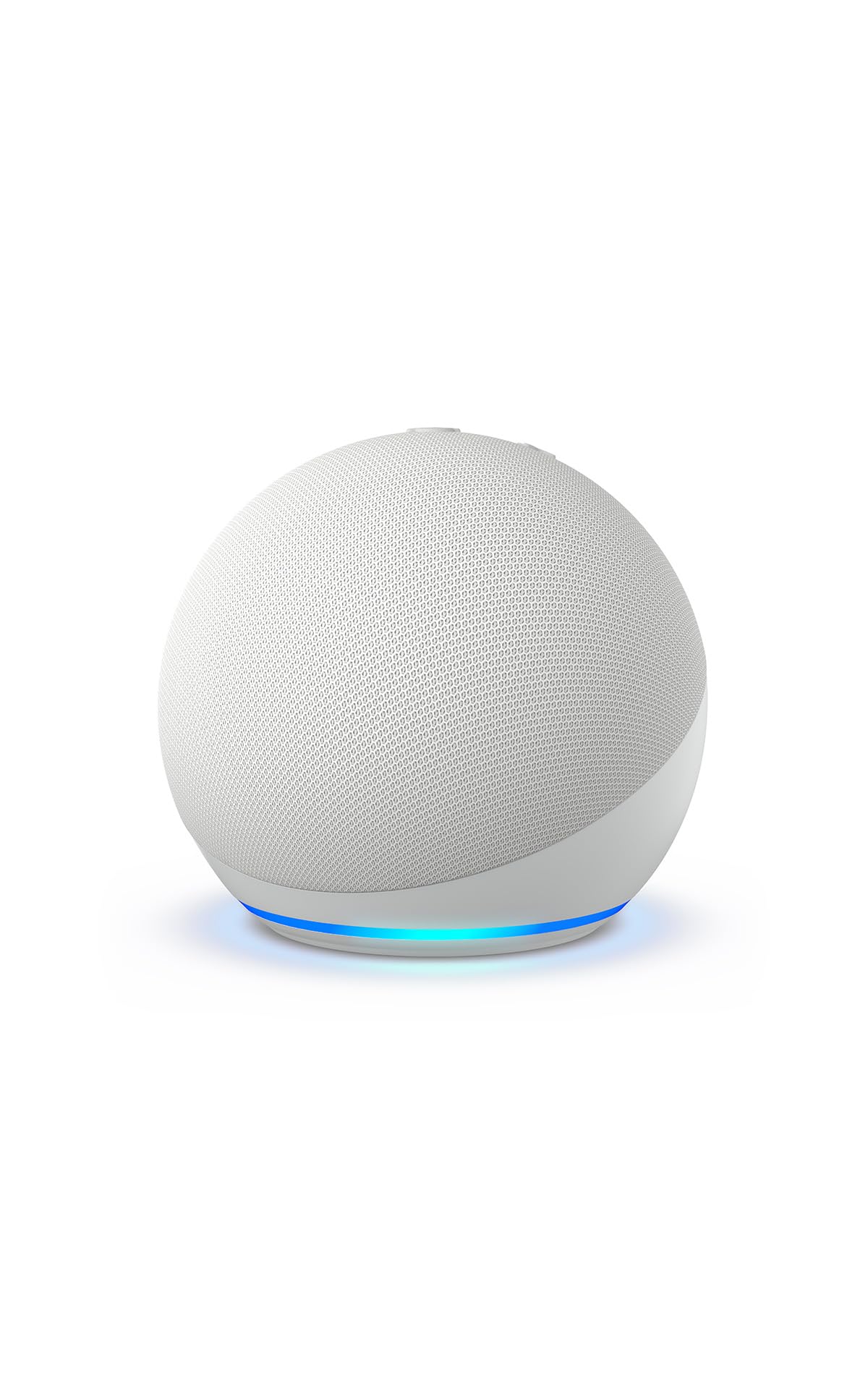
Amazon Echo Pop
- Cheap enough to buy one per room
- Same voice features as the Dot
- Compact half-sphere design
- Weaker speaker driver than the Dot
- Not ideal as a primary music speaker

Google Nest Mini
- Syncs with Gmail/Google Calendar automatically
- Strong natural-language follow-up handling
- Affordable entry into Google Assistant
- Fewer third-party skills than Alexa
- Best suited to homes already using Google services
If a parent or spouse just needs to ask what the weather's doing, set a timer for the oven, or call a daughter hands-free, a full smart display is overkill. A voice-only smart speaker costs less, has nothing to touch, and does the three things seniors actually use most: reminders, calls, and music. This guide covers the three models worth buying in 2026 and, just as important, when a speaker isn't the right tool.
Why a Voice-Only Speaker Beats a Screen for Many Seniors
Smart displays like the Echo Show are genuinely useful for video calls, but they're also one more screen to navigate, one more thing that can freeze or need a software update walked through over the phone. A speaker has no interface to get lost in. You plug it in, say a wake word, and it either does the thing or says it can't. For seniors who are wary of "another gadget," that simplicity is the selling point, not a limitation.
According to AARP research on technology adoption, roughly 29% of adults 50 and older have already adopted a digital assistant of some kind — this isn't a novelty category anymore, it's mainstream enough that most families have at least one in the house already, which makes setup and troubleshooting easier since someone nearby likely already knows the ropes.
Our Top Picks
1. Amazon Echo Dot (5th Gen) — Best Overall
The Echo Dot has been Amazon's volume seller for a reason: as an inexpensive speaker, it does everything a far pricier speaker does for voice commands — timers, reminders, calls to other Echo devices or phone numbers, weather, news — without the price tag that makes someone nervous about breaking it. The 5th-generation model improved bass response noticeably over earlier Dots, so podcasts and radio don't sound tinny.
Alexa's "Calling and Messaging" feature is the killer use case here: an adult child can set up "Drop In" so they can check on a parent instantly, and the parent doesn't have to do anything — the speaker just starts talking. For a senior who lives alone, that's a low-friction safety net layered on top of, not instead of, a proper medical alert system.
Check price on AmazonAmazon Echo Dot (5th Gen)
2. Amazon Echo Pop — Best Budget
The Echo Pop trims the Dot's price by using a smaller half-sphere speaker and a slightly less powerful driver. For a bedroom or a kitchen counter where the primary job is timers and weather rather than music, the sound quality difference doesn't matter much, and the lower price makes it easy to buy two or three — one per room — so a senior never has to walk to "the smart speaker," it's just always in earshot.
Check price on AmazonAmazon Echo Pop
3. Google Nest Mini — Best for Google Households
If the family already runs on Gmail, Google Photos, and Google Calendar, the Nest Mini keeps everything in one ecosystem — appointments added by a family member on their phone show up when the Nest Mini is asked "what's on my calendar today." Google Assistant's natural-language handling is also a notch ahead of Alexa's for conversational follow-up questions, which matters for someone who doesn't yet think in "commands."
Check price on AmazonGoogle Nest Mini
When a Smart Speaker Is NOT the Right Choice
Skip the speaker-only route if any of these apply:
- They want to see the grandkids' faces, not just hear them. A speaker can't do video. Get a screen — our video calling devices guide covers the Echo Show and its competitors.
- Speech is difficult to understand for the microphone. Stroke recovery, severe dysarthria, or heavy accents can all cause wake-word and command recognition to fail repeatedly, which is more frustrating than helpful. A device with physical buttons is often a better fit in that case.
- They're already overwhelmed by the phone they have. Adding a second voice-driven device before the first one is comfortable rarely helps. One well-learned device beats two half-learned ones.
- Privacy concerns are a dealbreaker. An always-listening microphone is a real trade-off for some households, not just a talking point. If that's a hard no, a simple kitchen timer and a landline solve the same core problems.
Setup Tips That Actually Prevent the 2 AM Phone Call
Most "it stopped working" calls trace back to one of three things: the Wi-Fi password changed, the speaker got unplugged and moved, or a software update changed a setting. Write the Wi-Fi name and password on an index card taped near the router. Use a single dedicated outlet with a small strip of tape marking it "smart speaker — do not unplug." If the speaker is in a room that's always been a weak spot for the home Wi-Fi, a mesh Wi-Fi system fixes that permanently instead of the speaker dropping offline every few days. And turn off Alexa's or Google's automatic skill/feature announcements in the companion app, since new pop-up prompts on the speaker itself are a common source of confusion for someone who just wants it to keep doing what it did yesterday.
How to Choose the Right One for Your Situation
All three picks do the core jobs well, so the deciding factor is usually the household around the speaker, not the speaker itself. If the family already uses Gmail, Google Calendar, and Google Photos, the Nest Mini keeps everything in one place and lets a relative add a doctor's appointment from their own phone that the speaker will then read aloud. If the family lives in Amazon's world — Prime, Echo devices, Fire tablets — an Echo Dot or Pop will feel more consistent and share the same app the helper already knows.
Tech comfort points the same direction as simplicity. Someone brand-new to voice devices is better served by one speaker in the room they spend the most time in than by three scattered around the house, which only multiply the chances of a confusing update or an unplugged unit. Vision matters less here than with a screen device, which is part of the appeal — there's nothing small to read — but if the person also wants to see faces or read reminders on a screen, that's a signal to look at a display device instead of a speaker.
Features Worth Setting Up on Day One
A speaker left at its factory settings handles weather and timers; a little configuration turns it into something genuinely helpful for daily life. During the initial phone-app setup a family member handles, it's worth setting up:
- Medication and appointment reminders. A daily spoken reminder — "It's time for your morning pill" — is one of the most useful things these devices do, and it asks nothing of the user but listening.
- Hands-free calling to a short list of family. Being able to say "call my daughter" without finding a phone is valuable for someone with limited mobility, and it's the feature families report using most.
- A single, memorable way to reach family for help. Practice the exact phrase together so it becomes familiar, and remember it is a convenience layered on top of — never a replacement for — a proper medical alert system.
- Favorite music or radio by name. Setting up a favorite station or artist so "play my music" simply works removes the need to remember any specific wording.
Privacy and Safety in Plain Terms
Two practical safeguards are worth handling at setup. First, turn off voice purchasing, or require a spoken PIN for it, in the Alexa or Google Home app — this prevents accidental orders and closes a small avenue for confusion, since a senior should never feel they've "bought something just by talking." Second, know where the microphone-off button is and that pressing it is a hard, physical guarantee the device isn't listening, which reassures anyone uneasy about an always-on microphone. Beyond the device itself, it's worth a gentle reminder that a smart speaker will never ask for a password, a Social Security number, or a payment — so any voice or phone call claiming to be "Alexa support" and asking for those details is a scam, not the device.
Frequently Asked Questions
Does a smart speaker need its own Wi-Fi account or password?
No — it connects to the household's existing Wi-Fi network during setup using a companion phone app (Alexa app or Google Home app), which a family member typically handles once. After that, the speaker reconnects automatically every time it's plugged in, as long as the Wi-Fi password hasn't changed.
Can a smart speaker call 911 in an emergency?
Alexa and Google Assistant can dial emergency services on some devices in some regions, but neither is a substitute for a dedicated medical alert system, which is purpose-built for fall detection and one-button emergency dispatch. See our medical alert systems guide for that layer of protection.
Will the speaker keep listening and recording conversations all the time?
It listens locally for the wake word only ("Alexa" or "Hey Google") and doesn't send audio to the cloud until it hears that word. Both Amazon and Google let users review and delete voice history in their respective apps, and both offer a physical microphone-mute button on the device itself for anyone who wants a hard guarantee it isn't listening.
What's the difference between this and the smart home safety kit in your other guide?
Our smart home safety tech roundup covers a full system — sensors, cameras, doorbells — built around monitoring and alerts. A smart speaker is one piece of that ecosystem focused purely on voice convenience; most people start with a speaker and add safety devices later, not the other way around.
Can this speaker also turn lamps or a fan on and off by voice?
Not on its own — a smart speaker controls other smart devices, it isn't one itself. Pairing it with an inexpensive smart plug on a lamp or space heater is what makes "Alexa, turn on the lamp" actually work; see our smart plugs guide for which ones set up fastest alongside an Echo or Nest speaker.
Do I need a smartphone to set one up?
Yes, initial setup requires a smartphone or tablet with the Alexa or Google Home app to connect the speaker to Wi-Fi and link an account. After that one-time setup, day-to-day use requires no phone or screen at all.
Can a family member set up reminders remotely, or does it have to be done in person?
Reminders, calendar events, and shopping lists can all be added from a family member's own phone through the Alexa or Google Home app, once they've been given access, so a relative in another city can add "Take medication at 9 AM" without touching the device. The senior simply hears it happen.
What happens to the speaker if the internet goes down?
Most features stop working without internet, since the assistant does its thinking in the cloud — a timer already running may continue, but new questions, calls, and music won't work until Wi-Fi returns. It's worth knowing this so an internet outage isn't mistaken for a broken device.
Will it accidentally order things or cost money on its own?
Not if voice purchasing is turned off or PIN-protected in the app during setup, which is the recommended default. The speaker itself is a one-time purchase with no monthly fee; the only ongoing costs are optional music or other subscriptions a household chooses to add.


