Best Video Doorbells for Seniors (2026): See Who's at the Door Without Getting Up
A video doorbell lets you see and speak to whoever's outside from a phone or a paired smart speaker, without walking to the door or opening it to a stranger. Here's which models are actually simple to use, what the monthly fee question really means, and when a video doorbell isn't the right fix.
As an Amazon Associate I earn from qualifying purchases. We independently review products; buying through our links never costs you extra.
Best Picture Quality
Ring Battery Doorbell Pro
Quick picks
| Product | Best for | Amazon |
|---|---|---|
| Ring Battery Doorbell Pro | Picture Quality | Check price on Amazon |
| Blink Video Doorbell | Budget | Check price on Amazon |
| Eufy Video Doorbell E340 | No Monthly Fee | Check price on Amazon |

Our Top Picks
Chosen for seniors based on features, specs, and verified buyer reviews.
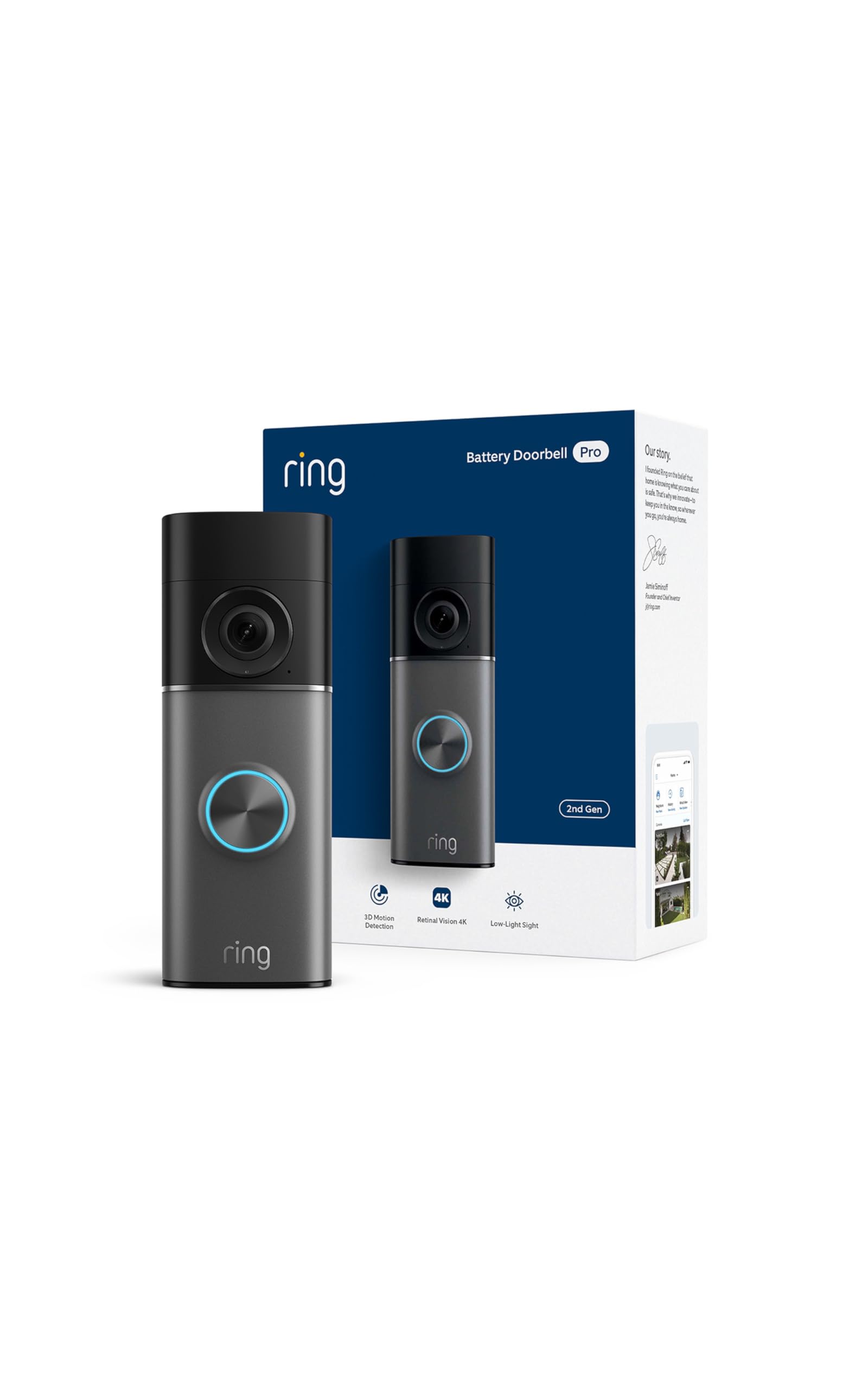
Ring Battery Doorbell Pro
- Sharp, wide-angle picture with strong digital zoom
- Pairs with Echo Show for hands-free visitor announcements
- Live view and basic motion alerts work without a subscription
- Full video history and smart detection require Ring Protect
- Battery needs periodic recharging

Blink Video Doorbell
- About two years of battery life on two AA batteries
- Free local recording possible with Sync Module 2 and a USB drive
- One of the least expensive mainstream video doorbells
- Softer picture quality than the Ring Pro
- Fewer smart-detection features
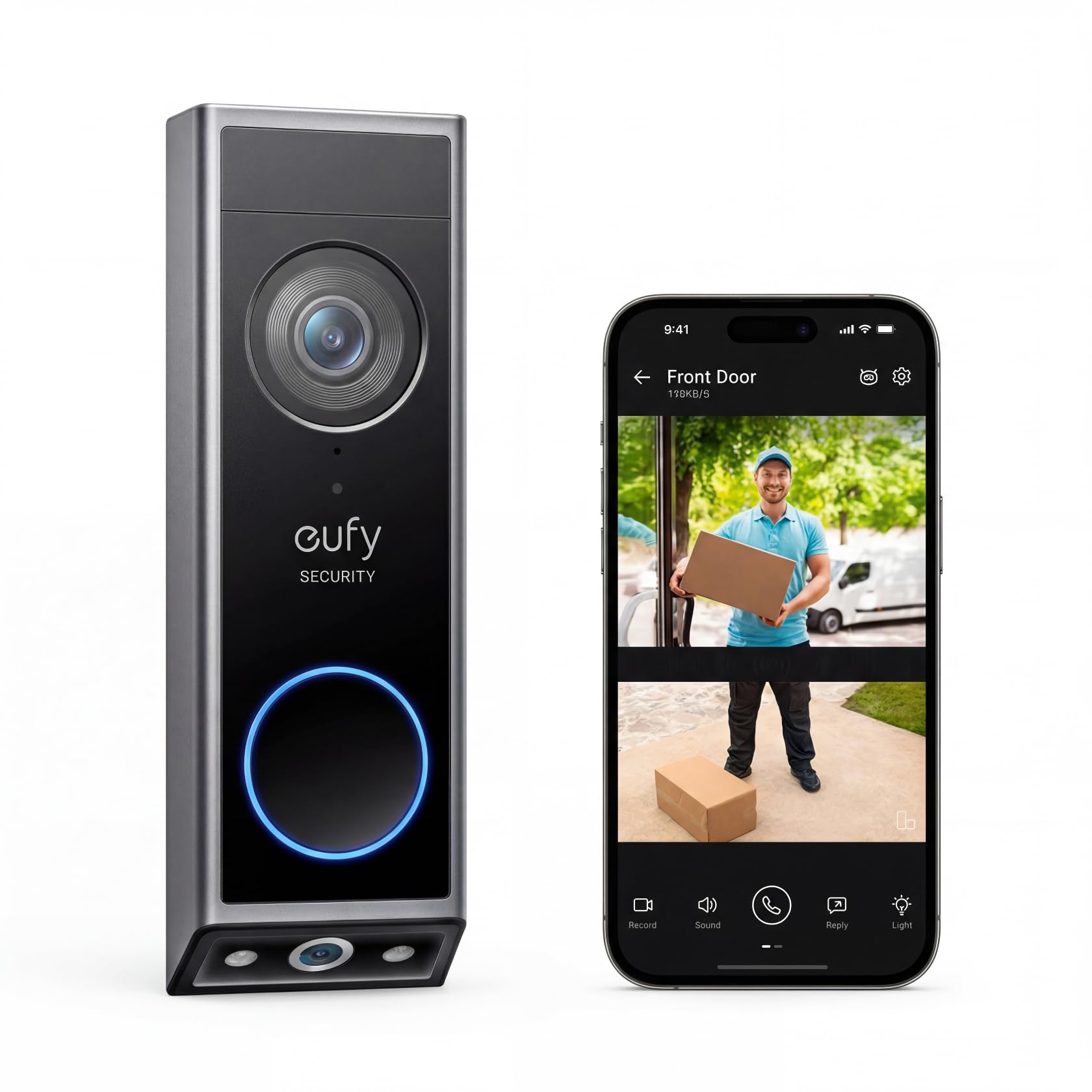
Eufy Video Doorbell E340
- Local video storage — no required subscription for recording history
- Dual camera catches packages left on the ground
- One-time cost, no recurring bill to track
- Not an Amazon-ecosystem device — separate app from Echo devices
- Local storage means no automatic offsite backup unless configured
The Short Answer
For most households, the Ring Battery Doorbell Pro gives the clearest picture and the easiest app experience. If avoiding a subscription matters more than anything else, the Eufy Video Doorbell E340 stores video locally with no required monthly fee. If budget is the deciding factor, the Blink Video Doorbell runs about two years on two AA batteries and costs roughly a third of the Ring.
Why This Is Worth Installing, Not Just a Gadget
The actual use case isn't package theft — it's not having to get up, walk to the door, and open it to find out who's there. For someone with limited mobility, that walk can take a minute or more each way, and by the time they arrive, whoever rang has often left. A video doorbell answers the question from a couch, a chair, or another room, and lets the person decide whether to answer the door at all. That matters for anyone dealing with knock-and-run scams targeting older homeowners, or simply anyone who'd rather not open the door to someone they can't identify through a peephole. Pairing a video doorbell with a keyless smart lock built for aging in place closes the loop — see who's there, then let them in with a code or a phone tap instead of fumbling with keys at the door.
What Actually Matters (Skip the Megapixel Talk)
- Two-way audio you can hear clearly. Tinny or delayed audio defeats the purpose — test this in a store demo if possible, since specs don't capture it.
- Notification reliability. A doorbell that misses chimes or buries alerts in a crowded app is worse than a regular doorbell.
- Battery vs. wired power. Battery models are easier to install (no electrician), but need periodic recharging — a task that has to fall to someone. Wired models solve that but usually need an existing doorbell circuit.
- Whether it pairs with a speaker you already use. If there's an Echo Show or similar smart display in the house already, a compatible doorbell can announce visitors on that screen automatically, without anyone touching a phone.
Our Picks
Ring Battery Doorbell Pro — Best Picture Quality
Ring's current Pro model shoots in a high-resolution mode with a wide-angle view and strong digital zoom, so a face at the door is actually recognizable rather than a blurry silhouette — the single biggest complaint about older doorbell cameras. It pairs cleanly with Echo Show devices for hands-free announcements. The tradeoff: full video history and some smart-detection features sit behind a Ring Protect subscription, though live view and basic motion alerts work without one.
Check price on AmazonRing Battery Doorbell Pro
Blink Video Doorbell — Best Budget, Simplest Setup
Blink's doorbell is one of the least expensive mainstream options and runs about two years on two AA batteries, so it's not a recurring charging chore. Add a Sync Module 2 and a USB drive and video recording works with no subscription at all. The picture is noticeably softer than the Ring Pro's, which is the right tradeoff for someone who mainly wants to know a person is there rather than identify fine detail.
Eufy Video Doorbell E340 — Best for Avoiding a Monthly Fee
Eufy's doorbell lineup stores recorded video locally — on the device itself, a memory card, or an optional home hub — instead of requiring cloud storage. That means no monthly bill ever shows up for full recording history, which matters for someone on a fixed income who doesn't want another subscription to track. The E340 adds a second, lower-angled camera that catches packages left on the ground, which the Ring and Blink single-camera designs miss.
Check price on AmazonEufy Video Doorbell E340
The Monthly Fee Question, Answered Plainly
Every major brand's doorbell works for live view and basic alerts without paying anything extra. What sits behind a subscription is typically 30-60 days of recorded video history and some AI features (person vs. car detection, for example). If the goal is simply "let me see and talk to whoever's at the door right now," no subscription is required on any of these three. If the goal is a searchable video record for later, Ring and Blink want a monthly fee for that; Eufy generally doesn't.
Installation: Who Should Hire This Out
Battery-powered models (Ring Battery Doorbell Pro, Blink, Eufy E340) mount with two screws and don't touch house wiring — a reasonably capable person, or a family member visiting for an afternoon, can install one in under 20 minutes. Wired versions integrate with an existing doorbell chime and usually charge continuously, but connecting to old doorbell wiring isn't a job to guess at. If the home's doorbell wiring is unclear or ungrounded, it's worth the cost of an electrician rather than risking a wiring mistake.
When Not to Buy One
A video doorbell is the wrong purchase if the real concern is a medical emergency rather than knowing who's at the door — that's a job for a monitored medical alert system, not a doorbell camera. It's also not worth the app-setup hassle for someone who lives with a family member who already answers the door, or in a secure building with staffed entry. And if Wi-Fi at the front door is weak or unreliable, even the best doorbell will drop notifications and feel more frustrating than the plain mechanical doorbell it replaced — check signal strength at the door before buying, and if it's consistently weak there, a mesh Wi-Fi system usually fixes it faster than troubleshooting the doorbell itself.
How to Choose Based on Your Situation
Work backward from three practical questions rather than from the spec sheet. First, who recharges the battery? On battery models, someone has to bring the doorbell inside periodically to charge it — if no one nearby can do that reliably, a wired model or the longest-lasting battery option (the AA-powered Blink) is the safer choice. Second, is a monthly bill a dealbreaker? If a fixed income means no recurring charges, the Eufy's local storage avoids a subscription entirely; if a searchable video history matters more, Ring's subscription buys that. Third, what's already in the house? If there's an Echo Show on the kitchen counter, a Ring pairs with it so visitors are announced on a screen the person already looks at — no phone required in the moment.
Privacy, Scams, and Answering Safely
The quiet benefit of a video doorbell for an older homeowner is the power to not answer. Seeing a stranger clearly, from a chair, means never feeling pressured to open the door to an unexpected "utility inspector," "charity collector," or high-pressure salesperson — a category of scam that disproportionately targets seniors at the door. It's worth talking through a simple rule together: an unrecognized person at the door doesn't have to be answered at all, and the two-way audio can be used to say "no thank you" without ever unlocking anything. For the household's own privacy, aim the camera at your own entryway rather than a neighbor's windows, and be aware that some states and localities have their own rules about recording audio — a light thing to check locally, not a reason to avoid the device.
Common Mistakes to Avoid
- Assuming it dials for help in an emergency. A doorbell shows who's at the door and nothing more; it is not a medical alert or a monitored security service.
- Buying a battery model when nobody can recharge it. A dead doorbell is worse than none. Match the power type to who's actually available to maintain it.
- Skipping the Wi-Fi check at the door. The front door is often the weakest spot for a home's Wi-Fi. Test the signal there first; a weak connection means dropped alerts and frozen video.
- Turning on every motion alert. A doorbell that buzzes at every passing car trains its owner to ignore it. Narrow the alerts to the doorway so a real visitor stands out.
- Letting the family helper's phone be the only one that gets alerts. Make sure the person living in the home also gets a clear chime they can hear, not just a caregiver two states away.
Frequently Asked Questions
Do I need a smartphone to use a video doorbell?
Yes, in practice — setup and day-to-day notifications happen through a phone app. If there's a paired smart speaker with a screen (like an Echo Show), visitor video can also display there, but the initial setup still runs through a phone or tablet at least once.
Will it work if the power goes out?
Battery-powered models keep working during a power outage as long as the home's Wi-Fi router has backup power (a battery backup or UPS) — otherwise there's no internet connection for the doorbell to use, regardless of its own battery charge.
Can a family member see the doorbell feed from another house?
Yes — all three brands support shared access, so an adult child can view live video and get notifications on their own phone without living in the home. This is one of the more genuinely useful features for remote caregiving.
Can the video be seen on a TV or smart display instead of a phone?
With a compatible smart display like an Echo Show, a Ring doorbell can show the visitor on that screen automatically when someone rings, which is often easier for a senior than reaching for a phone. The initial setup still happens through a phone app once, but daily use can center on the display.
What happens to recordings if the internet or power goes out?
Cloud-based doorbells (Ring, Blink) stop recording and sending alerts without internet, and none of them work if the Wi-Fi router loses power — so a battery backup on the router is what actually keeps a doorbell running through a short outage. Eufy's local storage keeps earlier recordings safe on the device, but it still needs power and a connection to send live alerts.
Is a video doorbell hard for the senior themselves to operate day to day?
Day to day it's meant to be passive — it chimes, and the person chooses whether to look or answer. The setup and any settings changes are the parts a family member should handle; the person living with it mainly needs to know how to see who's there and how to talk back, which is one or two taps.
The Bottom Line
Buy the Ring Battery Doorbell Pro for the sharpest picture and the widest ecosystem of compatible smart speakers. Buy the Eufy E340 to avoid a monthly bill permanently. Buy the Blink if the AA-battery simplicity and lower price outweigh a softer picture. All three solve the same core problem — not having to walk to the door to find out who's there — better than a $15 wired chime ever will. For the fire and carbon monoxide side of a smart home safety setup, see our smart smoke and CO detector guide. And if the goal is seeing more than just the front step — a driveway, a side door, or a living room while an aide is visiting — see our guide to home security cameras for seniors for indoor and outdoor options beyond the doorbell itself. And if the goal is covering every door and window in the house rather than watching just one, see our Ring Alarm vs. SimpliSafe comparison for how a full DIY alarm system compares to a standalone doorbell or camera.
The garage door is worth the same treatment as the front door — see our smart garage door opener guide for retrofit controllers that add phone control and a "door left open" alert to an opener that's already installed.


