Best Wi-Fi Mesh Systems for Seniors' Homes (2026): Fix the Dead Zone Where It Actually Matters
Video doorbells, smart speakers, video calling tablets, and even some medical alert systems all quietly depend on Wi-Fi that reaches every room. A mesh system fixes the dead zones a single router can't — here's which ones are actually worth installing, and how many nodes a real home needs.
As an Amazon Associate I earn from qualifying purchases. We independently review products; buying through our links never costs you extra.
Best Value
TP-Link Deco BE23 (3-Pack)
Quick picks
| Product | Best for | Amazon |
|---|---|---|
| TP-Link Deco BE23 (3-Pack) | Value | Check price on Amazon |
| TP-Link Deco 7 Pro BE10000 (Deco BE63) | Fastest / Best for a Busy Smart Home | Check price on Amazon |
| Netgear Orbi 870 (RBE873) | Large or Multi-Story Homes | Check price on Amazon |

Our Top Picks
Chosen for seniors based on features, specs, and verified buyer reviews.
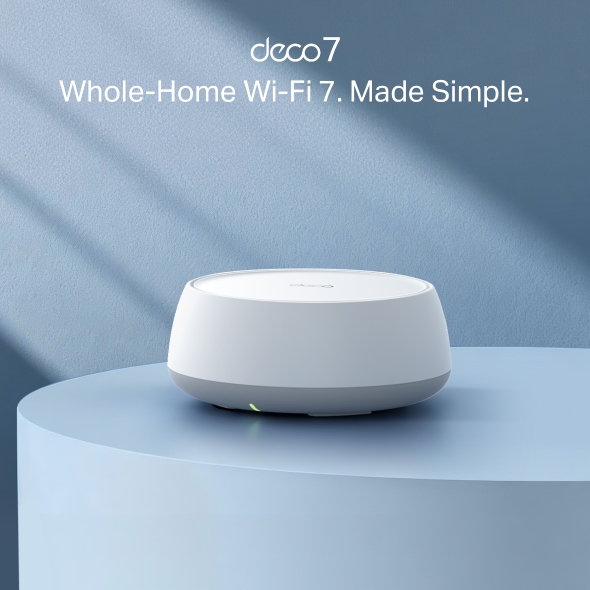
TP-Link Deco BE23 (3-Pack)
- Covers up to 6,500 sq. ft. as a 3-pack
- Simple app setup, good for a household new to mesh Wi-Fi
- Two 2.5 Gbps wired ports per unit for hardwiring a streaming box or hub
- Dual-band only — less headroom than tri-band options under heavy load
- 150-device limit can matter in a smart-home-heavy household
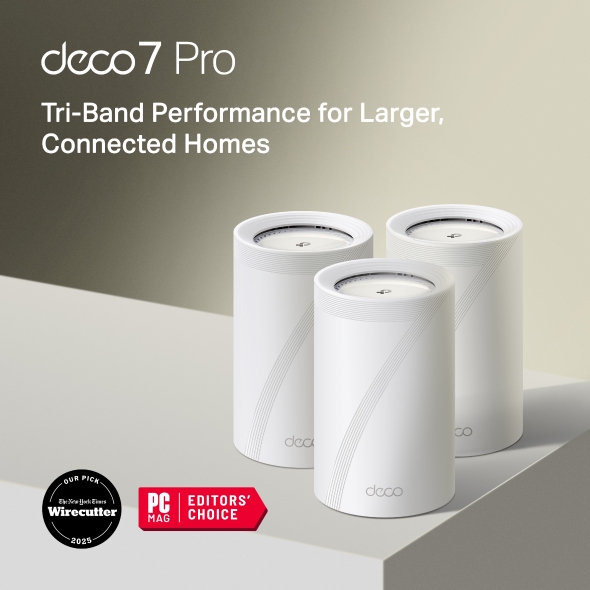
TP-Link Deco 7 Pro BE10000 (Deco BE63)
- Tri-band Wi-Fi 7 with roughly 10 Gbps combined throughput
- Supports up to 200 connected devices
- Four 2.5 Gbps wired ports per unit
- Costs more than the BE23 for coverage most homes won't fully need
- Overkill for a household with just a phone, tablet, and speaker
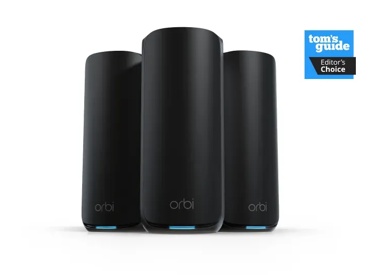
Netgear Orbi 870 (RBE873)
- Covers up to 9,000 sq. ft. as a 3-pack
- Tri-band Wi-Fi 7 rated up to 21 Gbps
- Individual satellites available if more coverage is needed later
- Expensive 3-pack — a real expense to justify
- More range than most single-story homes under 2,500 sq. ft. actually need
The Short Answer
For most single-story or moderately sized homes, the TP-Link Deco BE23 covers up to 6,500 square feet as a 3-pack and is the easiest one to set up without help. If speed and a bigger device count matter — several smart home gadgets, a couple of streaming boxes, video calls running daily — the TP-Link Deco 7 Pro BE10000 (Deco BE63) pushes 10 Gbps of total throughput and handles up to 200 connected devices. For a large or multi-story house where one dead zone always seems to be exactly where the medical alert pendant or the bedroom smart speaker lives, the Netgear Orbi 870 (RBE873) covers up to 9,000 square feet out of the box.
Why This Matters More Than It Looks Like It Should
Nobody sets out to buy a Wi-Fi upgrade for fun. But a growing list of senior-friendly tech quietly depends on a strong signal reaching every room, not just the room the router happens to sit in: a video doorbell at the front door, a smart speaker by the bed for voice reminders, a tablet used for video calls with grandkids, and in some setups even a medical alert base station. A single router in a back office or the room where the cable line happens to enter the house was never really built to reach the far bedroom or the porch. When one of those dead zones lines up with the room someone actually spends the most time in, the result isn't a slow Netflix stream — it's a doorbell that never chimes, a fall-detection watch that can't sync a location, or a video call that freezes every ninety seconds.
What Actually Matters (Skip the Wi-Fi 7 Marketing)
- Square footage covered by the pack size you're actually buying. Every brand advertises coverage for their biggest bundle. A 1-pack router covers a fraction of what the 3-pack claims — check the number for the specific box, not the product line.
- Wired vs. wireless backhaul. If the nodes talk to each other over a dedicated wired or high-speed radio band instead of competing with everyday Wi-Fi traffic, performance holds up better as more devices join. All three picks below handle this well.
- How many devices actually connect. A phone, a tablet, a smart speaker, a video doorbell, a smart lock, a thermostat, a streaming box, and a laptop can add up to a dozen devices in one household without anyone noticing. Cheap routers choke well before that.
- App simplicity, not feature count. The person setting this up (often an adult child, not the person living in the home) needs an app that walks through setup in ten minutes, not one full of enterprise-style settings menus nobody will touch again.
Our Picks
TP-Link Deco BE23 — Best Value, Easiest to Recommend
The Deco BE23 3-pack is regularly discounted and covers up to 6,500 square feet with three units working together. It's dual-band Wi-Fi 7 rated for 3.6 Gbps of total throughput, supports up to 150 connected devices, and each unit has two 2.5 Gbps wired ports if you want to hardwire a streaming box or a security hub. For a typical ranch-style or two-story home with one or two persistent dead zones, this is the pack that solves the problem without overspending on speed nobody will use.
TP-Link Deco 7 Pro BE10000 (Deco BE63) — Fastest, Best for a Busy Smart Home
Marketed in the US as the Deco 7 Pro BE10000, this is TP-Link's step up: tri-band Wi-Fi 7 with roughly 10 Gbps of combined throughput, coverage up to 5,800 square feet as a 2-pack, support for up to 200 devices, and four 2.5 Gbps wired ports per unit instead of two. The extra headroom matters less for basic browsing and more for a house running several smart home devices, a couple of video-calling tablets, and a streaming setup all at once — the kind of household where a budget mesh kit starts to feel sluggish by evening.
Netgear Orbi 870 (RBE873) — Best for Large or Multi-Story Homes
The Orbi 870 3-pack (one router plus two satellites) covers up to 9,000 square feet and supports up to 150 devices on tri-band Wi-Fi 7 rated up to 21 Gbps. It costs meaningfully more than either Deco option, with additional satellites available separately if a fourth unit is ever needed. That's a real expense to justify, but for a large single-story home, a house with a detached garage or converted basement, or a multi-story home where the router lives on the ground floor and the bedroom with the medical alert base station is two floors up, the extra range is what actually closes the gap that a cheaper kit can't.
How Many Nodes a Real Home Actually Needs
Coverage numbers on the box assume open, unobstructed space, which no real house has. Plaster walls, brick, and metal ductwork all cut into range. As a rough starting point: a single-story home under 2,000 square feet with a fairly open layout often does fine with a 2-pack. A larger single-story home, a typical two-story house, or any home with a finished basement usually needs the 3-pack. A sprawling ranch, a home with a detached structure that also needs coverage (a garage workshop, a converted shed), or a house with unusually thick walls is where the Orbi 870's extra range earns its higher price. When in doubt, buy the pack that covers slightly more square footage than the home's actual size — running out of range is the more common and more annoying failure than paying for a little extra.
Setup: What to Expect and Whose Job This Should Be
All three systems set up through a phone app: plug in the main unit where the internet line enters the house, scan a QR code on the base of each unit, and place the satellites according to the app's signal-strength guidance. This part is quick — usually fifteen to twenty-five minutes total — but it does require a smartphone and an Amazon or manufacturer account, which makes it a reasonable task to hand to an adult child or grandchild rather than something the person living in the home needs to do solo. Once it's running, day-to-day use requires nothing from anyone; devices simply reconnect automatically, and the guest network feature (present in all three apps) is a clean way to give a visiting family member internet access without sharing the main password.
Common Mistakes to Avoid
- Buying a single router instead of a mesh kit. A traditional router with a range extender bolted on creates a second, separate network that devices don't roam between smoothly — a mesh kit's nodes are designed to work as one seamless network.
- Placing satellite units too far from the main router. Each hop away from the main unit loses some signal strength; a satellite placed at the very edge of the previous node's range starts the next room off weak already. The setup app's placement guidance exists for exactly this reason — don't skip it.
- Assuming a mesh system fixes a slow internet plan. A mesh kit distributes whatever speed the internet provider delivers — it doesn't create bandwidth that isn't there. If video calls are choppy because the underlying internet plan is slow, no router upgrade solves that.
- Forgetting to migrate smart home devices to the new network name. If the new mesh system uses a different network name than the old router, existing smart plugs, cameras, and speakers may need to be reconnected one at a time — worth doing during the same setup session rather than piecemeal over weeks.
When Not to Buy One
A mesh system isn't the fix if the actual complaint is a slow internet plan rather than weak coverage — check the internet bill for the plan speed before assuming the router is the problem. It's also overkill for a small apartment or single-level condo under about 1,200 square feet with the router centrally located; a single decent router usually reaches every room in that footprint already. And if the household's only connected devices are a phone and a laptop used in the same room as the router, there's no dead zone to solve — the money is better spent on the device itself, like a smart lock or a device that actually needs the coverage.
Frequently Asked Questions
Do I need to cancel my internet provider's router to use one of these?
No — a mesh system typically replaces the Wi-Fi router function while the provider's modem (the box that actually connects to the internet line) stays in place. Many providers also rent out a combined modem/router; in that case, the modem's Wi-Fi radio usually gets turned off or bypassed during mesh setup, which the app walks through.
Will this fix a medical alert pendant that keeps losing connection?
It depends on the system. Cellular-based medical alert pendants don't use home Wi-Fi at all, so a mesh upgrade won't affect them. Wi-Fi-based systems and any smart-speaker-paired alert feature will benefit directly from stronger coverage reaching the room where the pendant is actually worn most.
How long does the whole setup take?
Fifteen to twenty-five minutes for a typical 2-3 node setup, assuming the person setting it up has the app downloaded and an account ready before starting. Add another ten minutes if existing smart home devices need to be reconnected to the new network name.
Can a family member manage the network remotely after setup?
Yes — all three apps support remote management from another phone, so an adult child can check that everything's online, add a new device, or restart the network from anywhere without needing to be in the house.
Is Wi-Fi 7 actually necessary, or is that just marketing?
For most households, no single device fully saturates a Wi-Fi 7 connection yet. What actually matters more day to day is the number of bands and whether one is dedicated to backhaul between nodes — a well-designed Wi-Fi 6E mesh system can outperform a poorly designed Wi-Fi 7 one in a real home. All three picks here handle backhaul well, so the Wi-Fi 7 label is a genuine bonus rather than the deciding factor.
What happens to the Wi-Fi during a power outage?
Everything goes down — the mesh nodes, the modem, and any devices depending on them — unless the modem and at least the main mesh unit are plugged into a battery backup (UPS). For a household relying on Wi-Fi-connected safety devices, a modest UPS on the modem and router is worth the modest cost.
The Bottom Line
Buy the TP-Link Deco BE23 for the best balance of price and coverage in a typical home. Step up to the Deco BE63 (Deco 7 Pro BE10000) if the household runs several smart devices and video calls at once and speed is starting to feel like the bottleneck. Buy the Netgear Orbi 870 for a large or multi-story home where a cheaper kit's range genuinely won't reach. In every case, the point isn't faster Netflix — it's making sure the doorbell chimes, the video call connects, and the smart speaker hears a voice reminder from the room where it actually needs to.


