Apple Watch vs. Samsung Galaxy Watch for Seniors: Which One to Buy in 2026
Both watches now do fall detection, ECG, and emergency SOS. The decision that actually matters for an older wearer isn't features — it's which phone is already in their pocket, and a few real differences in how each watch behaves once help is needed.
As an Amazon Associate I earn from qualifying purchases. We independently review products; buying through our links never costs you extra.
Best for iPhone Households (Full Health Tracking)
Apple Watch Series 11
Quick picks
| Product | Best for | Amazon |
|---|---|---|
| Apple Watch Series 11 | iPhone Households (Full Health Tracking) | Check price on Amazon |
| Apple Watch SE 3 | Budget Pick for iPhone Households | Check price on Amazon |
| Samsung Galaxy Watch 8 | Android/Samsung Households (Full Health Tracking) | Check price on Amazon |
| Samsung Galaxy Watch FE | Budget Pick for Android Households | Check price on Amazon |

Our Top Picks
Chosen for seniors based on features, specs, and verified buyer reviews.
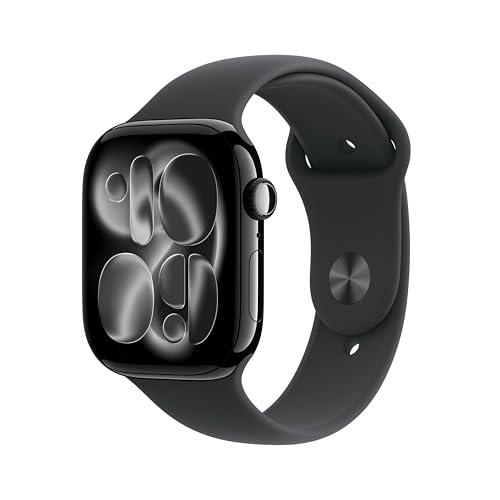
Apple Watch Series 11
- FDA-cleared ECG for AFib notifications, blood oxygen, sleep apnea detection, fall + crash detection
- Fall detection turns on automatically for users 55 and older
- Most consistent, best-supported setup experience with an iPhone
- Requires an iPhone — does not pair with Android at all
- About 18-hour battery life needs nightly charging without fail
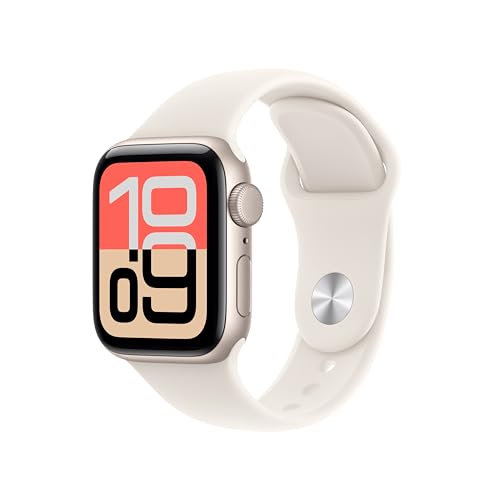
Apple Watch SE 3
- Lower entry cost than most full-featured smartwatches
- Keeps crash detection, fall detection, and Emergency SOS
- Same simple Apple setup and Health app as Series 11
- No ECG app or blood oxygen sensor
- Still requires nightly charging like every Apple Watch
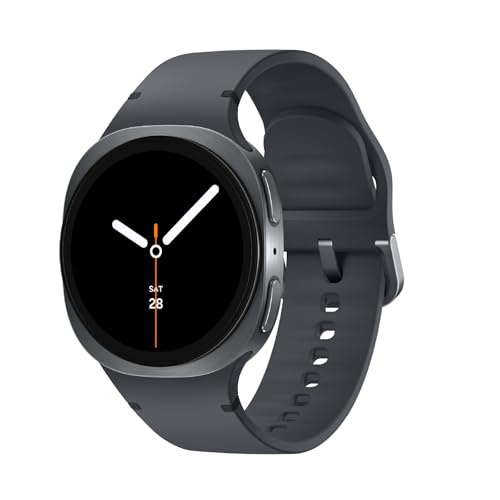
Samsung Galaxy Watch 8
- ECG now standard across all Galaxy Watch 8 models
- Automatic SOS with GPS location on fall detection
- Longer battery life than Apple Watch — often a day and a half to two days
- Requires manually enabling fall detection in settings
- Full feature set is best on a Samsung phone, more limited on other Android phones
Samsung Galaxy Watch FE
- Budget-friendly entry into Samsung's watch lineup
- Includes Hard Fall Detection and core health tracking
- Rotating bezel option makes navigation easier for reduced touch sensitivity
- Fewer advanced health features than the Galaxy Watch 8
- Same Android-only phone requirement as the rest of the Galaxy Watch line
Every roundup of smartwatches for seniors eventually gets asked the same follow-up question: forget the budget picks and the cellular models, just tell me straight — Apple or Samsung? Both companies ship genuinely capable safety hardware now. Both have fall detection, ECG for irregular heart rhythm, crash detection, and an SOS button that calls emergency services and alerts a chosen contact. The gap between them has narrowed enough that the old advice — "Apple is better" — isn't really true anymore. What still decides the answer, in almost every real household, is one unglamorous fact: which phone does the wearer already own.
The one rule that overrides everything else
A Samsung Galaxy Watch does not work with an iPhone beyond basic notifications — it requires an Android phone, specifically a Samsung Galaxy phone for the full feature set, and even other Android phones lose some functionality. An Apple Watch requires an iPhone and does not pair with Android at all. There is no cross-compatible option here. If a senior owns an iPhone, the Galaxy Watch is off the table regardless of how good its fall detection is; if they own a Samsung or other Android phone, the Apple Watch simply will not pair. Before comparing a single feature, check the phone already in the house — it decides the shortlist, not the other way around.
Apple Watch: the safety features, plainly
Apple Watch Series 11
The current mainline Apple Watch has FDA-cleared ECG for atrial fibrillation notifications, blood oxygen tracking, sleep apnea detection, fall detection, crash detection, and Emergency SOS that dials 911 (or the local equivalent) and texts a chosen emergency contact with location. A detail that matters specifically for older users: fall detection turns on automatically, without the wearer needing to find a settings menu, for anyone who has entered an age of 55 or older in their Health profile. That single default has quietly prevented a lot of missed setups in families who bought a watch for a parent and assumed safety features were live on day one.
Check price on AmazonApple Watch Series 11
Apple Watch SE 3 — the budget-friendly Apple option
For a family that wants Apple's ecosystem and the same core safety net without paying Series 11 prices, the Apple Watch SE 3 carries crash detection, fall detection, and Emergency SOS at a noticeably lower price than the Series 11, and it is often discounted during sales. It drops the ECG app and blood oxygen sensor, which is a real trade-off for a household specifically tracking heart rhythm, but the fall-detection-and-SOS core — the feature that actually gets used in an emergency — is intact.
Check price on AmazonApple Watch SE 3
Samsung Galaxy Watch: the safety features, plainly
Samsung Galaxy Watch 8
Samsung's current flagship watch includes ECG across all models (a change from older Galaxy Watches, where it was a higher-tier feature), fall detection that sends an SOS with GPS location to emergency contacts automatically, crash detection, 50-meter water resistance, and newer health additions like blood pressure trend monitoring and an AI-driven "Energy Score." One practical difference from Apple: Samsung's fall detection has historically required the wearer to turn it on manually in settings rather than defaulting on by age, so if a family sets this up for a parent, that step needs to be confirmed rather than assumed.
Galaxy Watch FE — the budget-friendly Samsung option
Samsung's budget model includes Hard Fall Detection alongside the core health tracking, making it a close match to the Apple Watch SE 3 for a household already on Android. It's the more sensible entry point than the flagship for a first watch bought for a parent who's never worn one.
Check price on AmazonSamsung Galaxy Watch 8
Where they actually differ, beyond the phone requirement
Setup and day-to-day simplicity
Both companies design their watch pairing app around a phone-owning adult setting the watch up once, not around the wearer configuring it themselves — this is genuinely a family setup project either way, not a solo unboxing for most seniors. Apple's setup process and Health app are generally considered slightly more consistent across generations of watch and iPhone, since Apple controls both ends. Samsung's experience varies a little more depending on which Galaxy phone is doing the pairing, since Samsung's most complete feature set is reserved for its own phones rather than Android generally.
Battery life
This is a real, practical difference. A typical Apple Watch runs about 18 hours per charge and needs nightly charging, which for a family managing an older relative's routine is one more thing that has to happen every day without fail — miss a night and the watch (and its fall detection) is dead the next day. Samsung's Galaxy Watch models vary but often stretch to a full day-and-a-half to two days in regular use, and some modes push further. For a wearer who forgets to charge things, or a caregiver managing the routine from a distance, the extra runway is a meaningful safety margin, not just a convenience.
Screen and button simplicity
Apple Watch relies more on touchscreen gestures for navigation; the Digital Crown helps but the interface still assumes some comfort with swiping and tapping small targets. Samsung's rotating bezel (on select models) gives an alternative physical way to scroll through menus that some users with reduced touch sensitivity or tremors find easier to control precisely than a touchscreen swipe.
Price for the safety-only buyer
If the only goal is fall detection, ECG, and SOS — not fitness coaching, not a smart assistant, not app support — both the Apple Watch SE 3 and Galaxy Watch FE deliver that core safety layer at nearly identical starting prices. Neither company charges extra for the safety features themselves; both are bundled into the base hardware, not a subscription. The cellular versions of each (LTE, so the watch can call for help without a paired phone nearby) cost more upfront and typically carry an added monthly line fee through the carrier — worth budgeting for separately if the goal is a watch that works even when the wearer leaves their phone on the kitchen counter, which happens often.
Two-year cost, all in
The sticker price is only part of the real cost, and it plays out differently depending on whether cellular is involved. A non-cellular Apple Watch SE 3 or Galaxy Watch FE costs exactly what it costs on day one — no recurring bill, ever, for the core safety features. Add cellular to either watch and expect roughly $10 a month added to the phone plan for a standalone data line, which works out to about $240 over two years on top of the higher upfront hardware price for the LTE model. For a family stacking a medical alert subscription, a phone plan, and now a watch line, that recurring total adds up fast — worth deciding upfront whether phone-free calling is worth the ongoing bill, or whether the non-cellular version paired to a phone that's usually nearby is enough.
Setting one up for a parent who lives elsewhere
Both ecosystems are built around a companion app that a family member can manage remotely once initial pairing is done in person. Apple's Family Setup lets a family member manage an Apple Watch from their own iPhone without the senior needing their own iPhone at all, which is a genuinely useful option for a parent who doesn't carry a smartphone but still needs SOS and location sharing — this requires a cellular Apple Watch. Samsung doesn't offer an equivalent no-phone-required family setup for the Galaxy Watch in the same way; it generally assumes the wearer has their own paired Android phone. For a parent without any phone of their own, that tips the decision toward Apple's cellular Watch plus Family Setup, even in a household that otherwise uses Android.
Who should buy which
Buy Apple Watch if: the senior already carries an iPhone, the family wants the simplest possible one-company setup experience, or ECG/AFib monitoring at the entry price point matters more than battery life (get the Series 11, not the SE, for ECG).
Buy Samsung Galaxy Watch if: the senior already carries a Samsung or other Android phone, longer battery life between charges is a bigger practical concern than brand polish, or a rotating physical bezel sounds easier to use than touchscreen swiping.
Skip both, at least for now, if the wearer has diagnosed cognitive decline severe enough that they'd remove or forget to charge any wrist device — a wearable is only a safety net if it stays worn and charged, and a medical alert pendant with a simpler, more habitual design may hold up better in that specific situation.
Frequently asked questions
Does the Galaxy Watch work at all with an iPhone?
Only in a very limited way — it can show basic phone notifications, but the health tracking, fall detection setup, and full app experience require an Android phone (and specifically a Samsung phone for every feature). Treat it as Android-only for practical purposes.
Which one has better fall detection, honestly?
Independent testing has found both reliable for hard falls in recent generations. The bigger real-world difference is that Apple turns it on by default for users 55 and older, while Samsung has generally required manually enabling it — so confirm the setting either way rather than assuming it's active.
Do I need the cellular version?
Only if the wearer routinely leaves their phone in another room or at home. Without cellular, the watch can only call for help when a paired phone is nearby and connected; with cellular, it can call for help entirely on its own, for an added monthly carrier fee.
Is there a simpler alternative to either watch?
If the goal is fall detection and heart-rate trend tracking without the complexity of a full smartwatch interface, a smart ring is a lower-friction option worth comparing — see our smart ring guide — though rings don't include an SOS button or cellular calling the way these watches do.
What about a watch that doesn't need any phone at all?
Both Apple and Samsung sell cellular (LTE) versions that can place calls and send SOS alerts without a phone nearby, though they still need the companion phone for initial setup. Our cellular smartwatch guide covers phone-free options in more depth, including non-Apple, non-Samsung choices.
What if the watch keeps getting left in a drawer because the strap is hard to fasten?
That's a common, fixable problem separate from which watch to buy. Our magnetic and easy-clasp watch band guide covers replacement straps for both platforms built for arthritic or reduced-dexterity hands.
What about Garmin instead of Apple or Samsung?
Garmin entered this fall-detection conversation for the first time with a September 2026 software update. See our Garmin Venu 4 vs. Apple Watch fall detection comparison for how its new alert system stacks up against Apple's automatic 911 call.

