Do Smartwatches Track Blood Sugar? What Actually Works for Seniors With Diabetes in 2026
No smartwatch measures glucose through the skin in 2026 — every option still relies on a separate CGM sensor worn on the arm. What a watch actually adds is a glucose reading and alert on the wrist, without having to pull out a phone, and a way for a caregiver to check in remotely.
As an Amazon Associate I earn from qualifying purchases. We independently review products; buying through our links never costs you extra.
Best for iPhone Households
Apple Watch Series 11
Quick picks
| Product | Best for | Amazon |
|---|---|---|
| Apple Watch Series 11 | iPhone Households | Check price on Amazon |
| Samsung Galaxy Watch 7 | Samsung Phone Households | Check price on Amazon |
| Fitbit Sense 2 | Great Smartwatch — Wrong Pick for This Specific Need | Check price on Amazon |

Our Top Picks
Chosen for seniors based on features, specs, and verified buyer reviews.
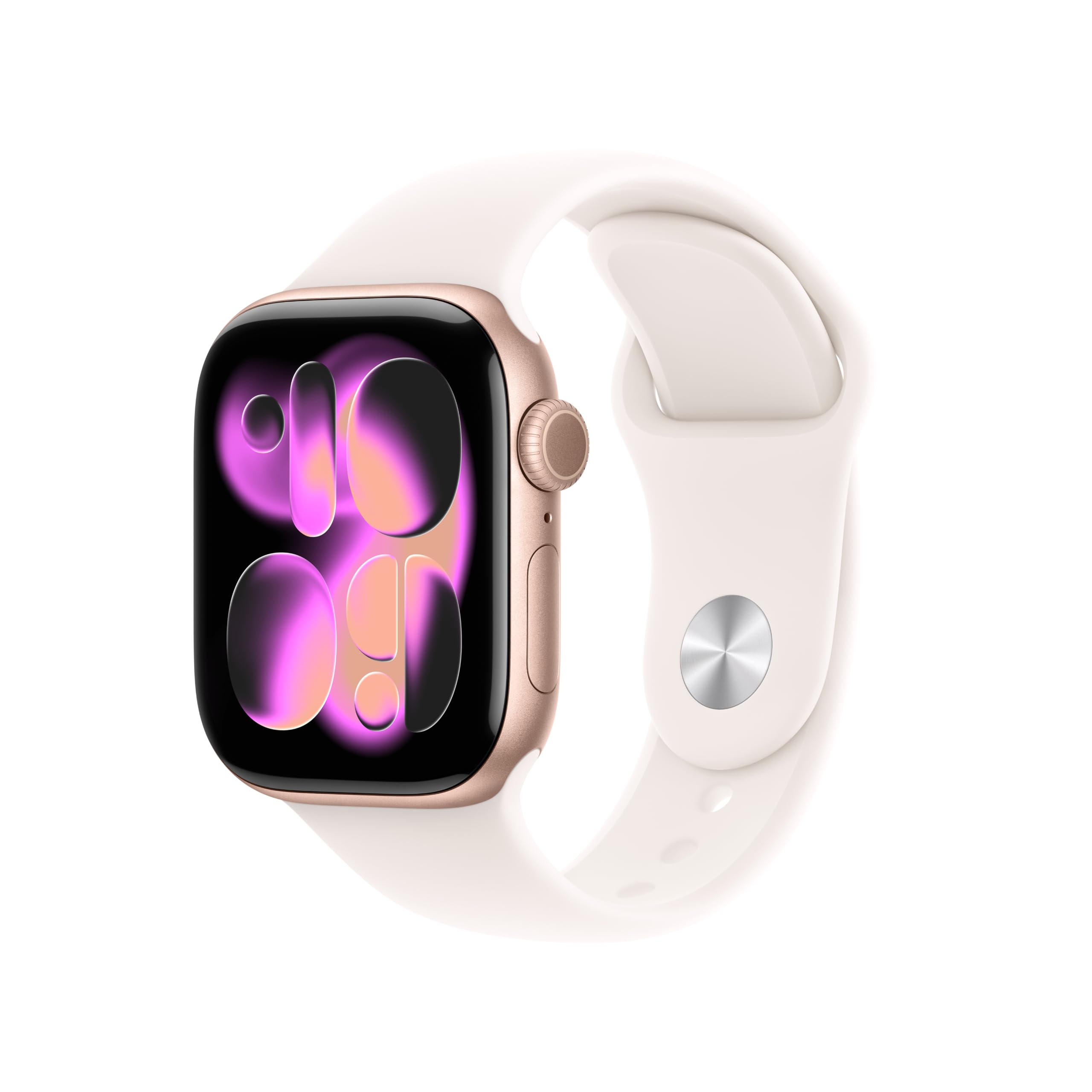
Apple Watch Series 11
- Full Dexcom G7 and FreeStyle Libre 3 wrist display and alerts
- Cellular models keep receiving alerts even if the iPhone is left behind
- Largest selection of large-face, senior-friendly watch faces
- Requires an iPhone — doesn't work with Android at all
- Premium price, more with a cellular data plan added

Samsung Galaxy Watch 7
- Direct Dexcom G7 wrist display and alerts
- Deep integration with Samsung Health for medication and activity tracking
- Comfortable, lighter build for all-day wear
- Requires a Samsung Galaxy phone specifically, not just any Android
- Samsung Health app has a steeper learning curve than Apple's Health app
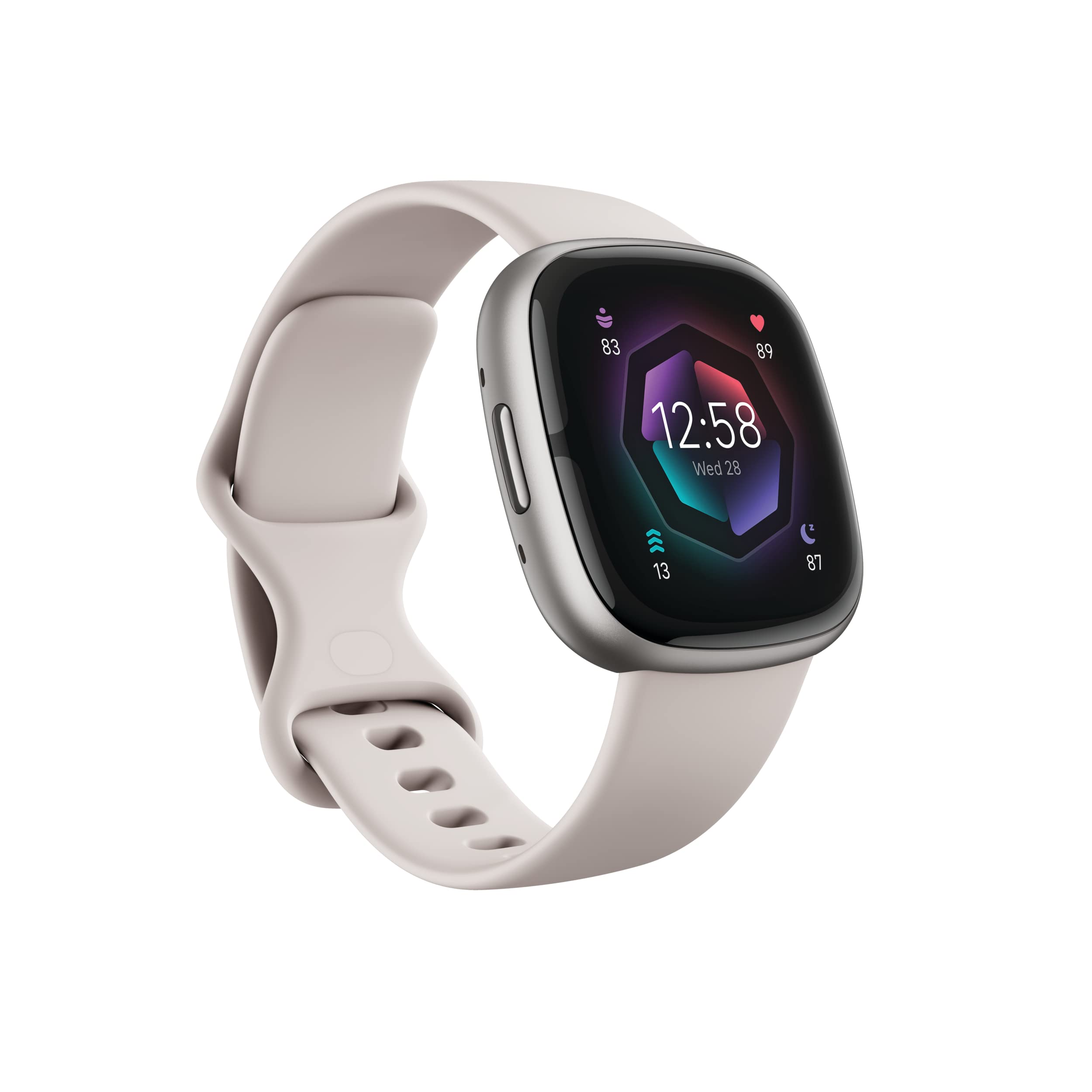
Fitbit Sense 2
- Excellent general health smartwatch with FDA-cleared ECG
- Long battery life and simple interface compared to a full smartwatch
- Works with both iPhone and Android for general use
- Does not support Dexcom or Libre direct-to-watch glucose display
- Not the right choice specifically for diabetes wrist alerts, despite being a strong watch otherwise
A lot of marketing around smartwatches and diabetes is vague enough to leave the wrong impression: that strapping on the right watch lets it read blood sugar straight from the skin, no needle or sensor involved. That isn't true of any mainstream smartwatch on the market in 2026, and it's worth saying plainly before recommending anything, because acting on that misunderstanding — skipping an actual glucose sensor because a watch seems like it should cover it — could genuinely be dangerous for someone managing insulin doses around meals.
What a smartwatch actually does here
Every watch discussed below works the same basic way: a continuous glucose monitor (CGM), most commonly the Dexcom G7 or Abbott's FreeStyle Libre 3, is worn separately on the upper arm or abdomen and measures glucose from fluid just under the skin every few minutes. That sensor sends its readings over Bluetooth — either directly to a compatible smartwatch or through a paired phone — and the watch displays the current number, a trend arrow, and can vibrate for a high or low alert. The watch is a display and alert method, not the sensor. That distinction matters for expectations: buying an Apple Watch doesn't get anyone glucose tracking on its own; the CGM sensor and its prescription (or, in some cases, over-the-counter purchase) is still the actual medical device, ordered separately from a doctor or pharmacy.
Why the watch part still matters for a senior specifically
If the CGM already sends alerts to a phone, what does the watch add? For a lot of seniors, quite a lot. A phone left charging in the bedroom or bottom of a bag doesn't deliver a low-blood-sugar alert when it's needed most — a watch worn continuously does. For anyone who has ever missed a call because the phone was in another room, the same failure mode applies to a glucose alert, except a missed low-blood-sugar alert can turn into a real emergency rather than a missed conversation. A wrist alert also removes a step: no waking a phone screen, opening an app, and reading a small display — just a glance at a larger, always-on wrist display already showing the number.
Apple Watch: the most complete option, iPhone required
Dexcom's direct-to-watch feature works with the Apple Watch, showing live glucose readings and delivering high/low alerts on the wrist even when the iPhone isn't nearby, as long as the watch stays within Bluetooth range of the sensor (or has cellular for extended range on cellular models). FreeStyle Libre 3 also supports an Apple Watch app. The limitation is the obvious one: this only works for someone who has, or is willing to switch to, an iPhone. For a senior who already has an iPhone and a Dexcom or Libre prescription, this is the most seamless combination available.
Samsung Galaxy Watch: the equivalent for Samsung phone owners
Samsung's Galaxy Watch 7 and Watch 8 support the same kind of direct CGM integration with Dexcom G7, showing readings and alerts on the wrist and continuing to receive them even when the paired phone is out of Bluetooth range of the watch itself (though the watch still needs its own connection back to the sensor or phone). This is specifically a Samsung Galaxy phone pairing, not "any Android phone" — a senior with a Google Pixel or other Android phone won't get the same watch app through a Samsung device, and vice versa.
Wear OS options (Google Pixel Watch and similar): the Android alternative
For Android users who don't have a Samsung phone specifically, Wear OS smartwatches including the Google Pixel Watch line support Dexcom's Wear OS app, giving essentially the same wrist display and alerts as the Apple and Samsung options. The tradeoff is a smaller selection of senior-friendly accessories and a less mature ecosystem of large-button watch faces compared to Apple Watch, but the core CGM function works the same way.
The mismatch to watch for: a great smartwatch that doesn't do this
This is the part that trips people up. Fitbit's watches — including the Fitbit Sense 2, which is a genuinely good general health smartwatch with an FDA-cleared ECG and strong sleep and activity tracking — do not support Dexcom's or Libre's direct-to-watch glucose display, because Fitbit's software isn't Wear OS or Apple's watchOS. A family that already researched smartwatches for heart health and settled on a Fitbit for its ECG and battery life will need a second, different watch (or to rely on the phone app) if diabetes glucose alerts on the wrist are also a priority. This is a real scenario, not a hypothetical: the same watch that's the right answer to "best smartwatch for heart monitoring" can be the wrong answer to "best smartwatch for diabetes," and checking CGM compatibility before buying — rather than assuming any modern smartwatch covers it — avoids an expensive return or a second purchase.
A caregiver benefit worth knowing about separately
Beyond the watch itself, both Dexcom and Libre offer companion apps (Dexcom Follow, LibreLinkUp) that let a family member remotely see a senior's glucose trend and get alerted to dangerous highs or lows from their own phone, anywhere with a data connection — not just when physically nearby. For an adult child managing a parent's diabetes from a different city, this is frequently more valuable day to day than the watch itself, and it works regardless of which smartwatch (or no smartwatch at all) the senior wears. It's worth setting up even if a wrist display never happens.
Cost: the sensor, not the watch, is the bigger recurring expense
It's easy to focus budgeting on the watch, since that's the one-time, visible purchase, but the CGM sensor itself is the ongoing cost that matters more over a year. Dexcom G7 and FreeStyle Libre 3 sensors are typically replaced every 10 to 15 days, and with Medicare Part B or private insurance covering CGMs for many people on insulin, out-of-pocket cost varies enormously — from a low copay to several hundred dollars a month without coverage. Before assuming a smartwatch upgrade is the missing piece, it's worth confirming with a doctor or pharmacist what CGM coverage actually looks like, since that number affects the decision more than which watch brand gets chosen afterward. The watch itself, by comparison, is a single purchase that then keeps working for the CGM's full 2-to-3-year sensor-swapping lifespan.
Libre 3 vs. Dexcom G7: does the sensor choice affect the watch choice?
Both major sensors now support direct-to-watch display on at least some platforms, but Dexcom has the broader reach across Apple Watch, Samsung Galaxy Watch, and Wear OS, while Libre's watch app support has historically trailed Dexcom's, particularly on Wear OS devices. If a senior's doctor is prescribing based on insurance formulary rather than starting from scratch, it's worth checking the specific sensor model's current watch compatibility rather than assuming both work identically — formularies and app support both change over time, and what was true a year ago about either sensor isn't guaranteed to still be accurate.
Common mistakes with this setup
The most common mistake is buying a new smartwatch before confirming the CGM brand and model actually supports it — compatibility changes between sensor generations (the older Dexcom G6, for instance, has more limited watch support than the G7), so checking the current sensor model against the specific watch, not just the brand name, matters. The second mistake is assuming Bluetooth range is unlimited — a watch typically needs to stay within roughly 20 to 30 feet of the sensor (or the paired phone, depending on setup) to keep receiving live readings, which matters for a senior who might be gardening at the far end of a large yard. The third is skipping the caregiver app because the watch feels like "enough" — the watch only helps the person wearing it; the remote-monitoring app is what helps everyone else who's worried about them.
Frequently asked questions
Can I buy a CGM sensor without a doctor's involvement?
Dexcom and Abbott both now offer over-the-counter CGM options for people not on insulin (marketed for general glucose awareness rather than diabetes management), but the prescription CGM systems most commonly used for actual diabetes care, including insulin dosing decisions, still require a doctor's prescription.
Does the watch drain battery faster with a CGM connection running?
Yes, modestly — continuous Bluetooth data from a CGM sensor uses more battery than passive notifications, so a watch that normally lasts a full day may need a midday top-up. This is worth testing before relying on it for overnight low-blood-sugar alerts specifically.
What happens if the watch and sensor lose connection?
Both Dexcom and Libre apps show a clear "signal lost" state on the watch and phone rather than a false or frozen number, but a senior needs to recognize that state and know to check the phone app or a fingerstick meter instead of assuming the last number shown is still current.
Is this worth it for someone who manages their diabetes well without any of this?
Not necessarily. For a senior who already checks a standard glucose meter reliably at set times and has stable numbers, adding a CGM-to-smartwatch setup is a convenience and safety-net upgrade, not a requirement — it matters most for anyone with unpredictable lows, memory concerns that make manual checking unreliable, or a caregiver who wants remote visibility.
The bottom line
Match the watch to the phone first: Apple Watch for iPhone households, Samsung Galaxy Watch 7 for Samsung phone households, and a Wear OS watch like the Google Pixel Watch for other Android phones — all three genuinely display live Dexcom G7 readings and alerts on the wrist. Don't assume a Fitbit Sense 2 or similar Fitbit watch covers this just because it's a capable smartwatch elsewhere; it doesn't support direct CGM display. And regardless of which watch is involved, setting up the Dexcom Follow or LibreLinkUp caregiver app is worth doing on its own. For the broader wrist-based health picture, see our smartwatches for heart health and AFib guide and blood glucose meters for seniors guide for the fingerstick-meter side of the same task.

