Best Cellular Smartwatches for Seniors Who Don't Carry a Phone (2026)
Fall detection only helps if the device that detects the fall is actually on you when it happens — and a phone charging in another room doesn't count. Cellular smartwatches call, text, and share location on their own, no paired phone nearby required. Here's what's actually worth the extra monthly line.
As an Amazon Associate I earn from qualifying purchases. We independently review products; buying through our links never costs you extra.
Best Budget Cellular Watch
Apple Watch SE 3 (GPS + Cellular)
Quick picks
| Product | Best for | Amazon |
|---|---|---|
| Apple Watch SE 3 (GPS + Cellular) | Budget Cellular Watch | Check price on Amazon |
| Apple Watch Ultra 3 | Outdoor Independence | Check price on Amazon |
| Samsung Galaxy Watch7 LTE | Android/Samsung Households | Check price on Amazon |

Our Top Picks
Chosen for seniors based on features, specs, and verified buyer reviews.

Apple Watch SE 3 (GPS + Cellular)
- Full standalone calling, texting, and SOS over its own cellular line
- Bright 1.8-inch always-visible display, easier to read at a glance
- The most affordable way into standalone Apple Watch safety features
- No satellite SOS backup if there's no cell signal at all
- Requires an iPhone for setup and works best on an Apple-family cell plan
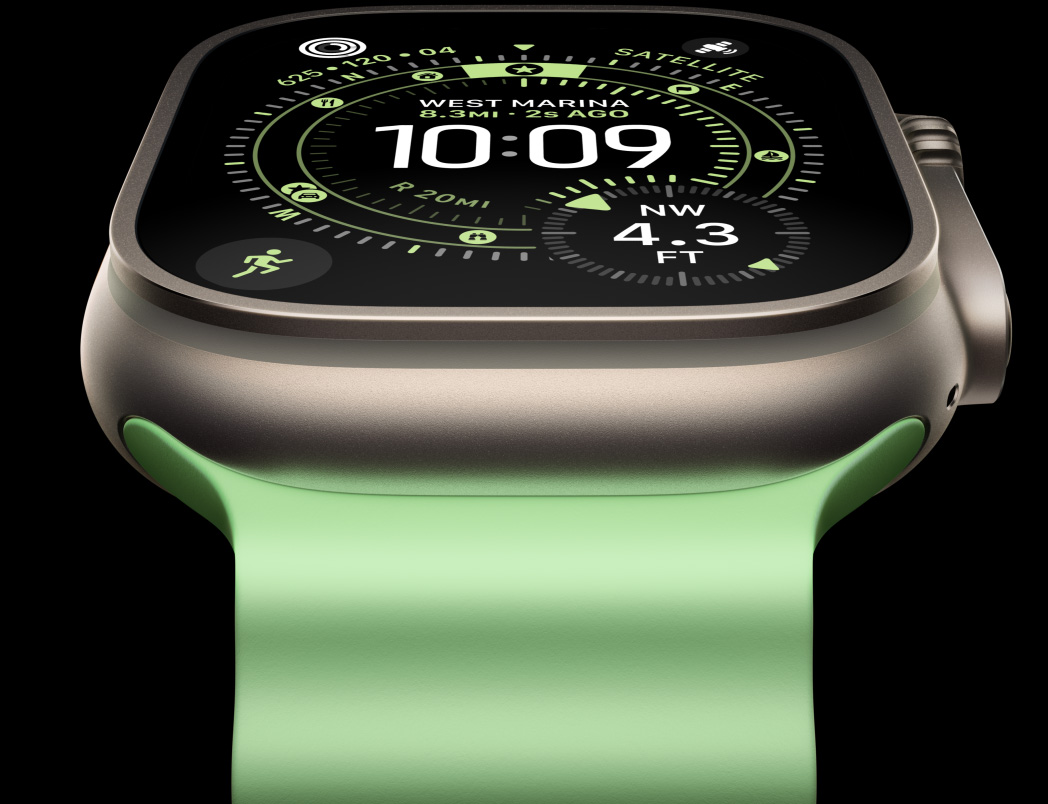
Apple Watch Ultra 3
- Two-way satellite SOS works even with no Wi-Fi or cell signal
- Longest Apple Watch battery life yet — up to 42 hours with cellular active
- Two years of satellite service included with an active cellular plan
- Significant cost for features most people won't use daily
- Larger, heavier case than the SE 3

Samsung Galaxy Watch7 LTE
- Standalone calling, texting, and automatic fall-detection SOS over LTE
- PPG heart sensor with on-device ECG prompt for irregular rhythms
- IP68 and 5 ATM water resistance for daily wear without removing it
- Deepest feature integration is built for Samsung phones specifically, not all Android phones
- Requires an active LTE line for the standalone features to work
The Short Answer
For an iPhone household on a budget, the Apple Watch SE 3 (GPS + Cellular) gets full standalone calling and SOS for well under flagship prices. For someone who spends real time outdoors — gardening, walking trails, traveling — the Apple Watch Ultra 3 adds two-way satellite SOS that works even with no cellular signal at all, at a premium price. For an Android or Samsung phone household, the Samsung Galaxy Watch7 LTE covers the same standalone calling, texting, and fall detection without needing an iPhone.
Why "It's Paired to Their Phone" Isn't Actually Good Enough
Most smartwatch advice for seniors assumes the watch and the phone are a team: the watch detects a fall or a heart irregularity, and the phone — sitting somewhere nearby with a cell signal — sends the alert. That assumption breaks down at the exact moment it matters most. Phones get left charging in the kitchen while someone's in the backyard. They get left in a purse in another room. They run out of battery. A fall in the bathroom at 2 a.m. doesn't come with a guarantee that the phone is within Bluetooth range — and Bluetooth range from a phone to a standard smartwatch is usually under 30 feet through walls. A cellular smartwatch — one with its own phone number and its own data connection — sidesteps the whole problem. Whatever room the person is in, as long as the watch is on their wrist, it can call for help, send a text, or share a location, with or without a phone anywhere in the house.
What "Cellular" Actually Means (and What It Costs)
A cellular or LTE smartwatch has an eSIM — a built-in, non-removable SIM — that connects to a mobile carrier independently of any phone. Setting it up means adding it as a line on an existing family cell plan, which most major carriers price around $5-$10 a month, noticeably cheaper than a second phone line. Once it's active, the watch can make and receive calls, send texts, and use GPS-based location sharing entirely on its own. The catch: Apple Watches require an iPhone-based account for initial setup and work best paired to an iPhone-family plan; Samsung and other Wear OS watches pair more flexibly with Android carriers. A cellular watch bought without ever setting up the cellular line still functions as a Bluetooth-only smartwatch — the extra capability just sits unused until someone adds the line.
Our Picks
Apple Watch SE 3 (GPS + Cellular) — Best Budget Cellular Watch
Apple's SE line is the value entry point into the Watch lineup, and the 44mm GPS + Cellular model costs noticeably less than the flagship Series watches while keeping the features that matter for standalone use: fall detection, an SOS button that calls emergency services and a set of chosen contacts, a bright 1.8-inch always-visible display, and 50-meter water resistance. It uses Apple's S10 chip, which is plenty for calls, texts, and health tracking without needing top-tier performance. The tradeoff versus the pricier watches below: no satellite backup if there's no cell signal at all, and a smaller battery than the Ultra models, though it comfortably covers a full day.
Check price on AmazonApple Watch SE 3 (GPS + Cellular)
Apple Watch Ultra 3 — Best for Maximum Independence Outdoors
The Ultra 3 is a real price jump — this is the pick for someone who's genuinely active outdoors and independent, not a default recommendation. What justifies the price for that specific person: two-way satellite SOS that works even where there's no Wi-Fi and no cell signal at all, meaning a fall on a hiking trail or in a rural area with weak coverage still has a way to reach help (two years of satellite service comes free with an active cellular plan). For someone who spends real time on rural property or off-grid where there's no coverage at all rather than just a weak signal, a dedicated satellite communicator is a more dependable layer than relying on occasional satellite SOS from a watch. It also delivers the longest battery life of any Apple Watch — up to 42 hours with cellular active, with a 15-minute fast charge adding roughly 12 more hours. For a senior who travels, gardens on a large property, or walks regularly somewhere cell coverage isn't guaranteed, that combination is hard to match. For someone who mostly stays home with decent cell coverage, it's genuinely more watch than needed — the SE 3 covers the same core safety features for half the price.
Check price on AmazonApple Watch Ultra 3
Samsung Galaxy Watch7 LTE — Best for Android/Samsung Households
Apple Watches only pair with iPhones, which rules them out for anyone on an Android phone or a Samsung phone specifically. The Galaxy Watch7 LTE (the LTE version costs more than the Bluetooth model) is the equivalent standalone option: its own phone number over cellular, a fall-detection feature that sends an SOS alert automatically, and a PPG heart sensor that prompts an on-device ECG check if it notices an irregular rhythm. It runs Samsung's Exynos W1000 chip, the first Samsung wearable chip built for on-device AI processing, and carries IP68 plus 5 ATM water resistance for showering or swimming without removing it. The setup and health features work best paired specifically with a Samsung phone rather than any Android phone, which is worth confirming before buying if the household phone isn't a Galaxy.
Who This Actually Solves a Problem For
This category makes the most sense for someone who's cognitively sharp and physically active enough to want independence, but who either doesn't reliably carry a phone or has a phone that spends most of the day sitting in one spot. It's also a reasonable middle ground for someone who's resistant to wearing a dedicated medical alert pendant — a smartwatch reads as "a watch," not "a medical device," which matters for a lot of people's willingness to actually wear it every day. It is not the right fit for someone who won't reliably charge a daily-wear device, or who has significant memory issues that make operating a watch's touchscreen unreliable in an emergency — that situation usually calls for a simpler, purpose-built GPS tracker that doesn't require active interaction instead.
Setup: What to Expect
Initial setup takes place through a phone (an iPhone for Apple Watch, any modern Android phone with the Galaxy Wearable app for the Samsung watch) and typically takes 20-30 minutes, most of which is adding the cellular line through the carrier's app or website. This is a task best handled by a family member once, not something to hand to the person who'll wear the watch day to day — but after setup, daily use is just wearing it and charging it overnight, the same as any smartwatch. It's worth testing the SOS feature together once during setup — trigger it deliberately (most brands have a way to cancel a test alert before it dials emergency services) so the location-sharing and emergency-contact list are both confirmed working before they're needed for real.
Common Mistakes to Avoid
- Buying the cellular model and never activating the cellular line. Without an active line, a "cellular" watch works exactly like a cheaper Bluetooth-only model — all the extra cost buys nothing until the line is turned on.
- Assuming any Android phone works fine with a Galaxy Watch. The deepest health and safety integration on Samsung watches is built for Samsung phones specifically; a non-Samsung Android phone loses some features.
- Skipping the emergency contact setup. The SOS feature is only as useful as the contact list behind it — an unconfigured or outdated contact list means the alert may reach no one who can actually respond quickly.
- Not testing battery life under real conditions. Cellular use, GPS, and always-on displays all drain battery faster than the marketing numbers assume. Charge the watch at the same time every day (many people do it during a shower or overnight) so it's never accidentally dead when needed.
When Not to Buy One
If the person already reliably carries their phone throughout the day and the actual gap is just fall detection, a standard Bluetooth smartwatch with fall detection paired to that phone costs less and solves the same problem without an added monthly line. If budget is the primary constraint and the main need is a one-button emergency call rather than a full smartwatch experience, a dedicated medical alert system with 24/7 professional monitoring is often a better fit — those services actively call and dispatch help rather than just dialing 911 directly, which matters for someone who might not be able to speak once connected.
Frequently Asked Questions
Does the cellular line replace a phone plan entirely?
Not usually — it's typically added as an extra line on an existing family plan, at a lower monthly cost than a full phone line. It can technically replace a phone for someone who genuinely doesn't need a larger screen or a phone's full app library.
Can it call 911 directly, or does it need to go through a monitoring service?
Both the Apple Watch and Galaxy Watch SOS features can dial local emergency services directly using their own cellular connection — no monitoring subscription required, unlike a monitored medical alert system.
What happens if the watch's battery dies?
It stops working entirely, including SOS and location sharing — there's no backup. This is the single biggest reason to build a consistent daily charging habit before relying on the watch for safety, and one advantage of the Ultra 3's much longer battery life.
Do these watches work if the person travels internationally?
Cellular functionality generally requires a domestic plan and may not work abroad without additional international roaming setup through the carrier — worth checking with the specific carrier before travel if that's a real use case.
Is the screen and interface hard for a first-time smartwatch user?
There's a learning curve for anyone new to a touchscreen watch, and it's worth spending time on the basics together during setup — answering a call, pressing SOS, checking the time. Apple's larger SE 3 display and Samsung's rotating bezel (on some models) both help reduce accidental taps compared to older, smaller smartwatch screens.
The Bottom Line
Buy the Apple Watch SE 3 for full standalone safety features at the lowest real cost, if the household is already on iPhones. Buy the Apple Watch Ultra 3 specifically for someone active outdoors who needs satellite backup where cell service can't reach. Buy the Samsung Galaxy Watch7 LTE for the same independence on an Android or Samsung phone. All three solve the same core problem: a fall or emergency doesn't wait for someone to be near their phone, and a watch that's already on the wrist is the one device guaranteed to be there when it happens. Not sure yet whether Apple or Samsung is the right ecosystem in the first place? Our Apple Watch vs. Samsung Galaxy Watch guide compares the two head-to-head on fall detection, battery life, and setup before you commit to a cellular plan on either one.

