Best Dash Cams for Senior Drivers (2026): Simple, Small, and Set-and-Forget
A dash cam gives an older driver a video record if there is ever a crash or dispute. Four cameras chosen for simple, set-and-forget use, with honest notes on setup, mounting laws, and privacy.
As an Amazon Associate I earn from qualifying purchases. We independently review products; buying through our links never costs you extra.
Best for Simplicity
Garmin Dash Cam Mini 2
Quick picks
| Product | Best for | Amazon |
|---|---|---|
| Garmin Dash Cam Mini 2 | Simplicity | Check price on Amazon |
| Nextbase 322GW | With a Screen | Check price on Amazon |
| VIOFO A119 Mini 2 | Night Driving | Check price on Amazon |
| Vantrue N2 Pro | Road + Cabin | Check price on Amazon |
Our Top Picks
Chosen for seniors based on features, specs, and verified buyer reviews.
Garmin Dash Cam Mini 2
- About the size of a car key with no screen, so it stays out of the driver's view
- Voice commands to save a clip hands-free
- Family can manage settings and clips in the Garmin Drive app
- No screen, so reviewing footage needs a phone or computer
- Parking Guard needs a constant-power cable sold separately and Wi-Fi
Nextbase 322GW
- 2.5-inch touch screen shows what the camera records
- Emergency SOS can share GPS location and medical details after a serious crash via the app
- Magnetic Click&Go PRO mount removes with one hand
- Larger than screenless models on the windshield
- Emergency SOS depends on the paired phone and app setup
VIOFO A119 Mini 2
- 2K (2560 x 1440) recording at 60fps with a Sony STARVIS 2 sensor
- Supercapacitor instead of a lithium battery
- Built-in GPS, dual-band Wi-Fi, and voice control
- More settings than a beginner needs
- Buffered parking mode requires hardwiring
Vantrue N2 Pro
- Records the road and the cabin at the same time in 1080p
- Infrared LEDs for cabin night vision
- Front-only mode can record at 2560 x 1440
- Records the driver, so it needs clear agreement
- Parking mode needs hardwiring or a battery pack
Why a Dash Cam Makes Sense for an Older Driver
A dash cam is a small camera that mounts on the windshield and records the road while the car is running. For an older driver who is still confident behind the wheel, the value is simple: if there is ever a fender bender, a disputed lane change, or a parking-lot scrape, there is a video record of what actually happened instead of one person's memory against another's. Families often bring it up after a parent has a minor incident and feels shaken about explaining it to an insurer or a police officer. A recording takes that pressure off.
This guide is a different tool from the one in our GPS trackers for elderly drivers guide. A vehicle tracker tells the family where the car is and can send crash alerts; a dash cam records what the driver saw. Some families use one, some use both. Neither is a substitute for an honest conversation about whether driving is still safe, and neither should be installed as a surprise.
What We Looked For
Most dash cam roundups are written for enthusiasts who want the sharpest 4K footage and a dozen settings menus. That is the wrong lens for a driver in their seventies or eighties. We weighted the things that actually decide whether the camera gets used:
- Set-and-forget operation. The camera should start recording when the car starts and stop when it stops, with no buttons to press on every trip.
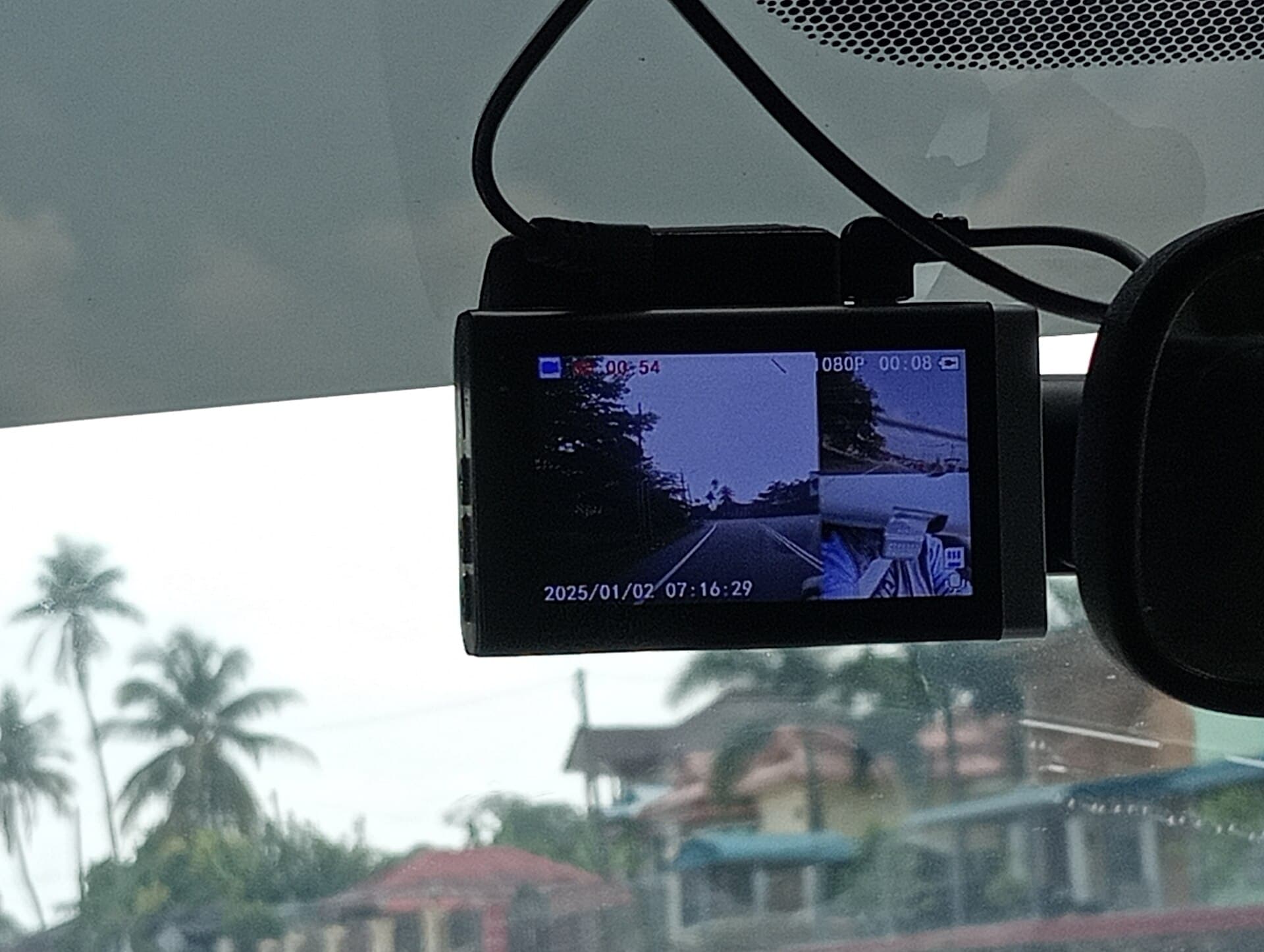
- Size and placement. A small unit that tucks behind the rearview mirror stays out of the driver's line of sight. A large screen hanging in the middle of the windshield can be distracting.
- Simple saving of important clips. Every camera here uses loop recording (old footage is overwritten automatically) plus a G-sensor that locks a clip when it detects a bump. Voice commands or a single button for saving a clip manually are a bonus.
- A path for family help. Several cameras pair with a phone app over Wi-Fi, so a son, daughter, or grandchild can pull a clip off the camera without removing the memory card.
- Night and glare handling. Many older drivers already limit night driving, but dusk, rain, and low sun still matter.
We list each camera's published specifications from the manufacturer's own pages. We do not assign scores or numerical rankings, and we do not quote prices because they change frequently; use the Amazon buttons to see the current price.
Our Picks, Explained
The four cameras below cover the realistic range: the smallest and simplest, a model with a screen and an emergency feature, a sharper front camera for night driving, and a two-camera unit that also records inside the car.
Garmin Dash Cam Mini 2
Garmin describes the Mini 2 as about the size of a car key. It has no screen at all, which is the point: once it is mounted behind the mirror, it is practically invisible from the driver's seat and there is nothing to fiddle with. It records 1080p video with a 140-degree field of view, and it accepts voice commands, so a driver can say a phrase like "OK, Garmin, save video" to keep a clip without taking hands off the wheel. Settings and clip review happen in the Garmin Drive app on a phone.
Garmin also offers a Parking Guard feature that can alert the app about incidents while the car is parked, but it needs a constant-power cable (sold separately) and a Wi-Fi connection. For most retirees who park in a driveway or garage, the basic plug-into-the-power-outlet setup is enough.
Best for: a driver who wants protection without any new gadget to learn, with a family member handling the app.
Check price on AmazonGarmin Dash Cam Mini 2
Nextbase 322GW
If the driver would rather see what the camera sees, the Nextbase 322GW has a 2.5-inch touch screen. It records 1080p video with a 140-degree lens and includes built-in GPS, Wi-Fi, and Bluetooth for pairing with the MyNextbase Connect app. Its magnetic Click&Go PRO mount lets the camera come off the windshield with one hand, which is handy for a driver who prefers not to leave electronics visible in a parked car.
The feature that stands out for this audience is Emergency SOS. According to Nextbase, when the camera detects a serious crash and the driver does not respond, the app can send the vehicle's GPS location and the driver's stored medical details to emergency services. It works through the paired phone and app, so check the current terms and setup steps in the MyNextbase Connect app before relying on it.
Best for: a driver who likes a visible screen and families who want a crash-response feature built into the camera.
Check price on AmazonNextbase 322GW
VIOFO A119 Mini 2
The A119 Mini 2 is a compact front camera aimed at clear footage. VIOFO lists 2K (2560 x 1440) recording at 60 frames per second using a Sony STARVIS 2 image sensor, an F1.6 lens with a 140-degree view, dual-band Wi-Fi, built-in GPS, and voice control. It has a small 1.5-inch screen for setup. Higher resolution and better low-light handling make it easier to read details such as license plates at dusk.
It uses a supercapacitor rather than a lithium battery, which manufacturers generally favor for cars that sit in hot sun. Its buffered parking mode requires hardwiring to the car's fuse box, so plan on a professional install if you want that.
Best for: drivers who are out at dawn, dusk, or in rain and want the clearest front-facing footage in a small body.
Check price on AmazonVIOFO A119 Mini 2
Vantrue N2 Pro
The Vantrue N2 Pro has two lenses: one facing the road and one facing the cabin. Both record at 1080p at the same time, and the cabin camera uses infrared LEDs to see inside the car at night. A 1.5-inch screen shows the view. Front-only mode can record at 2560 x 1440. Parking mode records when either camera detects motion, but it needs continuous power from hardwiring or a battery pack.
An inside camera is useful in narrow situations, such as documenting a dispute with a passenger or a driver who regularly transports grandchildren. It also records the driver, which is a much bigger privacy question. Only choose this one if the driver understands and agrees to it.
Best for: drivers who want both the road and the cabin recorded, with everyone's agreement.
Check price on AmazonVantrue N2 Pro
Where to Mount It, and the Law
Windshield-mount rules vary by state, and Garmin's own documentation notes that some jurisdictions regulate or prohibit dash cams. The safest placement is high and centered, directly behind the rearview mirror, where the camera does not block the driver's view. California, for example, spells out allowed windshield positions in Vehicle Code section 26708: a 7-inch square in the lower corner farthest from the driver, a 5-inch square in the lower corner nearest the driver and outside the airbag zone, or a 5-inch square at the top center of the windshield. That section also sets other conditions for qualifying recorders, so read it in full if you drive in California. Check your own state's rules before mounting.
Audio is a separate issue. Many of these cameras can record sound inside the car, and consent rules for recording conversations differ from state to state. If passengers ride along, the simplest approach is to turn cabin audio off in the settings or tell passengers the camera records sound.
Setting It Up for a Parent
A dash cam that is installed badly or set up with confusing options will be unplugged within a week. A one-time setup visit from a family member goes a long way:
- Format the memory card in the camera on the first day, and use a high-endurance microSD card of the size the manufacturer recommends. Loop recording is hard on cards.
- Route the power cable along the headliner and down the door pillar so it does not dangle across the dashboard. Keep it away from the side airbag area.
- Set the date and time (or let GPS set it). A clip with the wrong timestamp is less useful to an insurer.
- Pair the app on your phone, not only on the parent's phone, if they agree. That way you can pull a clip after an incident without asking them to navigate menus.
- Turn down the beeps and voice prompts if they are distracting, but leave the "recording" indicator visible so the driver can confirm it is working.
- Show the one action that matters: how to save a clip by voice or button after something happens.
Talking About It Without Making It About Ability
Older drivers can hear "let's put a camera in your car" as "we don't trust your driving." Frame it the way it is actually used by most drivers of every age: protection against the other driver. Insurance disputes, hit-and-runs in parking lots, and contested intersections are common, and a recording protects the person who did nothing wrong. Making the parent the owner of the footage, with the family helping only on request, keeps the decision with them.
If the real concern is a decline in driving ability, a camera is not the answer. The NHTSA older drivers page has resources for families, and a driving evaluation by an occupational therapist or a conversation with the parent's doctor is the right next step.
Common Mistakes to Avoid
- Buying the biggest screen. A large display on the windshield competes with the road for the driver's attention.
- Skipping the memory card check. Cards wear out. Check every few months that new clips are saving, or rely on an app that warns when the card has a problem.
- Assuming parking mode works out of the box. For every camera here, parking monitoring needs an extra cable, hardwiring, or a battery pack.
- Relying on the camera for emergencies. Only the Nextbase on this list advertises an emergency feature, and it depends on a paired phone. A dedicated medical alert system with fall detection is the better tool for health emergencies at home or in the car.
Frequently Asked Questions
Do dash cams lower car insurance premiums?
Some insurers and some countries offer discounts, but it is not standard in the US. The main financial benefit is evidence in a dispute about who caused a collision. Ask the parent's insurer directly rather than assuming a discount.
Does a dash cam need a smartphone?
No. All four cameras record to a microSD card on their own. A phone app makes it easier to change settings and download clips, which matters most for the screenless Garmin. If the driver uses a basic phone, a family member can pair their own phone instead. Our simple smartphones for seniors guide covers easier phones if an upgrade is on the table.
Will it drain the car battery?
Plugged into a standard power outlet that turns off with the ignition, a dash cam stops when the car stops. Parking modes that run with the engine off use hardwiring kits or battery packs designed to cut power before the car battery runs too low; have a professional install them.
Is a dash cam legal everywhere?
Dash cams are widely used in the US, but windshield-mount and audio-recording rules vary by state, and some jurisdictions restrict them. Check local rules, mount the camera so it does not block the driver's view, and tell passengers if audio is recorded.
How long is footage kept?
Loop recording keeps the newest footage and overwrites the oldest when the card fills up. Clips locked by the G-sensor or saved manually are protected from being overwritten. How many hours fit depends on card size and resolution.
Should I choose a front-only or a two-camera model?
For most older drivers, a front-only camera is enough and avoids recording the driver inside the car. A two-camera model like the Vantrue N2 Pro makes sense only when there is a specific reason to record the cabin and the driver agrees to it.
The Bottom Line
For most older drivers, the Garmin Dash Cam Mini 2 is the easiest place to start: it is tiny, has no screen to distract, and a family member can manage it from an app. Choose the Nextbase 322GW for a visible screen and its Emergency SOS feature, the VIOFO A119 Mini 2 for clearer night footage, and the Vantrue N2 Pro only if recording the cabin is truly needed. Before you buy, check the current price of the Garmin Dash Cam Mini 2 on Amazon and compare it with the other picks above.