Best GPS Trackers for Monitoring an Elderly Parent's Driving (2026)
This is a different problem than tracking a wandering dementia patient — it's monitoring an independent, still-driving parent for peace of mind, crash alerts, and knowing they made it where they were going. Four vehicle trackers built for exactly that.
As an Amazon Associate I earn from qualifying purchases. We independently review products; buying through our links never costs you extra.
Best Overall
Bouncie GPS Vehicle Tracker
Quick picks
| Product | Best for | Amazon |
|---|---|---|
| Bouncie GPS Vehicle Tracker | Overall | Check price on Amazon |
| Konnect GPS OBD2 Tracker | Fastest Location Updates | Check price on Amazon |
| MOTOsafety OBD GPS Car Tracker | Driving-Habit Insights | Check price on Amazon |
| LandAirSea 54 GPS Tracker | Simple Location-Only Tracking | Check price on Amazon |

Our Top Picks
Chosen for seniors based on features, specs, and verified buyer reviews.

Bouncie GPS Vehicle Tracker
- Real-time location updates roughly every 15 seconds
- Crash detection sends an immediate alert with the vehicle's location
- App is widely reported as the easiest of this group for multiple family members to share
- Requires an ongoing data subscription on top of the hardware
- Some driving-behavior alerts may feel like too much monitoring for an independent parent — worth agreeing on settings together
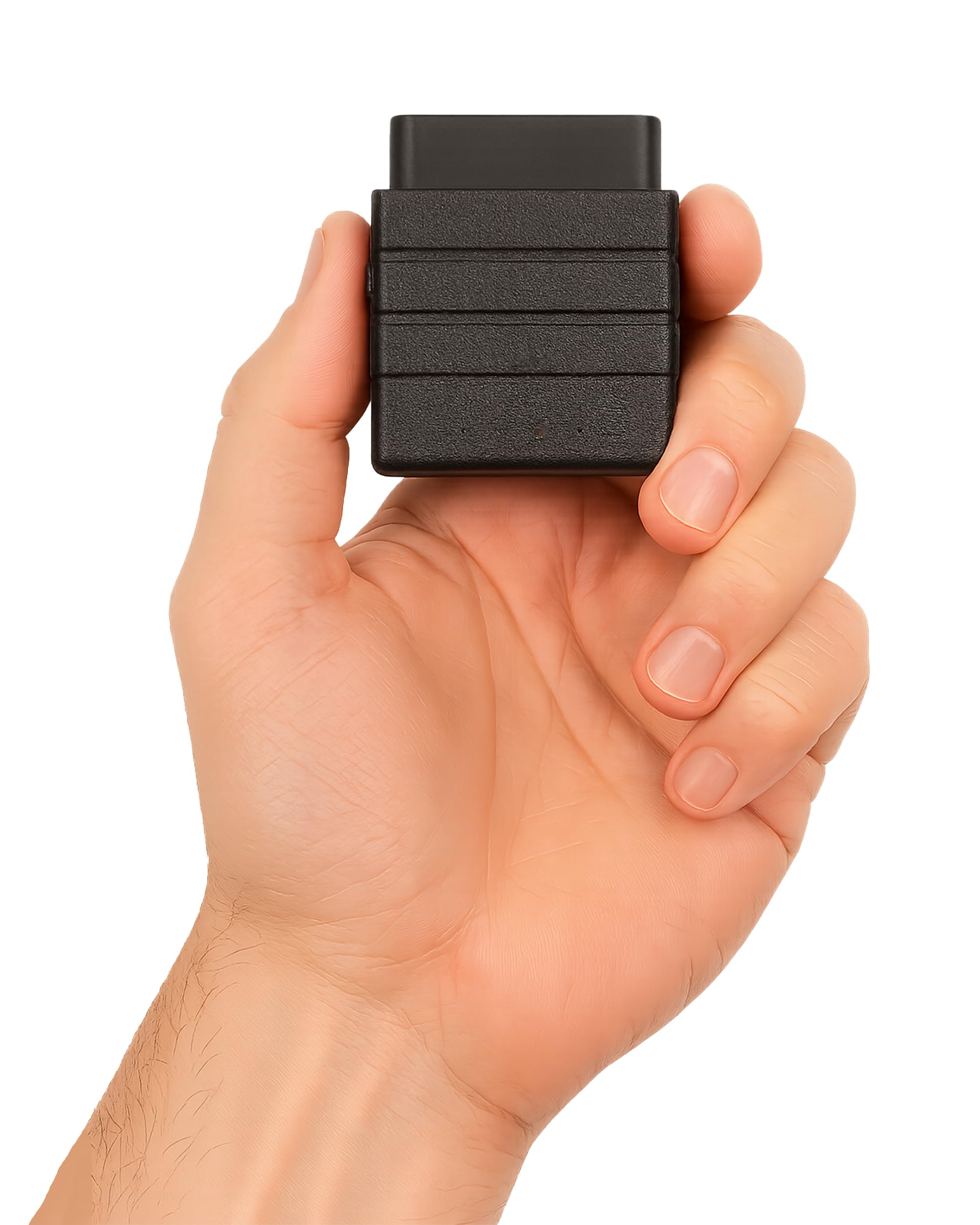
Konnect GPS OBD2 Tracker
- Reports location roughly every 3 seconds, faster than typical OBD trackers
- Simple OBD-II plug-in installation, no tools needed
- Good fit for families who want closer to real-time tracking
- Faster update frequency can mean higher data usage on some plans
- Newer to the market than more established competitors

MOTOsafety OBD GPS Car Tracker
- Reports on driving habits like hard braking and speed alongside location
- Marketed specifically for monitoring senior and teen drivers
- 4G connectivity with a companion phone app
- Driving-behavior reports can feel intrusive if not discussed with the driver first
- Subscription required for full feature access

LandAirSea 54 GPS Tracker
- Small magnetic-mount tracker, doesn't require OBD-II port access
- Simple location tracking without extra driving-behavior monitoring some families don't want
- Long battery life for a non-plug-in tracker
- No crash detection, unlike the OBD-II plug-in options
- Needs periodic recharging since it's not powered by the vehicle
A Different Situation Than Wandering Trackers
Our GPS trackers for dementia guide covers wearables and shoe trackers for someone at risk of wandering on foot, unsupervised. This is a different, often earlier situation: a parent who's still independent and still driving, where the family's concern is knowing they arrived safely, getting an alert if something goes wrong on the road, and having a general sense of their whereabouts without calling to check in constantly. A wearable pendant doesn't fit that need well — a vehicle-installed tracker does.
How These Actually Work
Most plug into the car's OBD-II port — the same port a mechanic uses for diagnostics, usually under the dashboard — and need no wiring or professional installation. Once plugged in, the tracker reports location over cellular data to a phone app for anyone in the family with access. Some models add crash detection, which uses the car's own sensors to detect a sudden impact and immediately alert family with the vehicle's location, and driving-behavior alerts like hard braking or unusual speed.
Our Top Picks
These cover the OBD-II plug-in category most families end up choosing, split by update speed, ease of setup, and specific features like crash detection.
Before You Install One
This is worth a direct conversation with the parent, not a surprise installation. Framing it as peace of mind for the whole family — and something that also works in reverse, showing the parent that someone's watching out for them — tends to land better than framing it as surveillance. Some families start with just crash-alert and location-sharing features enabled and turn on more detailed driving-behavior monitoring only if a specific concern comes up.
When This Isn't the Right Tool
If the real concern is memory loss and getting lost while driving specific familiar routes, a vehicle tracker helps you find the car after the fact but doesn't prevent the underlying problem — that's a conversation about whether driving is still safe at all, which a vehicle tracker can inform but shouldn't be used to avoid having. And if the person doesn't drive but does walk independently and could wander, a wearable pendant tracker from our dementia-focused guide fits that situation better than a car-mounted device.
What to Look For in a Vehicle Tracker
For monitoring a still-independent driver, the features that matter are the ones tied to the actual worry — arriving safely and getting alerted fast if something goes wrong — not the longest possible feature list. A few things are worth weighing before you buy.
- Crash detection. This is the feature that most directly addresses the real concern. A tracker that senses a sudden impact and immediately alerts family with the location turns the device from a convenience into a genuine safety tool. If peace of mind after a crash is the point, prioritize it.
- Update frequency. Trackers report location at different intervals, from every few seconds to every minute or two. Faster updates give a more real-time picture but can use more data. For simply confirming someone arrived, frequent updates aren't essential; for closer monitoring, they are.
- OBD-II plug-in vs. battery/magnetic. A plug-in tracker draws power from the car and never needs charging, but stays with one vehicle. A battery-powered magnetic tracker can move between cars and needs no port, but has to be recharged periodically. Match this to whether the person drives one car or several.
- Ease of the family app. The whole system runs through an app that relatives check. One that's easy to share among several family members, with clear alerts, matters more day to day than raw tracking precision.
- Driving-behavior alerts. Some trackers report hard braking, speeding, or unusual patterns. These can be useful, but they're also the features most likely to feel like surveillance — worth having available but often best left off unless a specific concern arises.
- Subscription cost and terms. Nearly all cellular trackers carry a monthly or annual fee on top of the hardware. Check the plan cost and cancellation terms up front, since they vary by provider and update frequency.
How to Choose the Right One for Your Situation
If the main worry is a crash going unnoticed, prioritize a plug-in OBD-II tracker with crash detection and keep the driving-behavior features dialed back — the goal is a fast alert, not a report card. If the parent drives more than one vehicle, a magnetic battery tracker that moves between cars, or a second plug-in unit, avoids the hassle of swapping. If several family members will check in, weight the decision toward the tracker with the easiest app to share, since that's what everyone actually touches. If there's early concern about driving safety itself — not just crash alerts — a tracker can inform that conversation with real information about routes and patterns, but it shouldn't become a way to avoid the harder discussion about whether driving is still safe.
Common Mistakes to Avoid
- Installing it in secret. A hidden tracker discovered later can badly damage trust, and most trackers' terms assume the regular driver is aware. Frame it as shared peace of mind and have the conversation first.
- Turning on every monitoring feature at once. Leading with hard-braking and speed reports feels like surveillance and invites pushback. Many families start with just crash alerts and location, adding more only if a specific concern comes up.
- Overlooking the subscription. The hardware price is only part of the cost; the recurring data plan is ongoing. Factor it in before buying so it isn't an unwelcome surprise.
- Assuming a tracker fixes a driving-safety problem. It helps you find the car and know about a crash; it doesn't stop someone from getting lost or driving when they shouldn't. Don't let the device substitute for a needed conversation.
- Buying a single-car plug-in for someone who switches vehicles. If they regularly drive different cars, a device tied to one OBD-II port leaves the others unmonitored.
Setting It Up
An OBD-II tracker is designed to be installed without tools: locate the port, usually under the dashboard near the steering column, plug the tracker in until it seats firmly, and let it connect to the app. A magnetic battery tracker mounts to a metal surface on the vehicle and needs charging first. In either case, the real setup work is in the app — create the account, add the family members who should have access, and set the alerts you actually want, starting conservative. Then take a short drive and confirm the location updates and any crash or arrival alerts behave as expected before relying on the system. Because this is best done openly, walking the parent through what the app shows and doesn't show is part of a good setup, not an optional extra.
Beyond the Tracker: Broader Driving Safety
A tracker covers what happens after something goes wrong. A few other steps address driving safety more directly and are worth pairing with it:
- Keep vision and hearing checked. Regular eye and hearing exams catch changes that affect driving before they cause a problem.
- Review medications for driving effects. Some common prescriptions cause drowsiness or slowed reactions; a doctor or pharmacist can flag which ones matter behind the wheel.
- Consider a mature-driver refresher course. These can sharpen skills, sometimes lower insurance costs, and open a natural, non-confrontational conversation about driving.
- Keep the car well maintained. Good tires, working lights, and clear mirrors reduce risk regardless of who's driving.
- Watch for warning signs together. New dents, getting lost on familiar routes, or unease about night driving are cues to revisit whether and how much driving still makes sense — a conversation the tracker can inform but not replace.
Frequently Asked Questions
Does installing one of these require a mechanic?
No — OBD-II plug-in trackers are designed for a non-technical person to plug in directly, typically taking a few minutes. No wiring, cutting, or professional installation is needed for the plug-in style covered here.
Is there a monthly fee?
Yes — these trackers use cellular data to report location, which almost always means a monthly or annual subscription on top of the hardware cost, similar to a phone plan. Check the specific plan cost before buying, since it varies by provider and update frequency.
Will the car's owner notice it's installed?
An OBD-II tracker is small and tucked under the dashboard, so it's not visually obvious during normal driving — but as above, this is best done with the driver's knowledge rather than hidden, both for trust reasons and because most trackers' terms of service assume the vehicle's regular driver is aware.
Does this drain the car's battery?
OBD-II trackers draw a small amount of power continuously, and on a car that already sits unused for long stretches, a very old or weak battery could be affected. For a daily driver, this generally isn't a practical concern.
What happens if my parent drives a different car sometimes?
A plug-in OBD-II tracker stays with the vehicle it's installed in, not the driver — moving it between cars means unplugging and reinstalling each time. If they regularly switch vehicles, factor that into which specific tracker and app setup makes the swap easiest.
Is it legal to put a GPS tracker on a family member's car?
Rules vary by location, and the safe, respectful approach is to install it with the driver's knowledge on a vehicle the family has a legitimate connection to. Tracking an adult's car without their awareness raises both trust and potential legal questions, and most trackers' terms of service assume the regular driver is aware. When in doubt, have the conversation and get agreement first.
Will the tracker work everywhere my parent drives?
These trackers report over cellular data, so coverage follows the carrier's network. In areas with weak or no cellular signal — some rural routes — updates may lag or pause until the car is back in coverage. For most suburban and city driving this isn't an issue, but it's worth knowing if the person regularly drives through remote areas. If those drives are a regular occurrence rather than an occasional trip, a dedicated satellite communicator kept in the vehicle closes that gap independently of cell coverage.
Can my parent remove or disable it?
A plug-in OBD-II tracker can simply be unplugged, and a magnetic one can be taken off, so none of these prevent a determined person from removing the device. That's another reason the open, agreed-upon approach works better than a covert one — a tracker the driver has accepted stays in place, while a hidden one discovered later tends to come out immediately along with a loss of trust.
Does the tracker let me see the car's location in real time, or only a history?
Most of these show both — a live or near-live location on a map plus a history of recent trips — though how current the live view is depends on the update frequency. If knowing the car's location at this moment matters to you, favor a model with faster updates; if you mainly want to confirm trips happened safely, a trip history is enough.
How is this different from a phone-based location-sharing app?
Phone location sharing follows the person and needs their phone charged and with them; a vehicle tracker follows the car and works whether or not the phone is present. For driving specifically, the car-mounted device is more reliable — it can't be left at home — and it's the only one of the two that offers crash detection tied to the vehicle's own impact. Many families use both for different purposes.
The Bottom Line
For a parent who's still driving and still independent, an OBD-II plug-in tracker with crash detection covers the actual worry — knowing they're okay and getting alerted fast if something goes wrong — without the false framing of a wandering-specific wearable they don't need yet.