Best Large-Button, Simplified TV Remote Controls for Seniors (2026)
Most universal remotes are worse for seniors than the one that came with the TV — forty tiny buttons, none of them labeled clearly. A simplified remote strips that down to six or eight big buttons that actually get used. Here's which ones work and what they can't do.
As an Amazon Associate I earn from qualifying purchases. We independently review products; buying through our links never costs you extra.
Best Overall
Flipper Big Button Universal TV Remote
Quick picks
| Product | Best for | Amazon |
|---|---|---|
| Flipper Big Button Universal TV Remote | Overall | Check price on Amazon |
| GE OneTouch BigEZ Universal Remote | Smart TVs | Check price on Amazon |
| GE 2-Device Big Button Universal Remote | Budget / Two-Device Households | Check price on Amazon |

Our Top Picks
Chosen for seniors based on features, specs, and verified buyer reviews.

Flipper Big Button Universal TV Remote
- Only 6 large, color-coded buttons — power, channel, volume, mute
- Program up to 25 favorite channels for one-touch access
- Simple self-setup, works with most cable/satellite boxes
- IR only — can't navigate smart TV apps or streaming menus
- No backlighting for nighttime use
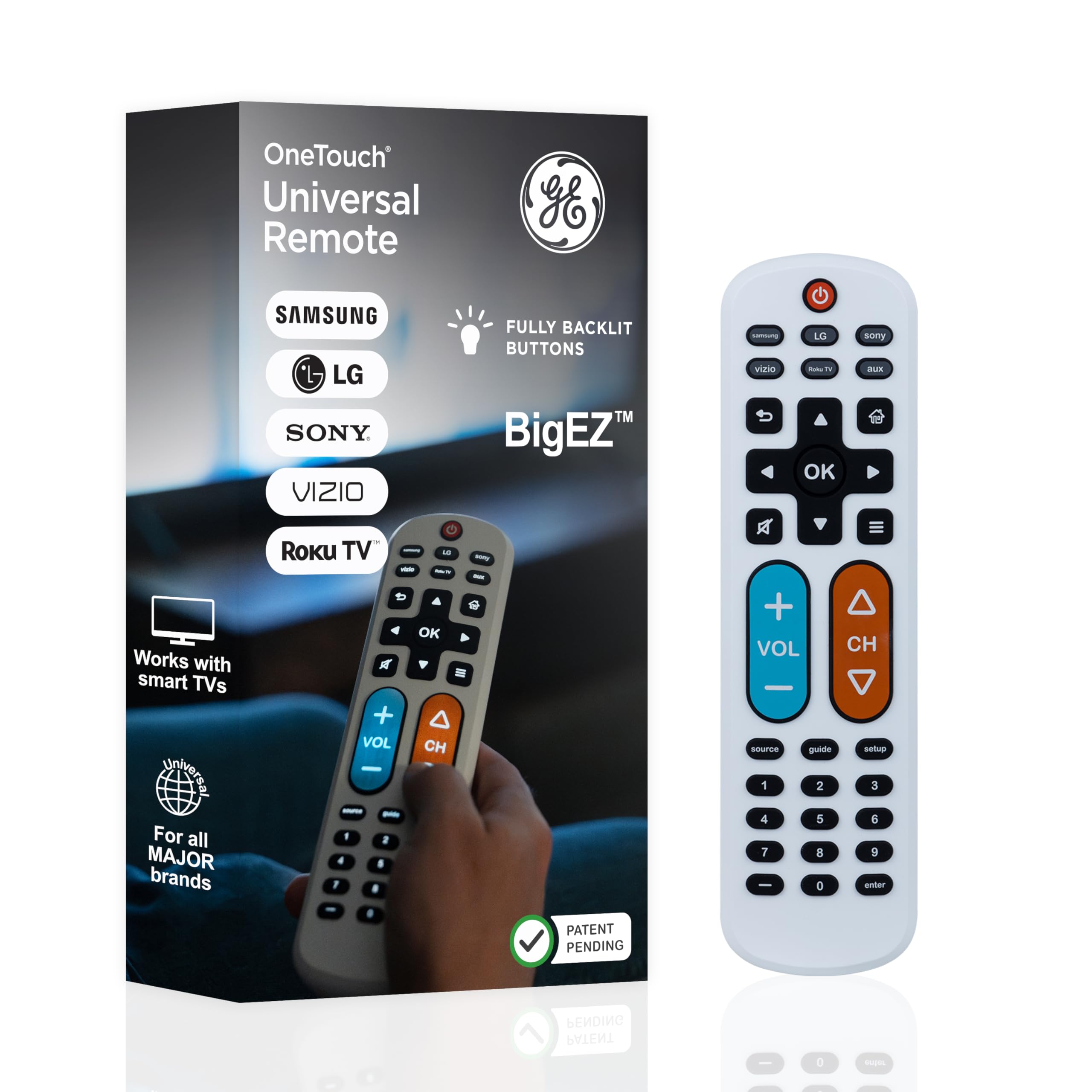
GE OneTouch BigEZ Universal Remote
- One-touch setup for Samsung, LG, Vizio, Sony, and Roku
- Backlit large buttons for nighttime visibility
- Covers more smart-TV brands out of the box than most simplified remotes
- Still doesn't fully navigate streaming app menus
- Larger body than the minimalist Flipper
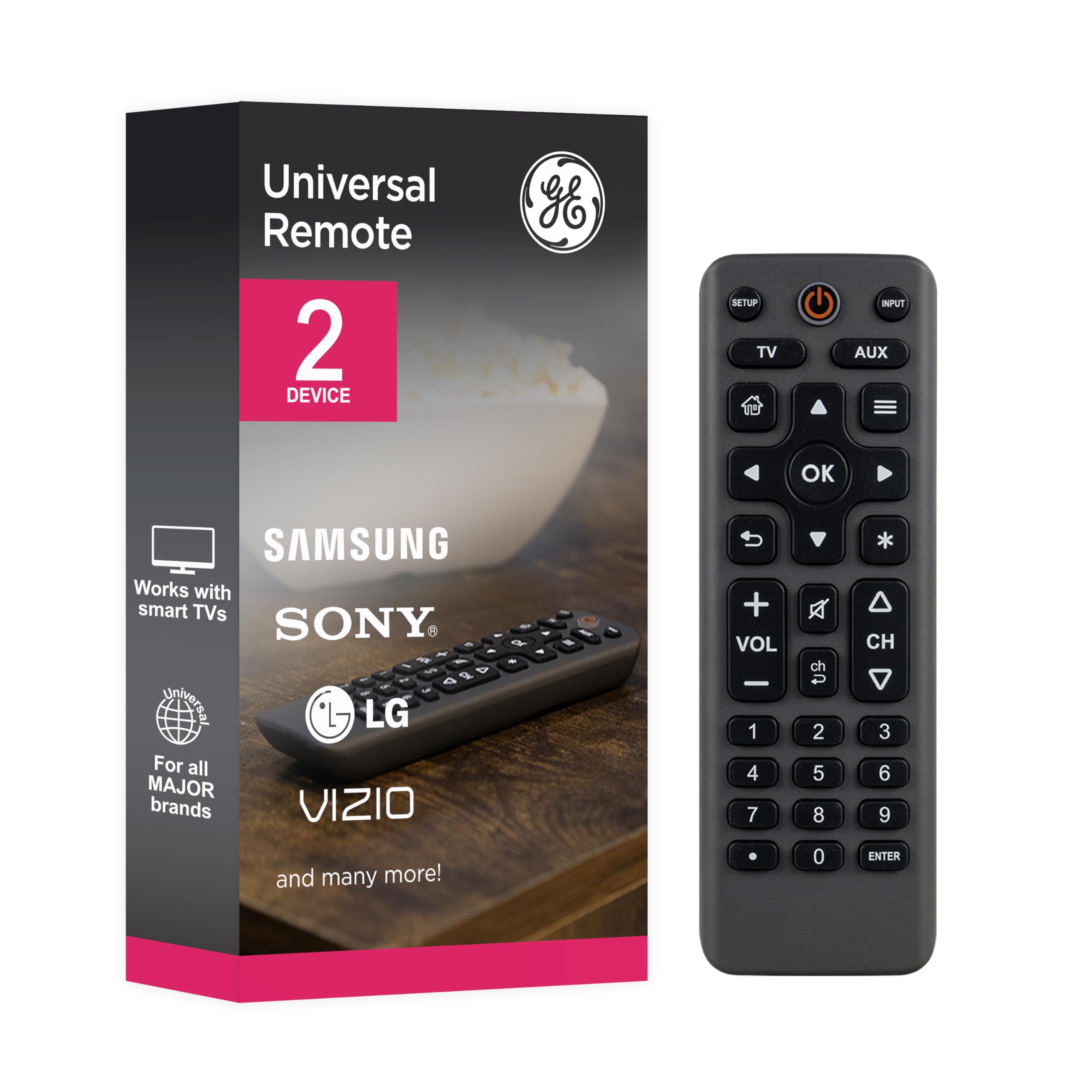
GE 2-Device Big Button Universal Remote
- Lower cost than the BigEZ
- Controls both a TV and a second device (cable box or soundbar)
- Same oversized, simplified keypad design
- No smart-TV app compatibility
- Limited to two programmed devices
The Real Problem Isn't the TV — It's the Remote Pile
By the time a cable box, a soundbar, and a smart TV are all in the mix, most living rooms end up with two or three remotes, each with 40-plus small, similarly-shaped buttons. For someone with low vision, arthritis, or mild cognitive decline, that's not a minor inconvenience — it's often the reason the TV just stays on one channel all day, or gets left on a menu screen, or doesn't get watched at all. A large-button universal remote consolidates the handful of functions that actually get used — power, volume, channel up/down, mute — into a single remote with buttons big enough to hit by feel, not by squinting.
Set Realistic Expectations First
These remotes are built for live TV and cable/satellite boxes, not for navigating Netflix, YouTube, or a Roku/Fire TV/Apple TV interface. If the household's main viewing is streaming apps through a smart TV or streaming stick, a simplified remote can still handle power and volume, but someone will still need to drive the on-screen streaming menus with the original remote. Know that going in — it's the single most common source of disappointment with this category, and it's not a defect, it's a scope limitation almost every simplified remote shares.
Our Top Picks
Flipper Big Button Remote — Best Overall
The Flipper is the most established name in this category and it's deliberately minimal: six large, color-coded buttons — power, channel up, channel down, volume up, volume down, and mute — plus the ability to program up to 25 favorite channels for one-touch access. It's an infrared (IR) remote, so it works with traditional TVs and most cable/satellite boxes (Xfinity, Spectrum, DIRECTV, Dish, and others), but it can't drive smart TV app menus or streaming interfaces. Setup is genuinely simple — point it at the TV, hold a button, and it auto-programs in most cases. For a household where the TV is mostly live cable or broadcast channels, this is the one to start with.
Check price on AmazonFlipper Big Button Universal TV Remote
GE OneTouch BigEZ Universal Remote — Best for Streaming-Capable Smart TVs
GE's version uses large, backlit buttons and one-touch setup for major smart TV brands (Samsung, LG, Vizio, Sony) as well as Roku. Programming is a matter of entering batteries, pressing the button matching the TV brand, and testing power — no code books or long sequences to enter. The backlighting is genuinely useful for nighttime viewing, something the Flipper doesn't offer. It still won't replace a full streaming remote for app navigation, but it covers more smart-TV brands out of the box than most simplified remotes.
Check price on AmazonGE OneTouch BigEZ Universal Remote
GE 2-Device Big Button Universal Remote — Best Budget / Two-Device Households
A step down in price and features from the BigEZ, this one controls up to two audio/video components — typically a TV plus a cable box or soundbar — with the same oversized, simplified keypad. It's the right call for a household that just needs "the TV" and "the box" covered without paying for smart-TV app compatibility they won't use.
Check price on AmazonGE 2-Device Big Button Universal Remote
Picking the Right One
- Mostly cable or broadcast TV, one device: Flipper Big Button Remote.
- Smart TV with occasional streaming app use, want backlighting: GE OneTouch BigEZ.
- TV plus a separate cable box or soundbar, budget-conscious: GE 2-Device Big Button Remote.
- Heavy streaming app user (Netflix, YouTube, Prime Video): none of these fully solve it — consider leaving the original streaming remote in place for that function and using a simplified remote only for power/volume, or look at a voice-remote-equipped streaming device instead.
What to Look For in a Simplified Remote
Big buttons are the headline, but a few senior-specific details separate a remote that gets used from one that ends up back in a drawer. Match these to the person's particular mix of vision, hearing, and hand strength.
- Button size and spacing: Large buttons help, but well-separated buttons help just as much — for arthritic hands or a slight tremor, keys crowded together get pressed by accident. Raised, distinctly shaped buttons that can be found by feel are better than a flat, uniform pad.
- High contrast and clear labels: For low vision, dark buttons with large light lettering (or the reverse) read far more easily than subtle gray-on-gray. Color-coding the core functions — one color for power, another for volume — lets someone navigate by color rather than reading each label.
- Backlighting: A remote that lights up matters more than it sounds, since a lot of TV watching happens in a dim room in the evening. If nighttime use is common, prioritize a backlit model.
- Only the buttons that get used: The whole point is fewer controls. Power, volume up/down, channel up/down, and mute cover the vast majority of real use. Extra buttons are extra confusion, not extra value.
- The right technology for the setup: Most simplified remotes are infrared (IR) and need a clear line of sight to the TV or cable box. That's fine for traditional TVs and cable/satellite boxes but is part of why they can't drive streaming apps. Confirm the remote matches the specific devices in the room before buying.
Setup and Getting Started
These remotes are designed to be self-programmed in a couple of minutes, and doing it with the senior present pays off. Put in fresh batteries, then follow the model's simple pairing step — usually pointing at the TV and holding a button matched to the brand until the TV responds. Test power, volume, and mute right away. If the remote supports favorite channels, program the handful the person actually watches so they're one press away. Then hand it over and watch them use it once for each core function; a button that makes sense to the person setting it up isn't always obvious to the person who'll rely on it. Finally, put the original remotes somewhere safe but out of sight — keeping them on the same side table just recreates the confusing remote pile the simplified remote was meant to solve, while stashing them nearby means they're still available for streaming menus or the rare setting that needs them.
Common Mistakes to Avoid
- Expecting it to run streaming apps. These remotes handle power, volume, and channels — not Netflix or YouTube menus. Buying one to fix streaming frustration is the most common disappointment in this category.
- Leaving all the old remotes out too. The clutter is half the problem. Simplify the table, not just the remote.
- Choosing on button size alone. Spacing, contrast, and backlighting matter as much as raw size for someone with tremor or low vision.
- Skipping the walkthrough. A remote handed over without a quick practice run is more likely to be set aside the first time a button doesn't do what's expected.
- Mismatching the remote to the devices. Confirm it supports the actual TV and cable box in the room — an IR remote won't help with a device it can't control.
Where This Overlaps With Hearing, Not Just Vision
A remote with a working volume button matters most when the underlying problem isn't the remote at all — it's not being able to hear the TV at a normal volume without it being too loud for anyone else in the room. If that's the actual issue, a simplified remote's oversized volume buttons help, but a dedicated TV listening device or wireless TV speaker solves it more directly by putting clear audio right where the person is sitting, independent of room volume.
Frequently Asked Questions
Will a big-button remote work with my streaming stick (Fire TV, Roku, Apple TV)?
It can usually handle power and volume for the TV itself, but it won't navigate the streaming device's on-screen menus — that still requires the original remote or a voice remote.
Do these need to be professionally programmed?
No. All three above use simple self-programming: point at the device, hold a button matched to the brand, and confirm. It typically takes under two minutes.
What if the buttons are still too small?
All three listed here use noticeably larger buttons than a standard remote, but if dexterity — not just vision — is the main barrier, look for models with raised, well-spaced buttons and test in person if possible before committing to mail order.
Can one simplified remote replace all the remotes in the room?
Often the everyday ones, yes — a universal simplified remote can consolidate power, volume, and channel control for a TV plus a cable box or soundbar into one handset. What it generally can't absorb is a streaming device's menu navigation, so if the household streams, the original streaming remote usually still needs to live nearby for choosing what to watch. Think of it as replacing the remotes used constantly, not necessarily every remote in the house.
What about a senior who mostly streams Netflix and YouTube?
A big-button IR remote isn't the right primary tool for that, since it can't drive app menus. The better fix is usually the streaming device's own simplified or voice remote — speaking \"open Netflix\" avoids on-screen navigation entirely. A simplified remote can still handle power and volume alongside it. See our guide to streaming devices for options that make the apps themselves easier to reach.
Do these remotes need batteries, and how often?
Yes, they run on standard replaceable batteries (commonly AA or AAA), not a rechargeable dock. For a low-tech user that's actually an advantage — there's no charging habit to maintain — but it does mean keeping spares on hand. Backlit models tend to use their batteries a little faster than plain ones. If the remote suddenly stops working, a fresh set of batteries is the first thing to try before assuming it needs reprogramming.
The Bottom Line
Match the remote to how the TV actually gets watched. If it's mostly live cable or broadcast, the Flipper's radical simplicity wins. If smart-TV apps are part of the mix, the GE OneTouch BigEZ covers more ground. Either way, set expectations up front: none of these replace a streaming remote for app navigation — see our guide to streaming devices if the actual goal is simpler access to Netflix and other apps, not just bigger buttons. And if hearing rather than reading the remote's labels is the real obstacle, a TV listening device solves a different problem than a bigger button ever will.

