Best Item Trackers for Seniors (2026): Finding Lost Keys, Wallets, and Remotes
AirTags, Tiles, and SmartTags solve a different problem than a wandering-safety GPS tracker — they find things a senior set down, not a person who left the house. Four picks by phone ecosystem, and where Bluetooth trackers stop being useful.
As an Amazon Associate I earn from qualifying purchases. We independently review products; buying through our links never costs you extra.
Best for iPhone households
Apple AirTag (4 Pack)
Quick picks
| Product | Best for | Amazon |
|---|---|---|
| Apple AirTag (4 Pack) | iPhone households | Check price on Amazon |
| Samsung SmartTag2 | Samsung Galaxy households | Check price on Amazon |
| Tile Pro (2022) | mixed or non-Apple households | Check price on Amazon |
| Chipolo ONE Spot | a louder finder alarm | Check price on Amazon |

Our Top Picks
Chosen for seniors based on features, specs, and verified buyer reviews.
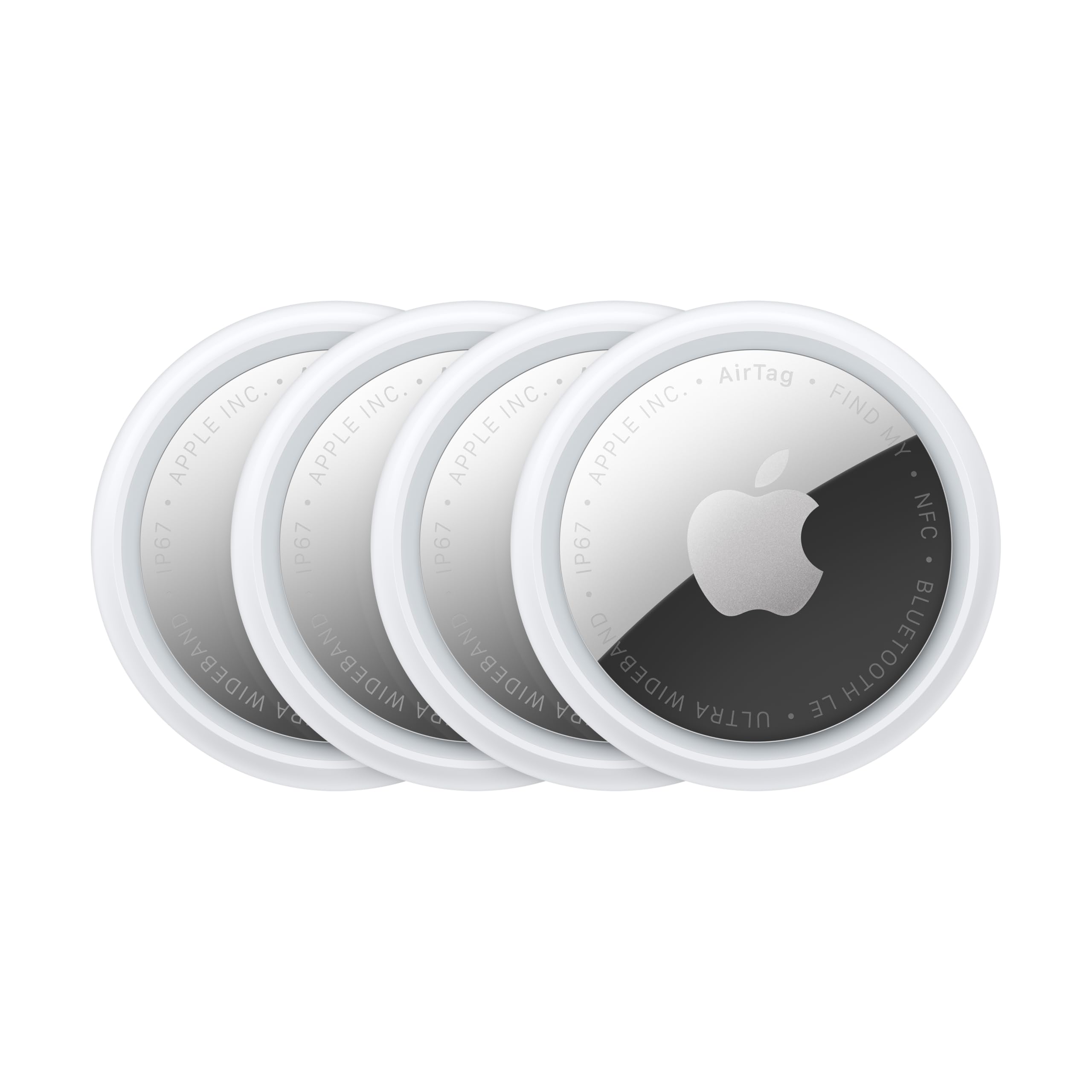
Apple AirTag (4 Pack)
- Built into the Find My app already on every iPhone
- Precision Finding arrows on newer iPhones walk you right to it
- Loud built-in speaker for close-range searching
- Needs an iPhone nearby to be useful — no value in an all-Android household
- Requires a separate keyring loop or adhesive mount

Samsung SmartTag2
- Works with Samsung's SmartThings Find network
- Rated for outdoor use (IP67) — fine on a walker or cane left outside
- Longer battery life than most AirTag alternatives
- Only useful if the household actually carries Samsung phones
- Smaller finder network outside Samsung users
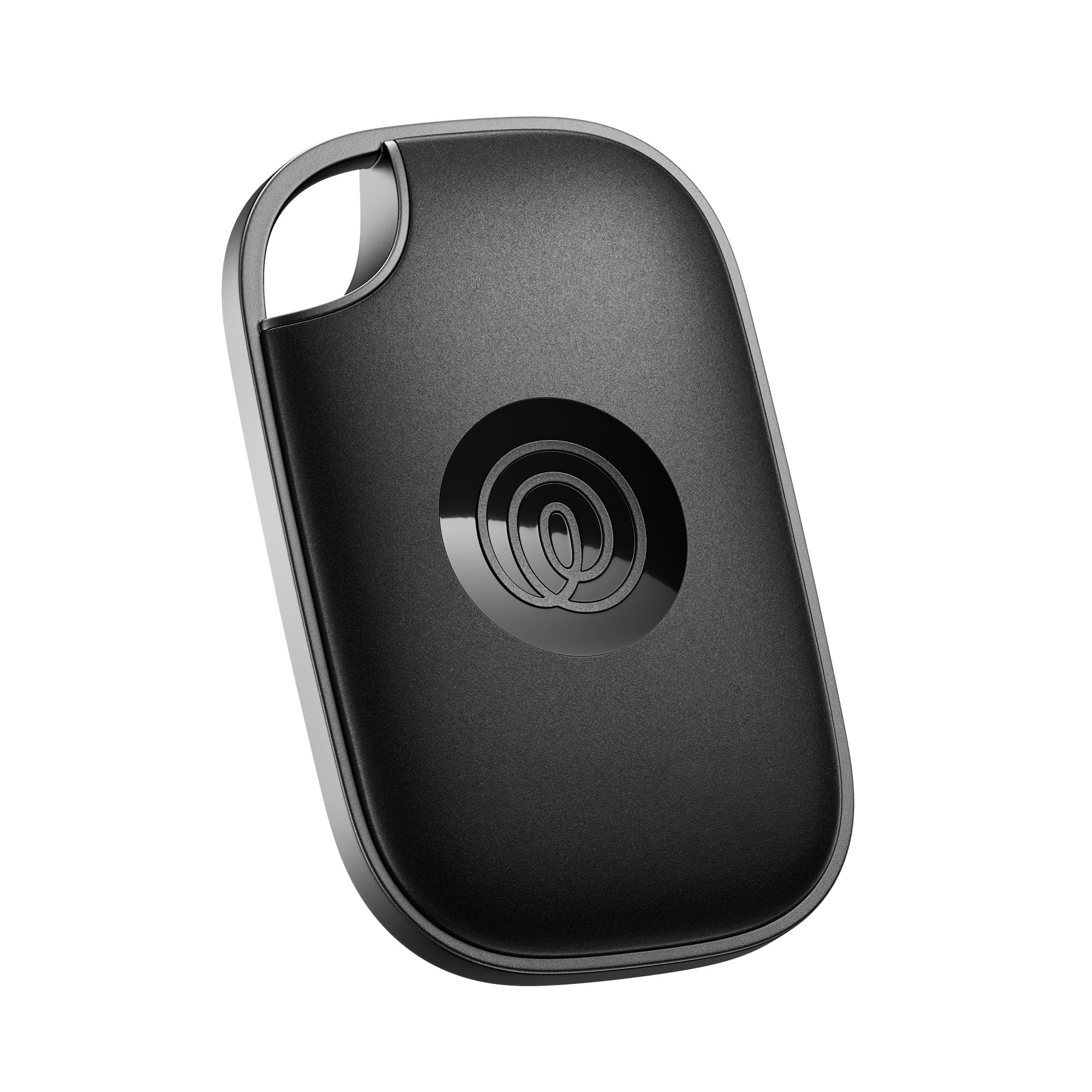
Tile Pro (2022)
- Works regardless of phone brand
- 400-foot Bluetooth range, longer than most competitors
- Replaceable (not sealed) battery
- Tile's own finder network is smaller than Apple's or Samsung's
- Some features (like sharing with multiple family members) sit behind a Tile subscription
Chipolo ONE Spot
- Works inside Apple's Find My network like an AirTag, but with a noticeably louder built-in speaker
- Good for someone with hearing loss trying to locate it by sound
- Same iPhone-dependency limitation as AirTag
- Bulkier than an AirTag for a wallet slot
This Is About Lost Objects, Not a Lost Person
It's easy to lump these together with the wearable GPS trackers made for dementia and wandering risk, but they solve a different problem. A Bluetooth item tracker like an AirTag or Tile only reports its location when it passes near someone's phone running the matching app — usually its owner's, or a stranger's if it's been separated for a while. That's perfectly fine for a keychain, a wallet, or a TV remote that keeps vanishing into the couch. It is not reliable enough for tracking a person who might wander, because there's no guarantee a phone will be nearby to relay the location. If that's the concern you actually have, our guide to GPS trackers for elderly parents covers cellular devices built for that job, and our medical alert systems guide covers SOS-button options with 24/7 monitoring.
Why This Still Matters for Seniors Specifically
Misplaced keys, glasses, and wallets are one of the most common small frustrations reported by older adults and their caregivers — not because seniors are more forgetful than anyone else, but because a lost wallet or house key becomes a bigger ordeal when driving to replace a lock or ID is itself hard. A $20–$30 tracker clipped to a keychain, tucked in a wallet slot, or stuck to a cane or walker turns a 45-minute search into a 45-second one.
Which Ecosystem Actually Matters Here
The single biggest factor isn't the tracker itself — it's which phone the senior (or the family member who'll actually use the app) carries, because these all depend on their maker's phone-finding network to relay location pings.
- iPhone household: Apple AirTag, full stop. It plugs into the Find My app already on the phone, no new app to learn.
- Samsung Galaxy household: Samsung SmartTag2 uses Samsung's SmartThings Find network the same way.
- Mixed or other Android: Tile Pro doesn't depend on a single phone maker, but its own finder network is smaller than Apple's or Google's, so a lost item is more likely to go unspotted in low-traffic areas.
Getting this backwards — buying an AirTag for a household with no iPhone — is the single most common mistake we see recommended in generic "best trackers" lists that don't account for who's actually going to look at the app.
What to Look For in a Tracker for a Senior
The hardware matters less than how easily it fits into a life that already has a phone in it. These are the things that decide whether a tracker actually gets used.
- It uses a phone-finding network the household already has. The single most important feature is that the tracker plugs into an app that's already on the phone — Find My on iPhone, SmartThings Find on Samsung — so there's no new account to create or app to learn. A tracker that needs its own app and login is one more thing to forget the password to.
- A loud enough close-range sound. Much of the day-to-day value is hearing the tracker chirp from across the room when the keys are "somewhere here." For anyone with hearing loss, a louder built-in speaker is a real advantage over a quiet one.
- A speaker and a light are more useful than fancy features. Precision arrows that walk you to an item are handy but need a newer phone; a simple loud beep works on almost anything.
- The right form for the object. A flat tag fits a wallet slot; a keyring-shaped tracker clips to keys without an extra accessory; a stick-on works on a remote or cane. Check whether a hole or loop is built in or needs a separate holder.
- A replaceable or long-lasting battery. A user-replaceable coin battery means a yearly swap rather than replacing the whole tracker; whichever it is, know the interval so a dead tracker doesn't give false confidence.
- Water resistance if it'll live on a cane, walker, or keychain that goes outdoors.
Who Actually Sets It Up — and Why That Matters
Be honest about who will do the setup and who will look at the app when something goes missing. In many households it's an adult child or a spouse, not the senior, who manages the phone side. That's completely fine, but it changes the right choice: buy for the phone that person carries and the network they're already in, and set up sharing so more than one family member can see and ring the item. If the senior will manage it independently, keep it to the tracker that lives inside the phone software they already use, and skip anything that requires a subscription or a separate login to work at all.
Setting Them Up to Actually Help
- Attach the tracker to the thing that's actually lost, not its container. A tag in a bag pocket does nothing if the bag is what's missing. Put it on the keyring itself, inside the wallet's card slot, or directly on the walker frame.
- Turn on separation or "left behind" alerts if the phone supports them. Getting a nudge when a wallet is left at a restaurant is more useful day to day than finding it after it's gone.
- Name each tracker clearly in the app — "Dad's keys," "TV remote" — so a ringing tag is easy to identify at a glance.
- Write the battery-change month on the tracker with a permanent marker, and swap it on schedule. A dead tracker is worse than none because it implies something is findable when it isn't.
- Do a test run after setup: hide the item in another room, ring it, and confirm both the sound and the map behave as expected before relying on it.
Common Mistakes to Avoid
- Buying for the wrong phone ecosystem. An AirTag in a household with no iPhone is nearly useless. Match the tracker to the phone already in the house — this is the most common mistake by far.
- Expecting a Bluetooth tag to track a person. These find objects, not wandering people. For that, a cellular GPS device or a monitored medical alert system is the right tool, not an item tracker.
- Relying on it in a low-traffic or rural area. The finder networks depend on other people's phones passing nearby; in remote areas a truly lost item may never get spotted.
- Forgetting the battery. An untended tracker quietly dies and gives false assurance.
- Attaching it to the wrong item — the bag instead of the keys, the case instead of the remote.
Frequently Asked Questions
Can an item tracker find a person who wanders?
Not reliably. Bluetooth trackers only report a location when they pass near a compatible phone, so there's no guarantee of a live position for a person on the move. For wandering safety, use a cellular GPS tracker or a monitored medical alert system built for that purpose.
Do these require a monthly subscription?
The core find-my-item function generally does not — it uses the phone maker's built-in network at no extra cost. Some brands put extra features, like sharing with several family members or warranty perks, behind a subscription, so check what's free before assuming you need to pay.
Which one is best for someone hard of hearing?
Look for the loudest built-in speaker, since finding an item by sound in the same room is a big part of daily use. A tracker known for a louder alarm, and pairing the beep with the app's on-screen map, helps when the chirp alone is hard to hear.
Are item trackers a privacy risk?
The major networks encrypt location data and rotate identifiers so the tag can't easily be used to track a person, and phones now warn you if an unknown tag seems to be traveling with you. Used on your own belongings, they're low-risk; just be aware of those unwanted-tracking alerts if one ever appears.
How many should I buy?
Start with the two or three items that go missing most — usually keys, wallet, and a remote or cane. Multipacks lower the per-tracker cost, and it's easy to add one to a new item later once the household is comfortable with how they work.
Our Top Picks
All four below use their maker's existing phone-finding network rather than their own standalone app, which is what makes them work passively (you don't have to be actively searching for the network to help).
Setup Tips That Actually Matter
- Attach it to something that's always together, not something separate. A tracker in a bag pocket does nothing if the bag itself is what's lost; put it on the keyring, inside the wallet's card slot, or on the walker frame directly.
- Turn on "notify when left behind" alerts if the senior's phone supports it — this catches a wallet left at a restaurant before it's actually lost, which is more useful day-to-day than finding it after the fact.
- Replace watch-style batteries yearly as a standing reminder (write the date on the tracker with a permanent marker) — a dead tracker gives false confidence that something is trackable when it isn't.
Where These Fall Short
None of these have a screen, a speaker loud enough to hear from another room reliably, or their own cellular connection — they need a nearby phone. In a rural area or a house where the senior's phone is usually in another room, the "it just works" promise breaks down. If the goal is genuinely knowing where a person is in real time, that's a cellular GPS tracker or medical alert pendant, not a Bluetooth tag.
The Bottom Line
For the everyday version of this problem — keys, wallet, remote, cane — match the tracker to the phone already in the house: AirTag for iPhone, SmartTag2 for Samsung, Tile Pro for anything else. It's a $20–$30 fix for one of the most common small stresses of daily life. For the bigger worry — a person wandering, not an object going missing — step up to a real cellular tracker or a monitored medical alert system instead. And if the worry is a still-independent parent behind the wheel rather than wandering on foot, that's a third, different case — see our GPS trackers for elderly drivers guide.