Best Smart Home & Safety Tech for Seniors 2026: Complete Protection Guide
Comprehensive reviews of video doorbells, medical alert systems, smart locks, voice assistants, and motion sensors that keep seniors safe and connected.
As an Amazon Associate I earn from qualifying purchases. We independently review products; buying through our links never costs you extra.
Best Overall
Amazon Echo Dot (5th Gen)
Quick picks
| Product | Best for | Amazon |
|---|---|---|
| Amazon Echo Dot (5th Gen) | Overall | Check price on Amazon |
| Ring Video Doorbell | Security | Check price on Amazon |
| TP-Link Kasa Smart Plug | Value | Check price on Amazon |
| Philips Hue Starter Kit | Lighting | Check price on Amazon |

Our Top Picks
Chosen for seniors based on features, specs, and verified buyer reviews.

Amazon Echo Dot (5th Gen)
- Affordable
- Excellent voice assistant
- Smart home hub
- Compact size
- Privacy concerns
- Requires Wi-Fi
- Limited sound quality
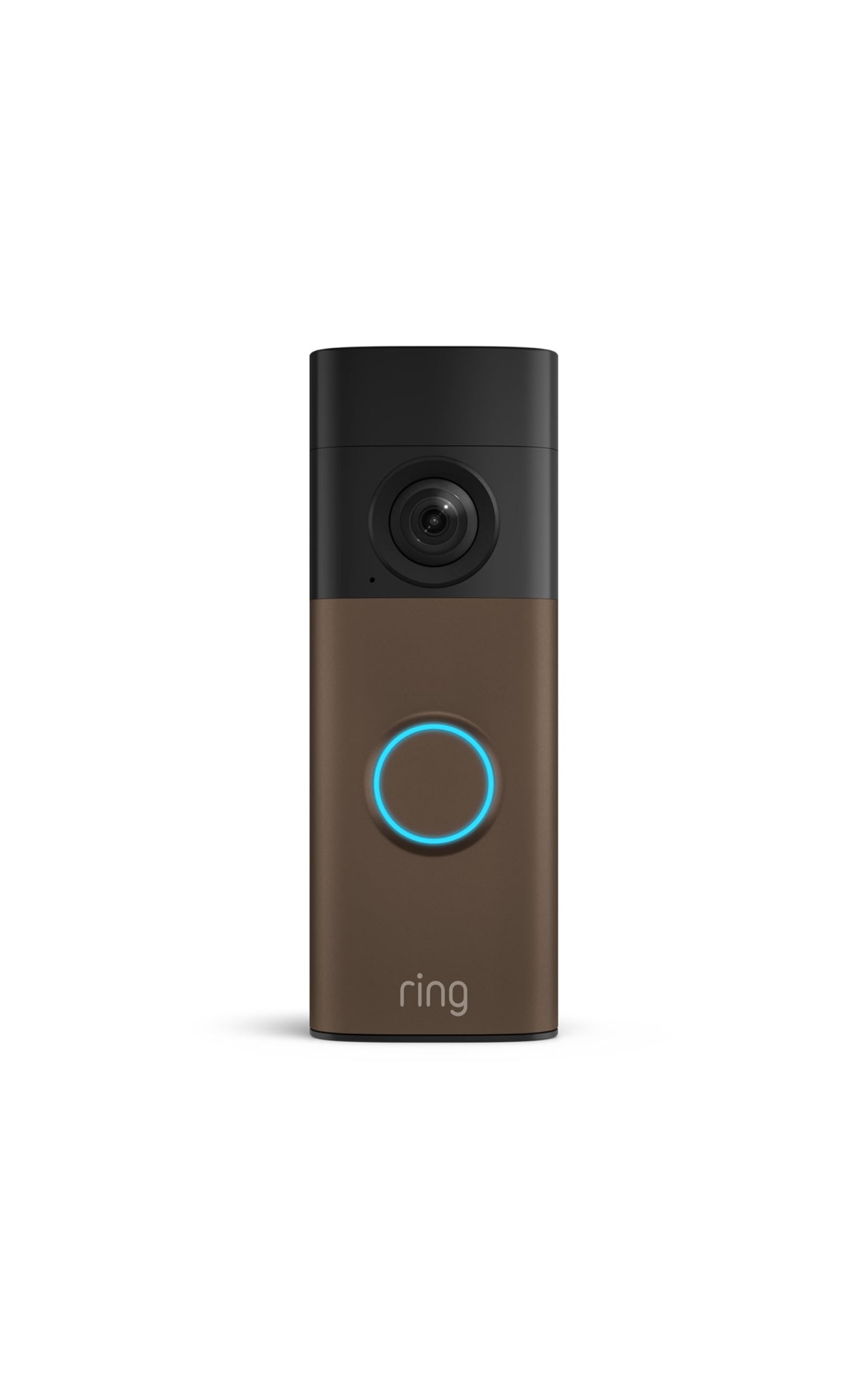
Ring Video Doorbell
- 1080p video
- Motion detection
- Two-way talk
- Easy installation
- Subscription for recordings
- Wi-Fi dependent
- Battery needs charging

TP-Link Kasa Smart Plug
- Easy setup
- Voice control
- Scheduling
- Energy monitoring
- Single outlet
- Basic features
- Wi-Fi only

Philips Hue Starter Kit
- Color changing
- Excellent app
- Alexa/Google compatible
- Expandable system
- Expensive
- Hub required
- Complex setup
Why Smart Home Technology Matters for Senior Safety
Smart home technology has evolved from luxury convenience items to essential safety tools for aging in place. Today's connected devices provide peace of mind for both seniors and their families, enabling independent living while maintaining crucial safety nets.
Drawing on device specifications, published buyer reviews, and expert reporting, we've identified the smart home technologies that genuinely improve safety, independence, and quality of life. This guide cuts through marketing hype to focus on practical devices that work reliably and don't require technical expertise.
Video Doorbells: See Who's at Your Door
Video doorbells serve multiple safety functions: screening visitors before opening the door, deterring package thieves, and providing evidence of activity around your home. For seniors, they eliminate the need to rush to the door or peer through peepholes. For a deeper comparison of current models and the monthly-fee question specifically, see our full video doorbell guide.
Ring Video Doorbell Pro 2 — Best Overall
The Ring Video Doorbell Pro 2 represents the current pinnacle of video doorbell technology. The 1536p HD video provides crystal-clear images of visitors, crucial for identifying people clearly. The vertical and horizontal field of view captures head-to-toe views of visitors and packages left on the ground.
The 3D motion detection creates a three-dimensional map of your entry area, allowing precise motion zones and reduced false alerts. Reviewers report this meaningfully reduces notifications from passing cars and pedestrians while reliably alerting to actual door approaches.
Pre-roll video capture records 4-6 seconds before motion is detected, so you see how visitors arrived. The Bird's Eye View feature shows a top-down map of visitor paths, particularly useful for understanding activity patterns.
Two-way audio lets you speak with visitors without opening the door. The audio quality is excellent, with noise cancellation reducing background sounds. Quick Replies let you send pre-recorded messages like 'Please leave the package' with a single tap.
The device requires hardwired installation (replacing an existing doorbell) and works with existing chimes. Professional installation costs around $100-150 if you're not comfortable with electrical work. The doorbell requires a Ring Protect subscription ($4/month or $40/year) to save video recordings; without it, you only get live view.
Owner reviews describe the Ring Pro 2 as extremely reliable in daily use. The app is generally intuitive enough for seniors to use independently after initial setup.
(subscription required for recordings)
Check price on AmazonRing Video Doorbell
Nest Doorbell (Battery) - Best Wireless Option
For homes without existing doorbell wiring, the battery-powered Nest Doorbell offers a simpler installation. It mounts with two screws and connects to WiFi - no electrical work required.
The 960p video quality doesn't match the Ring Pro 2, but it's perfectly adequate for identifying visitors. The vertical 3:4 aspect ratio captures full body views well. Built-in motion and person detection work reliably, and the device can distinguish between people, packages, animals, and vehicles.
The battery lasts about 2-3 months per charge according to owner reports (varying with usage and temperature). Charging is simple - pop off the doorbell and connect the USB-C cable. Google offers an optional wired installation that provides continuous power.
Video storage requires a Nest Aware subscription ($6/month or $60/year for 30 days of history). The main advantage over Ring is deeper Google/Nest ecosystem integration if you already use Google products.
View on Amazon (subscription required for recordings)
Arlo Essential Video Doorbell - Best Budget
The Arlo Essential delivers solid performance at roughly half the price of premium options. The 1536p video quality is excellent, and the square aspect ratio (1:1) provides good coverage.
It includes 3 months of free Arlo Secure trial (normally $4.99/month), offering video storage, smart notifications, and call answering from anywhere. The battery version installs easily; a wired version is also available.
The main compromise is less sophisticated motion detection and fewer smart features. For basic doorbell functionality with video verification, it's excellent value.
Medical Alert Systems: Emergency Help When You Need It
Medical alert systems provide critical emergency access, allowing seniors to call for help with the push of a button. Modern systems have evolved far beyond basic landline models.
Medical Guardian Mini Guardian - Best Overall
This mobile medical alert device uses 4G cellular connectivity, working anywhere in the US with cellular coverage. This mobility is crucial - falls and emergencies don't just happen at home.
The device is compact (2.1 x 1.3 x 0.6 inches) and lightweight (1.3 ounces), worn as a pendant or wrist device. It's fully waterproof, so you wear it in the shower where many falls occur. The single button activates two-way communication with Medical Guardian's 24/7 monitoring center.
The device offers automatic fall detection, which alerts the monitoring center when a fall is detected even if the wearer can't press the button. Reviewers generally report the feature works reliably, though no fall-detection system catches every fall. This capability is crucial for seniors who live alone and might be unable to press the button after a fall.
Battery life is approximately 5 days per charge. The device provides audio and visual low-battery warnings, and the base charger is simple to use. The monthly monitoring service ($29.95-$44.95 depending on features) includes unlimited emergency calls, GPS location tracking, and 24/7 access to certified emergency operators.
Setup is straightforward - the simple phone-based activation process is something most seniors can complete independently. Owner reviews describe the monitoring center response as consistently professional and fast.
Price: $29.95-$44.95/month | View on Amazon
Bay Alarm Medical - Best for Home Use
If your needs are primarily home-based, Bay Alarm Medical's in-home system offers excellent value. It uses cellular connectivity (no landline required) and includes a base unit plus waterproof help button.
The base station has 32-hour battery backup, ensuring functionality during power outages. The help button has 600-foot range from the base unit, covering most homes and immediate outdoor areas. Monthly monitoring starts at $19.95, making it one of the most affordable options.
Price: Starting at $19.95/month |
Apple Watch Fall Detection
For tech-savvy seniors already in the Apple ecosystem, the Apple Watch Series 9 offers integrated fall detection. When a hard fall is detected, the watch taps you, sounds an alarm, and displays an alert. If you don't respond within 60 seconds, it automatically calls emergency services and notifies emergency contacts.
The integration with iPhone and the comprehensive health tracking make this appealing for active seniors. However, it requires daily charging and carries a higher upfront cost, though it has no ongoing monitoring service fees.
View on Amazon (no monthly fees)
Smart Locks: Keyless Entry and Remote Access
Smart locks eliminate fumbling with keys and allow family members or caregivers to access the home in emergencies without keeping physical keys.
August Wi-Fi Smart Lock - Best Retrofit
The August Smart Lock installs on the interior side of your existing deadbolt, leaving the exterior unchanged. This retrofit approach means you can still use existing keys while gaining smart features.
Installation takes about 10 minutes with a screwdriver. The lock attaches to your existing deadbolt mechanism using included adapters that fit most standard locks. Built-in WiFi means no separate bridge is required.
The auto-lock feature automatically secures the door after a set time (customizable 30 seconds to 30 minutes). Auto-unlock detects your phone's Bluetooth when you approach and unlocks automatically - though we recommend leaving this feature off for security-conscious users.
Remote access lets family members lock/unlock from anywhere, check lock status, and receive activity notifications. This is invaluable for adult children checking that aging parents locked the door at night. For a closer look at how this model compares to keypad and fingerprint alternatives, see our full smart lock guide for aging in place. You can create temporary access codes for caregivers, limiting access to specific times.
Battery life averages 4-6 months on 4 AA batteries. The app provides plenty of low-battery warning. The lock works with Alexa, Google Assistant, and HomeKit for voice control.
Owner reviews describe the lock as reliable and responsive over time. Many seniors appreciate keeping their existing keys as backup while gaining the convenience of app control.
Yale Assure Lock 2 - Best Touchscreen
This complete lock replacement features a capacitive touchscreen keypad for keyless entry. Up to 25 unique access codes can be programmed, each assigned to specific users (family, caregivers, cleaners).
The touchscreen is backlit and responsive. The one-touch locking button makes securing the door simple. The lock is available in multiple finishes to match your home's aesthetics.
The Yale Access app provides remote control and monitoring. Optional modules add WiFi, Z-Wave, or Zigbee connectivity for smart home integration. Battery life is excellent at 12+ months on 4 AA batteries.
Voice Assistants: Hands-Free Help and Communication
Voice assistants have proven invaluable for seniors, offering hands-free control, medication reminders, video calling, and entertainment.
Amazon Echo Show 8 (3rd Gen) — Best Overall
The Echo Show 8 combines Alexa voice control with an 8-inch touchscreen display, creating a versatile hub for senior households. The display size hits a sweet spot - large enough to see clearly but not overwhelming on a bedside table or kitchen counter.
The primary value for seniors is communication. The device enables hands-free video calling to family members with just voice commands: 'Alexa, call Sarah.' The 13MP camera with auto-framing keeps you centered in the frame even if you move. Call quality is excellent, significantly better than phone calls for those with hearing challenges.
The Drop In feature lets approved family members connect instantly to check in, similar to an intercom. This provides peace of mind for both seniors and adult children. Privacy controls let you disable Drop In or camera/microphone when desired.
Beyond communication, Alexa handles countless helpful tasks:
- Medication reminders: 'Alexa, remind me to take my blood pressure medication at 8 AM'
- Hands-free calling: 'Alexa, call 911' in emergencies
- Smart home control: 'Alexa, turn on the lights'
- Entertainment: 'Alexa, play Frank Sinatra'
- Information: 'Alexa, what's the weather today?'
- Timers and alarms: 'Alexa, set a timer for 30 minutes'
The built-in smart home hub (Zigbee and Matter compatible) controls compatible lights, locks, and other devices without requiring separate hubs. The adaptive display adjusts brightness based on room lighting and time of day.
Setup requires a smartphone initially, but afterwards, the Echo Show operates independently. Reviewers note that many seniors adapt to voice control within a few days, though some need family assistance with initial configuration.
Check price on AmazonAmazon Echo Dot (5th Gen)
Google Nest Hub Max - Best for Google Users
The Nest Hub Max offers similar functionality for those already invested in Google services. The 10-inch display is larger than the Echo Show 8, and integration with Google Calendar, Photos, and Duo/Meet is seamless.
The Face Match feature recognizes different family members and personalizes responses accordingly. The built-in Nest Cam provides home monitoring capabilities. Google Assistant's voice recognition is slightly more natural than Alexa for some users.
Amazon Echo Dot (5th Gen) - Best Budget Voice Assistant
For those who don't need a display, the Echo Dot provides full Alexa functionality in a compact, affordable package. It's an easy, low-cost entry point into voice control.
The improved speaker delivers surprisingly good audio quality for its size. The device handles all basic Alexa functions: reminders, timers, music, smart home control, and voice calling (audio only, no video).
Motion Sensors and Lighting
Adequate lighting prevents falls, particularly at night. Motion-activated lights ensure illumination without fumbling for switches.
Philips Hue Motion Sensor + Smart Bulbs
The Philips Hue system offers sophisticated motion-activated lighting. The motion sensor detects movement up to 16 feet away and triggers connected Hue bulbs to turn on automatically.
The sensor includes a light level detector, so lights only activate in darkness. This prevents lights from turning on unnecessarily during the day. You can customize brightness levels, duration, and which lights activate based on time of day.
For senior safety, position sensors in hallways, bathrooms, and near beds. When you get up at night, lights automatically illuminate your path to the bathroom. Set them to warm, dim lighting that provides visibility without disrupting sleep.
The Hue system requires the Hue Bridge hub plus bulbs and motion sensors, each purchased separately. While the initial investment is significant, the system is reliable and expandable.
Wyze Motion Sensor + Bulbs - Best Budget
Wyze offers a more affordable motion-activated lighting solution. The motion sensors work with Wyze bulbs and other Wyze products.
Setup is simple through the Wyze app. While not as sophisticated as Philips Hue, the basic functionality works reliably for automatic lighting. The Wyze Sense Hub is required to connect sensors.
The TP-Link Kasa Smart Plug mentioned above is a good starting point, but it's worth comparing it against the newer Tapo line and Alexa-specific options before buying — see our dedicated smart plugs guide for which one fits a given household's voice assistant and outlet situation best.
If the TV or streaming setup itself is the daily frustration rather than a safety concern, a simpler fix than a full smart home overhaul is a dedicated remote — see our guide to large-button, simplified TV remote controls for options that trade a cluttered 40-button remote for six or eight buttons that actually get used.
Robot Vacuums: Less Bending, Cleaner Floors
Floor clutter and dust are an underrated fall risk, and vacuuming itself involves exactly the kind of bending and dragging that gets riskier with age. A robot vacuum handles the daily maintenance pass automatically, and models with a physical start button need no app at all. We cover the trade-offs between app-controlled and button-operated models in our best robot vacuums for seniors guide.
Environmental Monitoring
First Alert Smoke and CO Detector (Smart)
Smart smoke and carbon monoxide detectors add crucial remote monitoring capabilities. The First Alert Onelink Safe & Sound detector connects to WiFi and sends alerts to your phone when smoke or CO is detected.
This means adult children receive immediate notification of emergencies even if their parent is asleep or unaware. The detector also includes Alexa built-in, functioning as a smart speaker.
The premium price is justified by the life-safety function and peace of mind for families.
Water Leak Sensors
Water damage from leaks can be expensive and disruptive. Smart leak sensors like the Govee Water Sensor (sold in multipacks) detect water presence and send immediate smartphone alerts.
Place them under sinks, near water heaters, washing machines, and toilets. Early detection prevents minor leaks from becoming major damage.
Complete Smart Home Safety System
Building a comprehensive smart home safety system is best approached in phases:
Phase 1: Essential Safety
- Video doorbell: Ring or Nest
- Medical alert system: Medical Guardian ($30-45/month)
- Smart display: Echo Show 8
- Smart smoke/CO detector: First Alert
Phase 2: Enhanced Security
- Smart lock: August or Yale
- Motion sensors (2-3): Wyze
- Smart bulbs (4-6): Wyze or Philips
Phase 3: Complete Monitoring
- Water leak sensors (5-10): Govee
- Additional cameras: Wyze Cam ($25-35 each)
- Smart thermostat: Nest or Ecobee
If the main goal is simply voice-activated reminders, hands-free calling, and music rather than a full sensor-and-camera system, see our dedicated smart speakers guide for a lower-cost, simpler starting point.
Frequently Asked Questions
Do I need to be tech-savvy to use smart home devices?
Not anymore. Modern devices are designed for mainstream consumers. Most require initial setup assistance (often from family members), but daily use is intuitive. Voice control is particularly accessible for seniors.
What happens if the internet goes out?
Most medical alert systems use cellular connections as backup. Battery-powered devices like video doorbells continue recording locally. Smart locks typically retain manual key functionality. Always maintain non-smart alternatives for critical safety features.
Are smart home devices secure?
Reputable brands like Ring, Nest, August, and Amazon implement strong security measures. Use strong, unique passwords, enable two-factor authentication, and keep devices updated. Avoid cheap, unknown brands from questionable sources.
How much does monitoring cost?
Medical alert monitoring: $20-45/month. Video doorbell cloud storage: $4-10/month. Smart security monitoring: $10-30/month. Many devices work without subscriptions, though subscriptions unlock full features.
Can these devices work together?
Yes, through platforms like Amazon Alexa, Google Home, Apple HomeKit, or Samsung SmartThings. These ecosystems let different brands' devices work together and be controlled from a single app or voice assistant.
Privacy Considerations
Smart home devices collect data to function. Understanding and managing privacy is important:
- Review privacy settings: Disable features you don't need
- Control data sharing: Opt out of marketing data usage where possible
- Use strong passwords: Unique passwords for each device/account
- Enable two-factor authentication: Adds crucial security layer
- Regular updates: Keep firmware current for security patches
- Understand recording: Know which devices record and when
Professional Installation vs. DIY
Most devices in this guide are DIY-friendly, but consider professional help for:
- Hardwired video doorbells (unless you're comfortable with electrical work)
- Smart lock installation if your door requires modification
- Comprehensive whole-home systems
Professional installation costs $50-150 per device but ensures proper setup and initial configuration.
Final Recommendations
Smart home technology for seniors is no longer futuristic - it's practical, affordable, and increasingly essential for safe independent living. Properly selected and configured devices can genuinely improve safety and quality of life.
Start with the three foundational elements: a video doorbell for visitor screening, a medical alert system for emergency access, and a voice assistant for communication and control. These three devices address the most critical safety concerns while providing immediate utility that encourages adoption and regular use.
Expand from there based on specific needs and challenges. Each senior's situation is unique - a person prone to falls needs different technology than someone with memory issues. Involve seniors in device selection and respect their comfort levels with technology.
Remember that technology supplements, not replaces, human connection and care. These devices work best as tools that enable independence while keeping families connected and informed. The goal isn't to monitor every moment, but to provide safety nets that allow seniors to live confidently in their own homes.
One safety net that's easy to overlook in this list: a burst pipe or failing water heater does far more dollar damage over a weekend than most other household risks, and it doesn't trip a motion sensor or a smoke alarm. See our water leak detector guide for the cheapest, simplest addition to a home safety setup like this one.
Another safety net that overlaps with fall risk directly: a garage door left open overnight, or the walk outside to check it in the dark. Our smart garage door opener guide covers retrofit controllers that answer the question from a phone instead.
One more overlooked safety net: the walk from bed to bathroom in the dark is a well-documented fall risk on its own. Our smart light bulbs for seniors guide covers voice- and motion-controlled bulbs that light that path without anyone needing to find a switch.

