Best Budget Smartwatches for Seniors Under $100 (2026)
Not every senior needs a $250+ Apple Watch with cellular fall detection. Four watches and fitness bands under $100 that still cover heart rate, sleep, and step tracking — and what you give up at this price versus our full smartwatch guide.
As an Amazon Associate I earn from qualifying purchases. We independently review products; buying through our links never costs you extra.
Best Overall Value
Fitbit Inspire 3
Quick picks
| Product | Best for | Amazon |
|---|---|---|
| Fitbit Inspire 3 | Overall Value | Check price on Amazon |
| Amazfit Bip 6 | Battery Life | Check price on Amazon |
| Samsung Galaxy Fit 3 | Samsung Phone Owners | Check price on Amazon |
| MorePro Air6 Fitness Tracker | Most Health Metrics for the Price | Check price on Amazon |

Our Top Picks
Chosen for seniors based on features, specs, and verified buyer reviews.
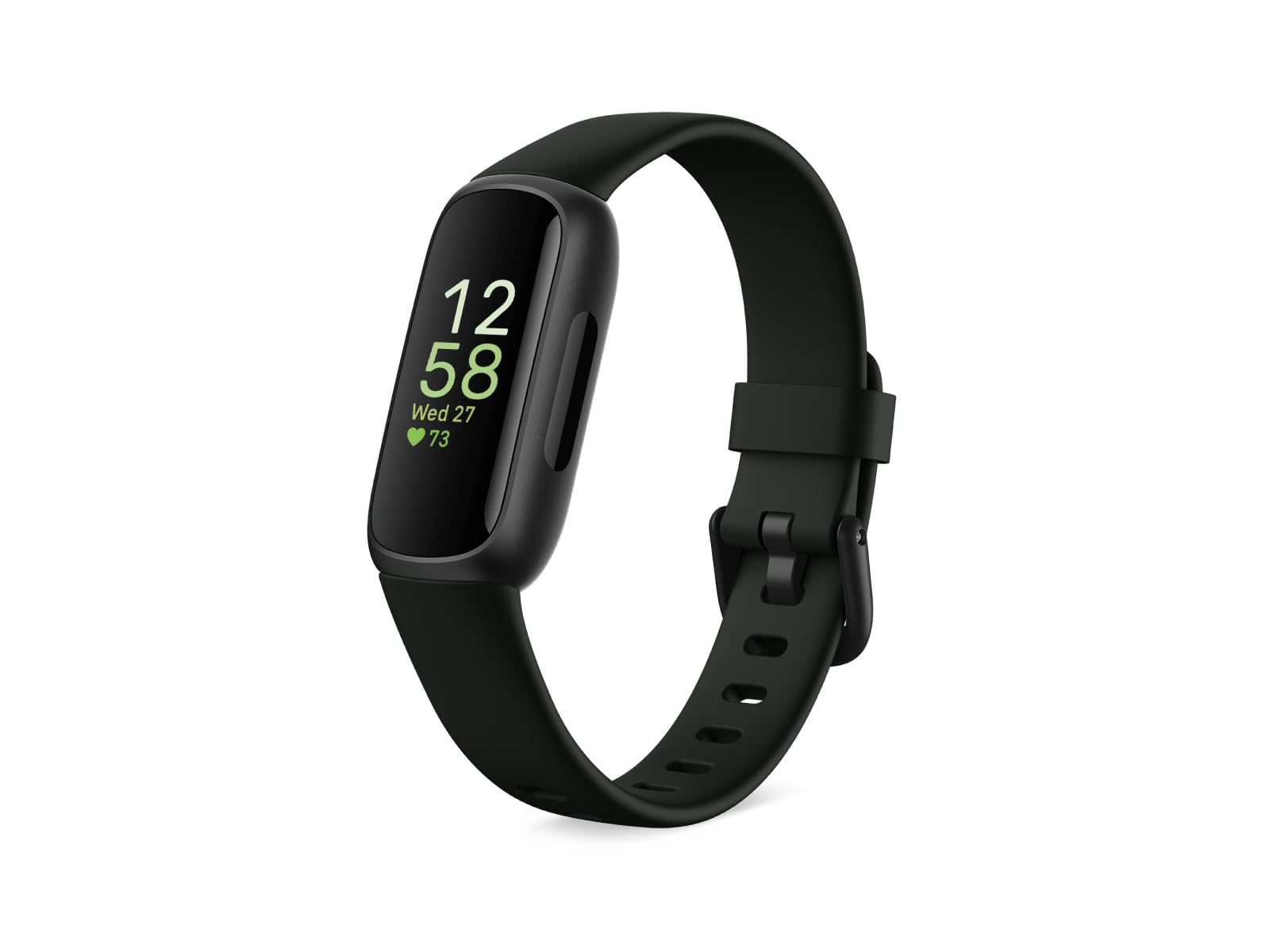
Fitbit Inspire 3
- Slim, comfortable band — light enough to sleep in for sleep tracking
- Up to 10-day battery life
- Simple swipe interface, straightforward Fitbit app setup
- No GPS — relies on the phone for location during outdoor workouts
- Some Fitbit features require a paid Premium subscription

Amazfit Bip 6
- Up to 14-day battery life, longest in this group
- Built-in GPS (doesn't need the phone nearby for location)
- 5ATM water resistance and 21 sports tracking modes
- Companion app (Zepp) is less polished than Fitbit's or Samsung's
- Smaller brand footprint — less familiar to some users
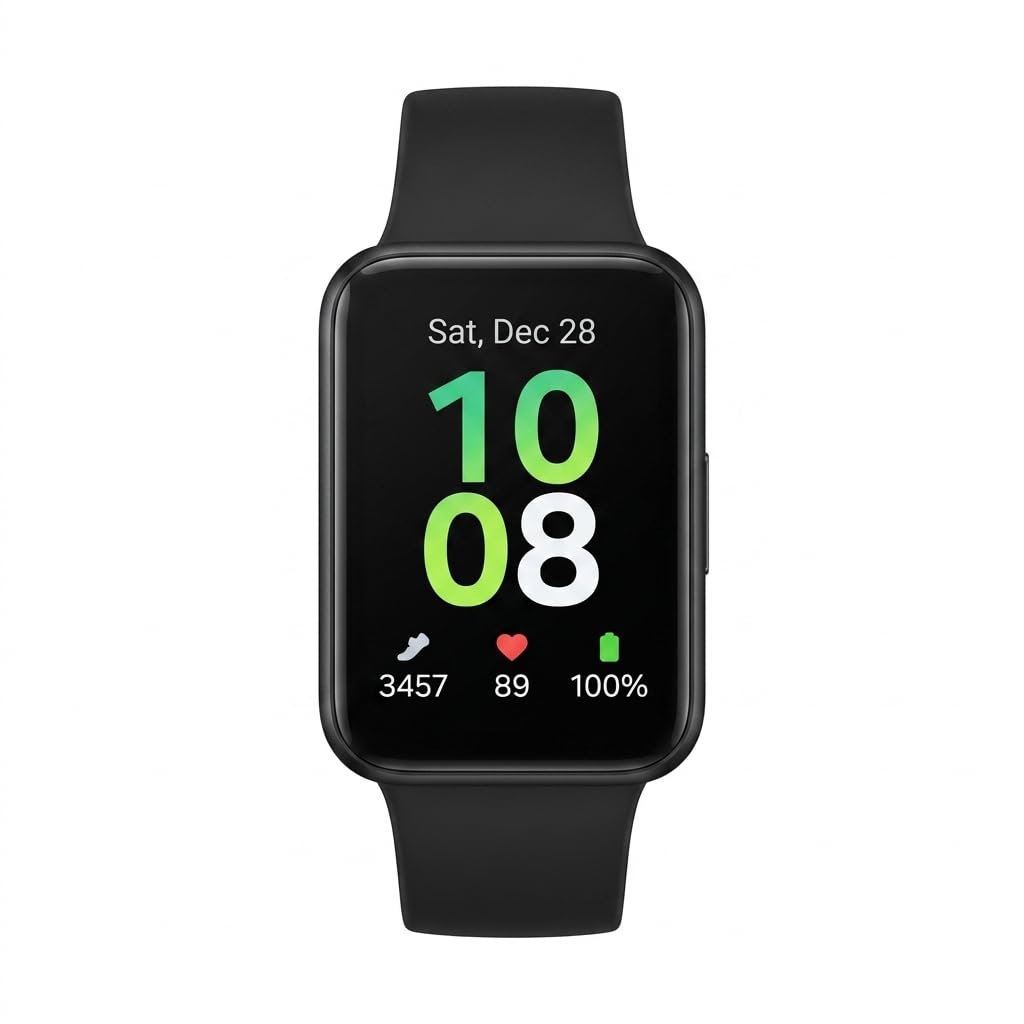
Samsung Galaxy Fit 3
- Tight integration with Samsung Health if the senior already has a Galaxy phone
- 1.6-inch AMOLED display is bright and crisp
- Up to 13-day battery life
- Best experience is Samsung-phone-specific; fewer features on iPhone or other Android
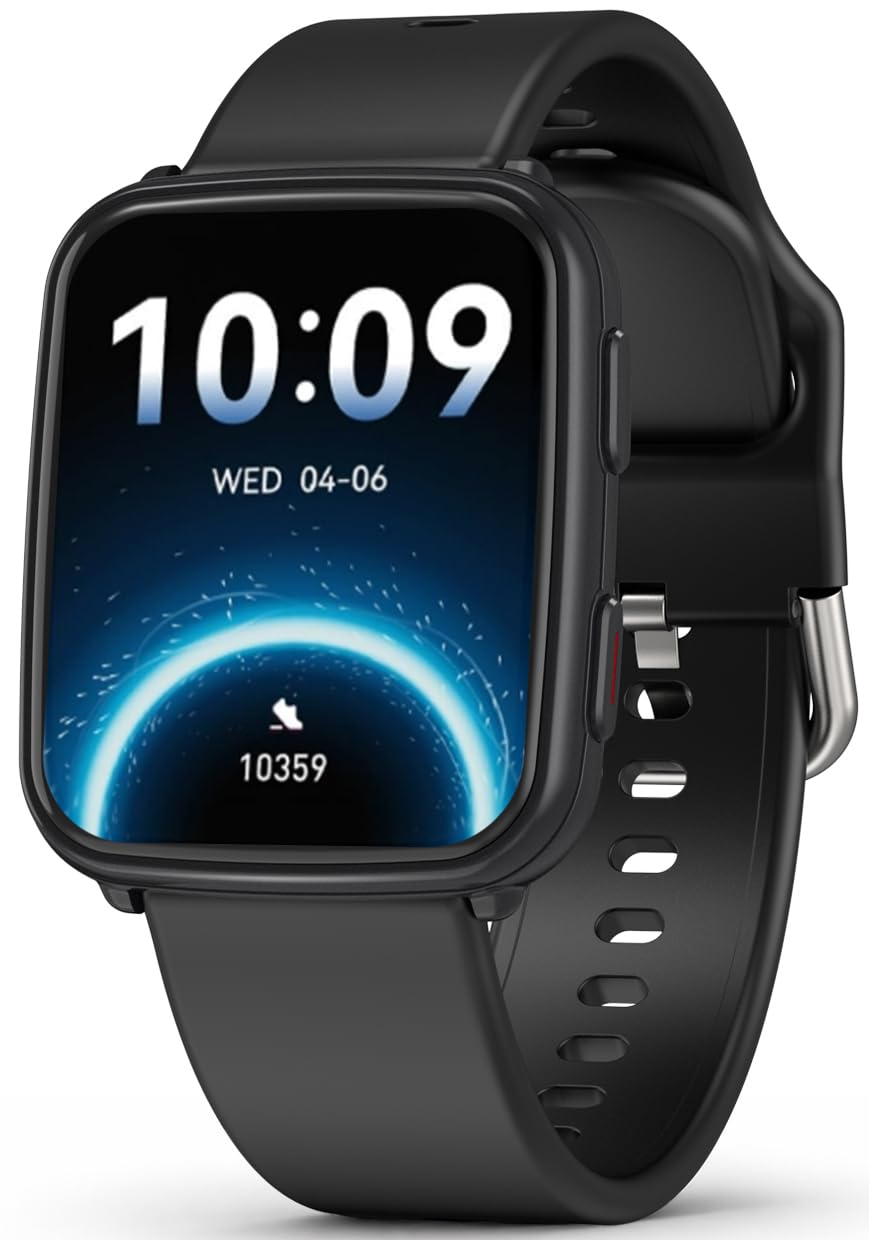
MorePro Air6 Fitness Tracker
- Tracks heart rate continuously alongside steps and sleep
- Includes a wrist-based blood pressure estimate feature
- Budget-friendly even within this already-budget category
- Wrist-based blood pressure readings are a wellness estimate, not a medical-grade measurement
- App and build quality feel less refined than Fitbit or Samsung
What You're Trading Away at This Price
Our full smartwatch guide covers premium picks like the Apple Watch SE and Samsung Galaxy Watch 7, which run $250–$450 and include cellular fall detection with automatic emergency calling — that's a real, tested safety feature these budget picks don't have. What a sub-$100 watch or band still does well is the everyday health-tracking side: step counts, sleep tracking, heart rate, and basic notifications. If cellular fall detection with an SOS call is the priority, spend up for the full guide's picks or look at our dedicated fall detection guide instead. If the goal is just staying active and keeping an eye on general health trends, these are a reasonable, much cheaper starting point.
What to Look For Under $100
- Battery life of a week or more — at this price, a watch that needs nightly charging is more likely to end up sitting in a drawer.
- A display readable in daylight — AMOLED screens (common even at this price now) are noticeably better than the dimmer LCD panels on older budget models.
- Simple companion app — the health data is only useful if someone will actually open the app; a confusing setup process means it likely won't get used past week one.
Our Top Picks
These four all sit under or right around $100 and prioritize the basics — clear display, real battery life, simple setup — over the extra sensors and cellular features that push the premium picks in our full guide well past $200.
A Caution on Health-Sensor Claims
Some budget trackers now advertise features like continuous blood pressure estimation from the wrist. Treat these as a general wellness trend indicator, not a diagnostic reading — wrist-based optical sensors aren't a substitute for a validated cuff monitor for anyone actually managing hypertension. Our blood pressure monitor guide covers the cuff-based devices doctors actually recommend for tracking numbers that matter for a diagnosis or medication changes.
Where Budget Watches Fall Short
Beyond skipping cellular fall detection, most budget bands also skip GPS (relying on the phone's GPS via Bluetooth instead), have shorter software support windows than premium brands, and their heart-rate accuracy tends to dip during exercise compared to chest-strap or premium wrist sensors. None of that matters much for a senior mainly interested in step counts and sleep patterns; it matters more for someone tracking a specific health condition closely.
Which One, Specifically
If it's a first smartwatch and the goal is just whether they'll actually wear it, start with the Fitbit Inspire 3 — the app is the most beginner-friendly of the four and the band disappears on the wrist. If the senior already owns a Samsung phone, the Galaxy Fit 3 is worth the tighter integration even though its non-Samsung experience is weaker. Skip the blood-pressure-estimating tracker (the MorePro) for anyone actually managing hypertension — it's fine as a general trend indicator, not as a number a doctor should act on.
What About Heart-Health Monitoring Specifically?
None of these four budget picks include an FDA-cleared ECG for detecting atrial fibrillation — that's a premium-tier feature. If a cardiologist has flagged AFib risk or irregular heartbeat as a real concern, it's worth reading our guide to smartwatches with ECG and AFib detection before defaulting to a budget pick on price alone; that's a case where spending more buys a genuinely different, medically-relevant capability, not just a nicer screen.
How to Choose — and Set It Up So It Actually Gets Worn
At this price the deciding factor usually isn't the sensor list; it's whether the watch is comfortable enough to keep on and simple enough to set up once and forget. A tracker that lives in a drawer measures nothing, so weigh these practical points ahead of the spec sheet.
Which phone do they already have?
The companion app is where the health data lives, so the watch that pairs most smoothly with their existing phone usually wins. A Samsung phone owner gets tighter integration from a Samsung band; someone who wants the friendliest beginner app is often best served by Fitbit's. Buying against the phone they already use just adds friction.
Who does the initial setup?
Plan for a phone-comfortable family member to handle pairing, account creation, and turning on the handful of features that matter — step tracking, heart rate, sleep, and notifications — while turning off the rest. Ten minutes of setup up front, with the clutter switched off, is the difference between a watch that's glanced at daily and one that's abandoned after week one.
Readability and controls
Check that the watch face they'll actually use shows the time and a couple of key numbers in large, high-contrast digits, and that the display is bright enough to read outdoors and set to wake reliably with a wrist raise or a single tap. Tiny fonts and fussy swipe gestures are the most common reasons an older user quietly gives up on a band.
Charging they'll keep up with
Longer battery life isn't just convenience at this age of user — it's what keeps the watch on the wrist. A band that needs charging every night is easy to forget, and a forgotten watch tracks nothing, including sleep. Pick something that goes several days to a week or more between charges, and pair charging with a fixed weekly habit, like plugging it in during a morning shower.
Common Mistakes to Avoid
- Treating wrist readings as medical measurements. Budget wrist sensors are fine for spotting trends, but a wrist-based blood pressure or heart-rate figure is not a diagnostic number. For anything a doctor should act on, use a validated cuff or a device cleared for that purpose.
- Expecting fall detection or an SOS call. These sub-$100 picks don't include the cellular fall detection and automatic emergency calling that premium watches and dedicated devices do. If a fall with nobody around is the real worry, that's the wrong category entirely.
- Buying a band for a senior with no smartphone. All of these need a paired phone for setup and to see the data. Without a smartphone in the picture, a fitness band isn't the right starting point.
- Leaving every notification and reminder switched on. A watch that buzzes constantly gets taken off. Turn on only what's useful — calls, texts, maybe a step goal — and silence the rest during setup.
- Ignoring band fit and skin. Thin, aging skin can be irritated by a tight silicone band worn around the clock. The wrong fit is a common reason a watch stops being worn, and it's easily avoided.
Comfort, Skin, and Everyday Wear
Because the whole value of a tracker depends on it staying on the wrist, comfort deserves as much attention as features. A band worn continuously — including overnight for sleep tracking — should sit snug enough to read the sensor but loose enough to slide slightly and let air reach the skin. For anyone prone to irritation, a perforated or fabric band breathes better than solid silicone, taking it off for an hour a day gives the skin a break, and wiping the band down regularly prevents the trapped sweat and residue that cause most rashes.
Weight and size matter too: a lighter, slimmer band is easier to forget you're wearing, which is exactly the point for sleep tracking and all-day wear. Set a couple of gentle, genuinely useful reminders — a medication nudge or a move prompt — rather than a stream of alerts, so the watch feels like a quiet helper instead of something demanding attention. And keep expectations honest with the wearer: these tools show helpful trends over days and weeks, not precise clinical readings, and they're best treated as encouragement to stay active rather than as a medical instrument.
Frequently Asked Questions
Do any of these work without a smartphone?
No — all four need a paired smartphone (iOS or Android) for setup and to view most health data beyond the watch face itself. If the senior doesn't use a smartphone at all, a budget fitness band isn't the right category; a phone would need to come first.
How accurate is the step count on a $50–$100 band versus a $250 watch?
Close enough for tracking trends — day-to-day step counts on budget bands are generally within a reasonable margin of premium watches. Where budget bands fall further behind is heart-rate accuracy during active exercise, not everyday step counting.
Will the band irritate sensitive or thin, aging skin?
It can, especially with silicone bands worn continuously for sleep tracking. Loosening the band slightly, taking it off for an hour a day, and wiping it down regularly reduces irritation; a fabric or perforated silicone band breathes better than solid silicone for anyone prone to this.
Can I get text and call notifications on these budget bands?
Yes, all four show basic call and text notifications on the display once paired, though none let you reply directly from the band the way some premium watches do — you'll still need to pick up the phone to respond.
How is the sleep tracking on a budget band?
Good enough to show useful patterns — roughly how long they slept and how restless the night was — which is what most people actually want. Treat the detailed sleep-stage breakdowns as approximate rather than exact; the value is in spotting trends over time, like whether sleep is generally improving or worsening, not in any single night's precise numbers.
Will family members be able to see the data remotely?
It depends on the app. Some fitness platforms let a family member follow the wearer's activity or receive a shared summary if the senior opts in, which can be a light, unobtrusive way to keep an eye on general activity. It varies by brand and requires setup and consent, so check the specific app's family or sharing features rather than assuming it's built in.
Are these waterproof enough to wear in the shower or while swimming?
Water resistance varies by model, so check each one's rating rather than assuming. Some budget bands tolerate showering and swimming while others are only splash-resistant. When in doubt, take it off for showers and swimming — it's the safest way to avoid damaging a watch that wasn't built for full submersion.
How hard are they to set up for someone not tech-savvy?
The watch itself is simple to wear once it's running; the setup is the part that benefits from help. Pairing it to the phone, creating the account, and choosing which features and notifications to enable is a one-time job best done by a phone-comfortable family member. After that, day-to-day use is mostly just glancing at the wrist.
Is a budget smartwatch worth it at all, or should I just save up for a premium one?
It comes down to the goal. If the aim is everyday encouragement — steps, sleep, heart-rate trends, basic notifications — a sub-$100 band delivers that well and is a low-risk way to find out if they'll even wear one. If the real need is fall detection with an emergency call, a premium watch or a dedicated medical-alert device is worth the extra money, because that's a genuinely different capability, not just a nicer screen.
The Bottom Line
Under $100 buys real day-to-day health tracking — steps, sleep, heart rate, basic notifications — without the cellular safety features of a premium watch. That's a fine trade for a senior who's active and mainly curious about trends, and a poor trade for someone whose main risk is a fall with nobody around; that person should look at the fall-detection-specific guide instead.
The honest way to think about these is as encouragement, not medical equipment. For an active senior curious about their steps, sleep, and general trends, a well-chosen band under $100 is a genuinely useful, low-cost companion — provided it's comfortable enough to keep wearing and set up so it doesn't nag. Just don't ask it to do the one job it can't: if a fall with no one around is the central concern, spend the money where it buys a real safety net instead. For a step further down in complexity — no smartwatch notifications or apps to manage at all — our fitness trackers for seniors guide covers dedicated trackers built purely for activity, heart rate, and sleep. And if the choice has narrowed to a full-featured flagship instead of a budget band, our Apple Watch vs. Samsung Galaxy Watch comparison breaks down which ecosystem's safety features actually fit the phone already in the house.

